


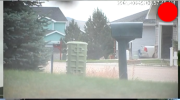
I'm adding another setting to let you scale UI3's icon overlays because these things are rather large. Then I'll release it today as UI3-329.

Yep, those overlays have been working for me to indicate recording for years with all camera frames/borders/titlebars turned off. The Extra Visibility toggle puts a red circle around the "walking man" icon (or thunderbolt icon), filling it out as a good recording icon.UI3's settings > Event-Triggered Icons section is independent of that. It doesn't matter if camera borders or names are hidden or shown. When UI3 overlays an icon via these settings, it is overlaid on the upper right corner of the camera, not in any kind of title bar.

post screenshotYep, those overlays have been working for me to indicate recording for years with all camera frames/borders/titlebars turned off. The Extra Visibility toggle puts a red circle around the "walking man" icon (or thunderbolt icon), filling it out as a good recording icon.
new recording icon overlay in group layout without name works perfectly with new update.
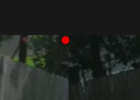
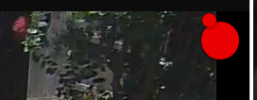
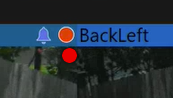
@bp2008 already did, which I literally quoted in my post. I could provide a dozen more screenshots demonstrating this functionality, ranging from current BI6 versions to early BI5 versions, but this would be a complete waste of time because you are dense. If you actually followed the instructions given originally, you could see it live on your own system instead of needing to live vicariously through others.post screenshot
This is because you failed to follow the earlier instructions to turn off the first three toggles under Event-Triggered Icons (functionality that IMHO should be completely removed from UI3). They duplicate the better functionality of the following set of toggles I instructed you to turn on, but only work on solo camera views and not in group views.new recording icon overlay in group layout without name works perfectly with new update, but it doubles up in single camera view

sorry professor! FFI! detention for me. that resolved my screenshot #2. but not #3. #3 also not a huge deal. also, you didnt post any screenshot showing the record icon which is what i called out specifically in the original post.This is because you failed to follow the earlier instructions to turn off the first three toggles under Event-Triggered Icons (functionality that IMHO should be completely removed from UI3). They duplicate the better functionality of the following set of toggles I instructed you to turn on, but only work on solo camera views and not in group views.

This is the UI3 thread, so I thought it was obvious.How are you viewing on your phone, UI3 or the BI App? Or???
Is it just zoomed in so you could pinch to zoom back out? I have noticed some issues with the default zoom level not appearing to stick when a browser is resized, which is essentially what happens when you rotate a phone. I never figured out the exact cause though.This is the UI3 thread, so I thought it was obvious.
UI3.
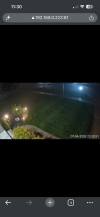
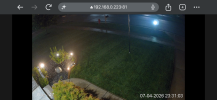
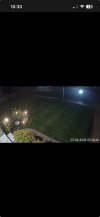
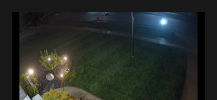
No, it's really weird.
If I navigate to UI3 in Safari or Chrome, it behaves as expected. If I add a link to the home screen, then open the link, this is where it shifts UI3 down. It doesn't matter if I make the link from Safari or Chrome, it behaves the same way in both.
It’s the entire thing. It’s just more obvious when you try to view a single feed.That is really weird indeed. Is the entire UI shifted down like that or only the video? Your screenshots seem to be in fullscreen video mode.
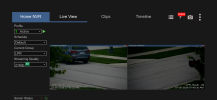
It’s the entire thing. It’s just more obvious when you try to view a single feed.
View attachment 245945
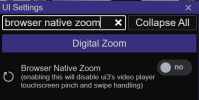
It was happening on my 11 Pro and I had hoped the 17e I just got would fix it, but, alas, it did not. I'll just need to deal with pinching when I want to view landscape, and making sure to enable that in all of my shortcuts.Well in that case I doubt there's anything I can do in UI3 to work around this. Sounds like an iOS bug.


