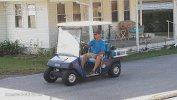
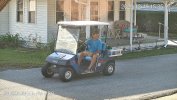
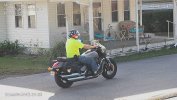
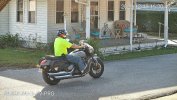
B54PRO-Z4E first impression

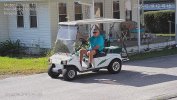
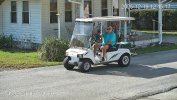
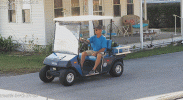
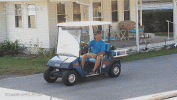
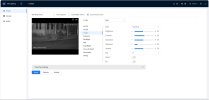
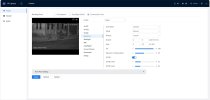
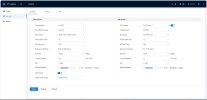
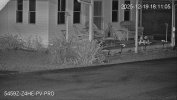
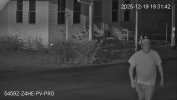
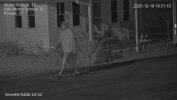
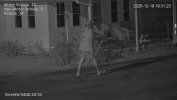
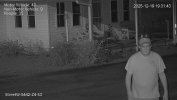
Exact same shutter. Other values are different.

The goal/effort was not to compare settings, it was to dial in the best possible quality image for each camera
 
  • Like
Reactions: alekk
I'm enjoying reading all of the comments and learning a lot at the same time. Thanks for all of the analysis and helpful suggestions. So after all this testing, I have a few comments about the B54PRO-Z4E and its predecessor (B54IR-Z4E-S3). These are in no particular order--just some things I have discovered:
1. H.264.H vs. H.265
I have always set my cameras at H.264.H. I did this after testing H.264.H and H.265 head-to-head with a Color4K-T180 overlooking a heavily traveled street in front of my house. The H.264.H provided much better results without the large blocking of the H.265 compression. Now, after using this B54PRO-Z4E for an extended period of time, I have changed my opinion (for this camera). The camera appears to be optimized for H.265. I have gone back and forth between the two compression settings, but the H.265 has won me over. My other cams are set for H.264.H, but this one is going to remain at H.265.
2. Sharpness lower
All of my other cameras I have set sharpness at 38-45, but with this B54PRO-Z4E, it works best at 18-20 (19 currently). When the sharpness is increased past 20, noise is amplified exponentially--like porcupines in a balloon factory. I've never seen this effect with my other cameras.
3. Moving objects behave differently
I assume this is the AI at work, but while static images are crisp and clean (though with not as much detail as the B54IR-Z4E-S3), moving objects have a strange noise pattern. This has gotten a lot better with the latest firmware release, so I think it is something that is being worked on behind the scenes.
4. IR is weaker
This is probably the thing that bothers me most. The B54IR-Z4E-S3's IR was a lot stronger. I assume this is because the engineers had to make compromises when adding the warm LEDs. This B54PRO-Z4E is never going to equal what the B54IR-Z4E can do at night in a completely dark setting.
5. NR acts differently
I still haven't figured out the NR on this new camera. It seems to change with every firmware update, but now I'll leave it at 39-3D 34-2D (night) and 30-3D 29-2D (day). Those seem to be the best settings for my application.
6. Auto wide dynamic range is cool
Finally I can see shadow detail in the daytime, during bright, highly contrast-laden scenes. Daytime detail is greatly enhanced by this. Thanks to whomever the Dahua engineer was who got this right. This is one area where the B54PRO-Z4E is superior to the B54IR-Z4E
7. Smart Illumination is improved
I know this camera is tailored for the set-it and forget-it crowd, and I understand why. Simpler is better, right? I am the kind of person who will change every setting a zillion times, so I am not the norm. Can't begin to tell you all the struggles I had with the 4K-X focused on the street, where one tiny change in noise level or red/blue would destroy the image and induce noise. This camera is soooo different. The smart illumination actually works. After last night's test at the default settings that Andy asked me to try, I am convinced that the engineers are getting closer and closer to something that will usable for the masses without a lot of headaches. Now I can understand people's frustrations to this camera being a work in progress, after they assumed it would be a finished product; but I can see it is moving forward with improvements at each stage.
8. No pain, no gain control?
Ok, I am totally confused by how the gain control works on this camera. On my other cameras I generally leave them at the default 0-50 setting. Yeah, occasionally I may lower the gain a bit for daytime viewing, but most of the time at night I never go above 50, as that invites ghosting. With this new camera, it is all over the place. I have seen on several occasions where raising the gain will lower the sharpness. Also, the gain affects the image differently than previous cameras. I don't really understand it, so I have been looking at other's settings to see if I could see a pattern.
9. A foggy day in California town
What the AI does to fog is really creepy. I live in an area that gets a lot of fog (10 miles inland from the Pacific Ocean). Unlike my other cameras, the AI makes a weird grid on the screen with how it decodes the fog. At the same time, it brightens up the entire image and makes it look like daylight. I am not a fan. Wish this wouldn't happen.
10. Brighter is better?
The new firmware adds a new dimension of brightness. I like to manipulate the settings on my cameras to get the best images, but this move toward static brightness is moving away from the control that I was afforded in previous generations. It's like taking away the bass/treble controls on the stereo and saying, "You must like a flat response."
 
I'm enjoying reading all of the comments and learning a lot at the same time. Thanks for all of the analysis and helpful suggestions. So after all this testing, I have a few comments about the B54PRO-Z4E and its predecessor (B54IR-Z4E-S3). These are in no particular order--just some things I have discovered:

6. Auto wide dynamic range is cool
Finally I can see shadow detail in the daytime, during bright, highly contrast-laden scenes. Daytime detail is greatly enhanced by this. Thanks to whomever the Dahua engineer was who got this right. This is one area where the B54PRO-Z4E is superior to the B54IR-Z4E

10. Brighter is better?
The new firmware adds a new dimension of brightness. I like to manipulate the settings on my cameras to get the best images, but this move toward static brightness is moving away from the control that I was afforded in previous generations. It's like taking away the bass/treble controls on the stereo and saying, "You must like a flat response."

GREAT report @tmxv4128.

I've highlighted items #6 and #10 because they seem possibly contradictory if I'm understanding it right.

I also think there is more dynamic range (with true blacks and better highlight control) ... but when you say "flat response", do you mean the histogram doesn't have "tails" (which is a reduction in dynamic range shown) - i.e. everything is pushed toward the middle ("taking away the bass/treble controls") to make it brighter ... which I agree is NOT desirable.

BTW, I'm hoping someone at Dahua is looking at the Backlight Off/HLC=1 strangeness I've been talking about ... as I'm pretty sure something is a bit amiss there ... as BLC=1 seems to generally provide more dynamic range ... although in certain lighting conditions, going back to Backlight=OFF results in a more pleasing image. Be awesome of Dahua can "merge" those and get best of both as the default.
 
  • Like
Reactions: tmxv4128
GREAT report @tmxv4128.

I've highlighted items #6 and #10 because they seem possibly contradictory if I'm understanding it right.

I also think there is more dynamic range (with true blacks and better highlight control) ... but when you say "flat response", do you mean the histogram doesn't have "tails" (which is a reduction in dynamic range shown) - i.e. everything is pushed toward the middle ("taking away the bass/treble controls") to make it brighter ... which I agree is NOT desirable.

BTW, I'm hoping someone at Dahua is looking at the Backlight Off/HLC=1 strangeness I've been talking about ... as I'm pretty sure something is a bit amiss there ... as BLC=1 seems to generally provide more dynamic range ... although in certain lighting conditions, going back to Backlight=OFF results in a more pleasing image. Be awesome of Dahua can "merge" those and get best of both as the default.
You seem to have a similar photography background as I. Back when I was taking 20k-28k images a year, I spent a lot of time looking at histograms. Rather than moving everything to the center of the histogram, I think it is moving more to the right (hence the clipping of the highlights). Shadows are improved a lot though. For me, I don't care so much about the highlights, as I do about the midtones and shadows, as that is what is most important as a security camera. Definitely agree about the HLC-1. After trying your suggestion, I leave it set that way during the daytime, and it certainly helps tame the brightest areas. I haven't really explored BLC, but that is something I would like to check out. Excellent analysis on your part.
 
  • Like
Reactions: alekk
Roger all that @tmxv4128 and yea, I figured you were a "deranged photographer" (meant as a compliment) as I was.

As you know, there is a mantra in our world to "expose to the right" ... since (with RAW), we can often recover/tame those highlights ... but hard to recover details in the blacks. Super-smart @steve1225 has talked about WDR'ish features ... so certainly possible the LUT curve needs some tuning.

BTW, what initially jumped out at me with the HLC=1 "hack" for daytime footage was NOT the highlights, but true blacks came back!
i.e. it turned OFF whatever was boosting the shadows artificially ... which seems really strange for "Highlight Control" ;-)
 
  • Like
Reactions: tmxv4128
Roger all that @tmxv4128 and yea, I figured you were a "deranged photographer" (meant as a compliment) as I was.

As you know, there is a mantra in our world to "expose to the right" ... since (with RAW), we can often recover/tame those highlights ... but hard to recover details in the blacks. Super-smart @steve1225 has talked about WDR'ish features ... so certainly possible the LUT curve needs some tuning.

BTW, what initially jumped out at me with the HLC=1 "hack" for daytime footage was NOT the highlights, but true blacks came back!
i.e. it turned OFF whatever was boosting the shadows artificially ... which seems really strange for "Highlight Control" ;-)
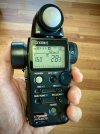
Ha ha, yeah I am probably the only person who carries a Sekonic whenever I go out. My photography friends will rave about how they can get a great shot without a meter, yet it takes them 100 exposures with bracketing that I can get in one shot.
 

Attachments

  • sekonic.jpeg
    sekonic.jpeg
    734.9 KB · Views: 10
  • Like
Reactions: alekk
I'm enjoying reading all of the comments and learning a lot at the same time. Thanks for all of the analysis and helpful suggestions. So after all this testing, I have a few comments about the B54PRO-Z4E and its predecessor (B54IR-Z4E-S3). These are in no particular order--just some things I have discovered:
1. H.264.H vs. H.265
I have always set my cameras at H.264.H. I did this after testing H.264.H and H.265 head-to-head with a Color4K-T180 overlooking a heavily traveled street in front of my house. The H.264.H provided much better results without the large blocking of the H.265 compression. Now, after using this B54PRO-Z4E for an extended period of time, I have changed my opinion (for this camera). The camera appears to be optimized for H.265. I have gone back and forth between the two compression settings, but the H.265 has won me over. My other cams are set for H.264.H, but this one is going to remain at H.265.
2. Sharpness lower
All of my other cameras I have set sharpness at 38-45, but with this B54PRO-Z4E, it works best at 18-20 (19 currently). When the sharpness is increased past 20, noise is amplified exponentially--like porcupines in a balloon factory. I've never seen this effect with my other cameras.
3. Moving objects behave differently
I assume this is the AI at work, but while static images are crisp and clean (though with not as much detail as the B54IR-Z4E-S3), moving objects have a strange noise pattern. This has gotten a lot better with the latest firmware release, so I think it is something that is being worked on behind the scenes.
4. IR is weaker
This is probably the thing that bothers me most. The B54IR-Z4E-S3's IR was a lot stronger. I assume this is because the engineers had to make compromises when adding the warm LEDs. This B54PRO-Z4E is never going to equal what the B54IR-Z4E can do at night in a completely dark setting.
5. NR acts differently
I still haven't figured out the NR on this new camera. It seems to change with every firmware update, but now I'll leave it at 39-3D 34-2D (night) and 30-3D 29-2D (day). Those seem to be the best settings for my application.
6. Auto wide dynamic range is cool
Finally I can see shadow detail in the daytime, during bright, highly contrast-laden scenes. Daytime detail is greatly enhanced by this. Thanks to whomever the Dahua engineer was who got this right. This is one area where the B54PRO-Z4E is superior to the B54IR-Z4E
7. Smart Illumination is improved
I know this camera is tailored for the set-it and forget-it crowd, and I understand why. Simpler is better, right? I am the kind of person who will change every setting a zillion times, so I am not the norm. Can't begin to tell you all the struggles I had with the 4K-X focused on the street, where one tiny change in noise level or red/blue would destroy the image and induce noise. This camera is soooo different. The smart illumination actually works. After last night's test at the default settings that Andy asked me to try, I am convinced that the engineers are getting closer and closer to something that will usable for the masses without a lot of headaches. Now I can understand people's frustrations to this camera being a work in progress, after they assumed it would be a finished product; but I can see it is moving forward with improvements at each stage.
8. No pain, no gain control?
Ok, I am totally confused by how the gain control works on this camera. On my other cameras I generally leave them at the default 0-50 setting. Yeah, occasionally I may lower the gain a bit for daytime viewing, but most of the time at night I never go above 50, as that invites ghosting. With this new camera, it is all over the place. I have seen on several occasions where raising the gain will lower the sharpness. Also, the gain affects the image differently than previous cameras. I don't really understand it, so I have been looking at other's settings to see if I could see a pattern.
9. A foggy day in California town
What the AI does to fog is really creepy. I live in an area that gets a lot of fog (10 miles inland from the Pacific Ocean). Unlike my other cameras, the AI makes a weird grid on the screen with how it decodes the fog. At the same time, it brightens up the entire image and makes it look like daylight. I am not a fan. Wish this wouldn't happen.
10. Brighter is better?
The new firmware adds a new dimension of brightness. I like to manipulate the settings on my cameras to get the best images, but this move toward static brightness is moving away from the control that I was afforded in previous generations. It's like taking away the bass/treble controls on the stereo and saying, "You must like a flat response."

Have to agree with most all.
Haven’t really messed with the H.265 may give it a whirl

It’s funny though with ANY new camera, if I’m not directly comparing it to another one tends to be more forgiving about its weaknesses
 
  • Like
Reactions: looney2ns
Minor setting changes to the daytime image to bring the 54PRO as close as possible to the 5442 S3

54PRO Still a bit softer than the 5442 S3 but close enough.
The 54PRO is running the same 0-2 exposure, more Sharpness (50), less NR (18) and I even used the Smooth Stream slider on the encode tab to move it slightly to the "Clear or sharper side at 54

Daytime is going to come down to user preference.
54PRO- a bit soft, deeper dynamic range (when the light is right), but nice image
5442 S3- a bit sharper

This coincides with the "out of the box" characteristics we've seen since day one of both of these series.
The 54PRO has a bias towards soft and the 5442 S3 has a bias towards sharp


192.168.1.110_StreetW-5442-Z4-S3_main_20251219153557_@1.jpg 192.168.1.110_5459Z-Z4HE-PV-PRO_main_20251219153557_@1.jpg

192.168.1.110_StreetW-5442-Z4-S3_main_20251219153047_@1.jpg 192.168.1.110_5459Z-Z4HE-PV-PRO_main_20251219153047_@1.jpg

192.168.1.110_StreetW-5442-Z4-S3_main_20251219144248_@1.jpg 192.168.1.110_5459Z-Z4HE-PV-PRO_main_20251219144248_@1.jpg

192.168.1.110_StreetW-5442-Z4-S3_main_20251219120650_@1.jpg 192.168.1.110_5459Z-Z4HE-PV-PRO_main_20251219120650_@1.jpg

192.168.1.110_StreetW-5442-Z4-S3_main_20251219121518_@1.jpg 192.168.1.110_5459Z-Z4HE-PV-PRO_main_20251219121517_@1.jpg
 
  • Like
Reactions: looney2ns
Have you tried the Backlight HLC=ONE "hack" on the T54PRO-ZE ... that first image with the golf cart especially looks like it has the "fog" overlaid on top of it ... so no true blacks, plus loss of sharpness.

Super-simple to test in a static scene - take a snapshot via the web interface, ONLY change Backlight from OFF to HLC=1, take another snapshot, and compare, especially in the dark shadows.
 
Last edited:
  • Like
Reactions: bigredfish
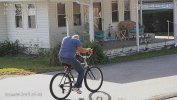
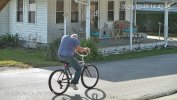
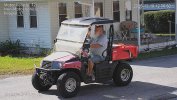
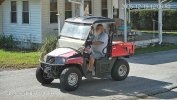
Here's a comparison of those two images that show the "fog" I'm talking about.
Check out the golf cart, tires, grass, bushes in the back, etc.
First animated GIF is your images "lined up" as discussed below - second is the originals you posted.

As mentioned earlier, your cameras aren't lined up too well (rotation angle, center point, and FOV are different) but in fairness, it's a PIA to do.

So it was easy enough to pull 'em into Photoshop to auto-align. They obviously aren't perfect overlays because the camera's are slightly offset (nothing you can do about that and you've done well to have them that close) ... but if you were interested in fiddling with the angle, direction, and zoom, you could get pretty close to this ... and it really allows you to see the differences using the "native" camera images rather than Photoshop "fiddled" images which distorts them a bit.

BTW, even though the camera's have the same resolution, etc. there is a slight difference in the aspect ratio between them ... so you can never get the exact same FOV ... so I'd either do the vertical (roof line to greenery?) or (my choice) would be horizontal (interior corner of the house to the rain gutter?).

P.S. 5459 has some lens flare/fog in the top middle of the image - any chance that is picking up some sun that the 5442 is not(?) ... as that would certainly degrade image quality and could be contributing to the "fog"

PPS. Duly noted some "Pig-Pen Dust Cloud" on the 5459 - most noticeably behind the rear tire.

2025_12_19_BigRedFish_5442_5459.gif


2025_12_19_BigRedFish_Orig.gif
 
Last edited:
That’s great. But you’re just seeing sun reflection in that particular image

And as far as alignment they’re fine for the purpose of testing moving video
 
  • Like
Reactions: looney2ns
You can see the "shadow boost" in all of the images - look at the strip of grass in front of the house and the bushes in the back.
As I said, have you tried Backlight HLC=ONE
 
Yes I implemented the HLC-1 setting. We'll see tomorrow.

Thats my last day for this camera, its coming down and my 5442H-ZHE is going back up to cover the driveway over the weekend..

This one will be for sale if you're interested
 
  • Haha
Reactions: Chokolinho
54PRO IR ON and 5442 S3 with IR OFF for tonight's testing.
I have a special request I'll also try and note the changes
1219Night1.jpg 1219Night2.jpg 1219Night3.jpg


@tmxv4128 is right about sharpness... anything much over 20 in IR mode at night is a mess.
I think this speaks to what they are doing with FW to try and cut down the noise from the inferior sensor
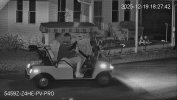
Below was an attempt at 30 Sharpness
Note: this was only on the moving target. The still image as typical of this camera looked fine

Still with IR on from 5442 and with it OFF (as it will be for testing tonight)
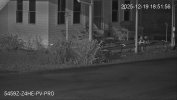
192.168.1.110_5459Z-Z4HE-PV-PRO_main_20251219181025_@1.jpg 192.168.1.110_5459Z-Z4HE-PV-PRO_main_20251219185116_@1.jpg


192.168.1.110_5459Z-Z4HE-PV-PRO_main_20251219182742_@1.jpg
 
Last edited:
  • Sad
Reactions: Chokolinho
Ok I'll bump NR back up to mid 30's...

I've lost that Lovin feelin...


54PRO
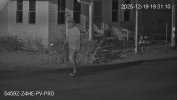
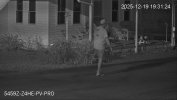
192.168.1.110_5459Z-Z4HE-PV-PRO_main_20251219193110_@1.jpg 192.168.1.110_5459Z-Z4HE-PV-PRO_main_20251219193124_@1.jpg 192.168.1.110_5459Z-Z4HE-PV-PRO_main_20251219193142_@1.jpg


5442 S3 (No IR on)
192.168.1.110_StreetW-5442-Z4-S3_main_20251219193110_@1.jpg 192.168.1.110_StreetW-5442-Z4-S3_main_20251219193123_@1.jpg 192.168.1.110_StreetW-5442-Z4-S3_main_20251219193143_@1.jpg


192.168.1.110_5459Z-Z4HE-PV-PRO_main_20251219193110_@1.jpg

192.168.1.110_StreetW-5442-Z4-S3_main_20251219193110_@1.jpg