
EmpireTech aka Dahua LPR Settings
- Thread starter anonymoosed
- Start date

You are using an out of date browser. It may not display this or other websites correctly.
You should upgrade or use an alternative browser.
You should upgrade or use an alternative browser.

joogle
Getting the hang of it
joogle
Getting the hang of it
yeah i will have to do that its difficult as im sure will have to use some help by having someone from the house park the car in middle, and then i will have to adjust with laptop at home.The best thing is to stop a vehicle in your center of view at night to dial it in.
I can't seem to get the night image right
Post your latest settings.
joogle
Getting the hang of it
Exactly same as bigredfish.Post your latest settings.
Here's some settings to get you heading in the right direction. Yours will end up slightly different.
You have chosen the hardest thing to learn and dial in - LPR. It takes me 10+ hours over 2-4 days to dial in an LPR camera.
You're going to need to read up a lot. Walking you through every part will take days and I'm very expensive.
Day
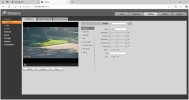
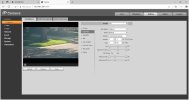
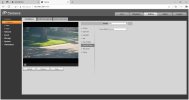
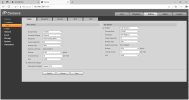
Night
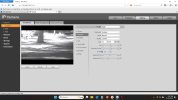
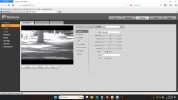
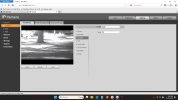
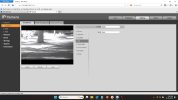
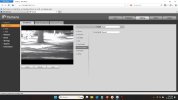
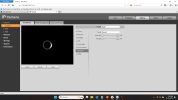
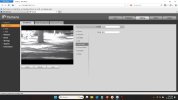
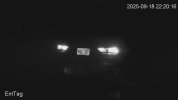
The end result you're looking for is this
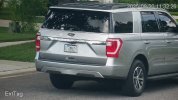
You have chosen the hardest thing to learn and dial in - LPR. It takes me 10+ hours over 2-4 days to dial in an LPR camera.
You're going to need to read up a lot. Walking you through every part will take days and I'm very expensive.
Day
Night
The end result you're looking for is this
Only difference is I don't have 30fps setting in mine, only goes to 25fps.
I just modified it now to be 1/2000 shutter with gain 40 to 60 to test as I saw that someone had posted in another thread.
You are running a newer model with a different chipset.
I still think you need more zoom.
Drop sharpness down a lot like to 5.
As this thread shows, things like gamma, brightness, contrast, etc. impact focus as well (which most people would not think it would), so we give you our settings to use as a starting point, but every field of view, angle, etc. is different and take in some instances a lot of trial and error to get it to read plates.
I still think you need more zoom.
Drop sharpness down a lot like to 5.
As this thread shows, things like gamma, brightness, contrast, etc. impact focus as well (which most people would not think it would), so we give you our settings to use as a starting point, but every field of view, angle, etc. is different and take in some instances a lot of trial and error to get it to read plates.
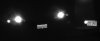
The picture below has been cropped but otherwise has not been edited, even though it looks like someone used photo-editing software to blur the license plate on the left.
I can't control the cars that drive by, so I manually put an old license plate and circular reflector on the right side of the road to help dial in the settings. The left license plate is on a car that is moving just 1 mile per hour. The camera is at a distance of about 135ft, at a 20-30 degree angle, with IR manually set on full blast.
Normally when something isn't clear due to motion, I think of shutter...
I can't control the cars that drive by, so I manually put an old license plate and circular reflector on the right side of the road to help dial in the settings. The left license plate is on a car that is moving just 1 mile per hour. The camera is at a distance of about 135ft, at a 20-30 degree angle, with IR manually set on full blast.
Normally when something isn't clear due to motion, I think of shutter...

joogle
Getting the hang of it
sounds good, will keep at it - i guess what im having a hard time understanding is that others who've posted clear LPR plates are zoomed further out than I am.You are running a newer model with a different chipset.
I still think you need more zoom.
Drop sharpness down a lot like to 5.
As this thread shows, things like gamma, brightness, contrast, etc. impact focus as well (which most people would not think it would), so we give you our settings to use as a starting point, but every field of view, angle, etc. is different and take in some instances a lot of trial and error to get it to read plates.
The picture below has been cropped but otherwise has not been edited, even though it looks like someone used photo-editing software to blur the license plate on the left.
I can't control the cars that drive by, so I manually put an old license plate and circular reflector on the right side of the road to help dial in the settings. The left license plate is on a car that is moving just 1 mile per hour. The camera is at a distance of about 135ft, at a 20-30 degree angle, with IR manually set on full blast.
Normally when something isn't clear due to motion, I think of shutter...
Ex. this one to which you responded --
I am viewing the videos on Unifi Protect, wondering maybe this is a software thing which as to zoom in and take pictures
sounds good, will keep at it - i guess what im having a hard time understanding is that others who've posted clear LPR plates are zoomed further out than I am.
Ex. this one to which you responded --
I am viewing the videos on Unifi Protect, wondering maybe this is a software thing which as to zoom in and take pictures
I assure you @bigredfish has his LPR camera highly zoomed in.
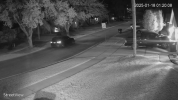
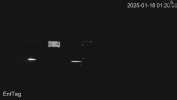
That video in the thread you linked was not where the LPR came from - that was an overview camera.
This is his overview:
And then the tightly zoomed in LPR got this:

Exactly same as bigredfish.
Post your settings, not BRF's settings. Like in high school, show your work.Only difference is I don't have 30fps setting in mine, only goes to 25fps.
Two observations:
You are not as zoomed in as BRF's shots. Your plate size is smaller.
I don't think you are getting the full IR reflected.
joogle
Getting the hang of it
Post your settings, not BRF's settings. Like in high school, show your work.
Two observations:
You are not as zoomed in as BRF's shots. Your plate size is smaller.
I don't think you are getting the full IR reflected.
Attached are the settings. I changed sharpness down to 5 for every night and now reverted back today to higher as I am seeing better results.
I have one video that i just caught of a strange behavior by the driver but what sucks is can't read or makeout the plate. I think it says ERA1 F94.
I'm sharing two videos from tonight one was very clear, unfortunately the other was not where I am taking the guess the license plate says ERA1 F94 after I took a snapshot and inserted into platerecognizer.
Attachments

bigredfish
Known around here
Match Iframe interval to frame rate. 30/30
go to 8192 bitrate
That looks same as the other example you showed.
I think you have set focus on that parked car plate and the actual target vehicles are much closer and not in focus.
Try to get a daytime video and post it so we can see whats going on.
How far from the camera to that moving vehicle?
go to 8192 bitrate
That looks same as the other example you showed.
I think you have set focus on that parked car plate and the actual target vehicles are much closer and not in focus.
Try to get a daytime video and post it so we can see whats going on.
How far from the camera to that moving vehicle?
joogle
Getting the hang of it
will do, daytime works out real well.Match Iframe interval to frame rate. 30/30
go to 8192 bitrate
That looks same as the other example you showed.
I think you have set focus on that parked car plate and the actual target vehicles are much closer and not in focus.
Try to get a daytime video and post it so we can see whats going on.
How far from the camera to that moving vehicle?
i am actually going to park next to the car at the near range, so it's visible at the other corner/distance, you are right at night to get some level of focus im using car parked a bit further up.
I have the version 1 of the Z12E, but get great caps when the lens is clean.
For encoding, I use Frame Rates 25/25 and Bit Rate 20480 Kb/S (customized).
For Image I used very little Sharpness (=2) and Gamma = 20.
Exposure uses 1/2000 and Gain range of 60-80. Iris = 35. 3D NR Level = 18 and 2D NR Level = 2.
WB is set to Natural.
For encoding, I use Frame Rates 25/25 and Bit Rate 20480 Kb/S (customized).
For Image I used very little Sharpness (=2) and Gamma = 20.
Exposure uses 1/2000 and Gain range of 60-80. Iris = 35. 3D NR Level = 18 and 2D NR Level = 2.
WB is set to Natural.

joogle
Getting the hang of it
@wittaj - i recall at one time you mentioned having different zoom/focus profiles for Day & Night but I've noticed that I can just revert to one. If I make adjustments at night to night profile section, that same setting continues to Day. Unless I'm missing on how to separate the zoom/focus for each profile
joogle
Getting the hang of it
These are latest settings, I spent quite a bit of time yesterday by having a parked car but overall i could not get it very clear - it also impacted Day Focus/Zoom - but got it to a point where I was like OK - the images are blurry.
Now, if a car is moving slowly it seems to read better but at faster speed like the Amazon truck i think is the one that went by its blurry.
Any suggestions which settings to play around with further? As you can tell I am fully zoomed into that spot now. Now a higher contrast seems to have helped get more of a pop out of the license plate but text/image are blurry.
Now, if a car is moving slowly it seems to read better but at faster speed like the Amazon truck i think is the one that went by its blurry.
Any suggestions which settings to play around with further? As you can tell I am fully zoomed into that spot now. Now a higher contrast seems to have helped get more of a pop out of the license plate but text/image are blurry.
Attachments
bigredfish
Known around here
Where are you in Orlando? North side or South side?
0-50 Exposure is not going to work neither is your focus
You're going in circles trying to cover too much area with bad settings
0-50 Exposure is not going to work neither is your focus
You're going in circles trying to cover too much area with bad settings
joogle
Getting the hang of it
Where are you in Orlando? North side or South side?
0-50 Exposure is not going to work neither is your focus
You're going in circles trying to cover too much area with bad settings
East Orlando
I've zoomed in to the max, that focus is what i could get closest for a bit clarity but i know both day/night are being adjusted with same settings, so can try to focus in more.
what would you recommend for the exposure?

TheWaterbug
Known around here
Now that DahuaSunriseSunset no longer works with the new GUI in the EmpireTech cameras, is this the only/best way to handle Day and Night?View attachment 183986
Click on the Purple and drag your mouse across the day to define Night and do same with the Orange to define day.
Make sure they match perfect and no spaces between the purple and orange.
I think when you do that it will automatically go to Customized Scene at top? Cant recall
It sure would be nice to have something that dynamically adjusts to the seasons and DST. But I guess the rest of the world hates us
.
It would also be very, very nice if the EmpireTech cameras would show us the numeric zoom/focus values as we're adjusting them, so we can undo our mistakes, etc. My ancient Dahua OEM cameras have this:
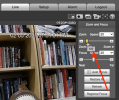
and apparently the numbers are available, as DahuaSunriseSunset can read them back, even if it can no longer control them:
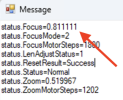
That number changes if I nudge the focus and then click Read again. But that's incredibly cumbersome.
TheWaterbug
Known around here
Is there a way to manage this in any way other than dragging the mouse and/or copying one month to other months within the same camera?
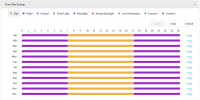
I found this table of sunrise/sunset time for Los Angeles:
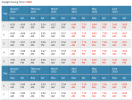
If I could reformat that data into a CSV file or similar, plus or minus an offset, could I construct a script to push the desired Time Plan Settings to a camera via HTTP?
Ideally I'd want all 5 of my EmpireTech cameras to operate on the same schedule, and that's extremely cumbersome to do if I have to mouse around with 12 individual months on 5 different cameras, and try to get them all the same. And then if I want to change anything, like changing my offset from -60 minutes to -45 minutes or similar, I have to do it all over again, manually.
Even worse is the fact that it's whole-month only, and DST does not change on the first of the month. But I suppose that's an American problem (minus AZ and HI).
I found this table of sunrise/sunset time for Los Angeles:
If I could reformat that data into a CSV file or similar, plus or minus an offset, could I construct a script to push the desired Time Plan Settings to a camera via HTTP?
Ideally I'd want all 5 of my EmpireTech cameras to operate on the same schedule, and that's extremely cumbersome to do if I have to mouse around with 12 individual months on 5 different cameras, and try to get them all the same. And then if I want to change anything, like changing my offset from -60 minutes to -45 minutes or similar, I have to do it all over again, manually.
Even worse is the fact that it's whole-month only, and DST does not change on the first of the month. But I suppose that's an American problem (minus AZ and HI).