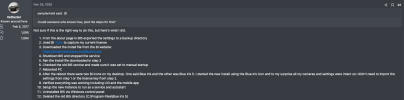
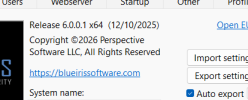
I'm not sure if this is beating a dead horse, butSo after running Version 6 for awhile now with AI enabled on 15 cameras I noticed I am getting a lot of "Clip: Disk can't write fast enough" errors in my BI log file. This is only occurring with my Dahua cameras. I've made several changes to try and rectify this to no avail. I contacted BI support and they told me that my old Western Digital Purple running at 5400 rpm was too slow and and there was too much data being written with 15 cameras using AI.
Before I invest in a new Purple Pro, which would run at 7200 rpm, I wanted to see if there is anyone else having the same issue?
View attachment 235066
If you dont have more than 7-8 cams 1 drive will work. But as I sit here tinkering,
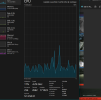
I'm clicking on and adding " confirm Alerts with AI" on about 5 more cams. I see and hear a load increase on the system. I'm now up at 14% CPU from about 9%.
I'm going to monitor my system with these changes for 8-12 hours.
I mostly feed my Blue Iris machines dual WD purple drives. Compensates for any potential disk bottlenecks.
I have Ai running on a about 8. others are on IVS and some are on the new AI Tab.
I'm dog tired. Not thinking very well. long week.
I noticed Playback freezes and glitch issues early on while trudging the Road to happy Surveillance destiny here at Ipcamtalk. This was on Ver 5.0.0.0 with 15 cams ( give or take 1-2)
So I added a drive and split the stream Writes across both at about 60%-40%.
This dramatically improved system responsiveness in all areas.