Version 6.0.1

Yep definitely holding off until things settle out
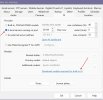
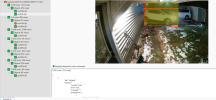
It does allow you to keep using your existing CPAI running (see arrow) BUT the link does not work for me, tried it on 3 other computers and no luck.


Screenshot 2025-12-17 071118.jpg
I dropped this on to a shared drive if you want to download it. Let me know when you get it so I can stop sharing.


Awesome...got it, Thanks !
 
  • Like
Reactions: wooties
FYI, with an unrelated issue, I found that Comcast DNS servers do not have DNS entries for some domains and servers.
I was able to resolve my issue by changing the default DNS settings on my router to Cloudflare.
YMMV
That was exactly what my issue was, my Mediacom DNS server could not find it yet. Popped in 1.1.1.1 and away it went. Thanks for the tip! Now as far as the new AI, it brought my 12th gen to its knees on my demo machine first time around....still playing with it.
 
How many possibilities we have to fine tune ALPR ? With the CPAI module you could set the size of plate, size of chars etc. to get the italian plates to be correctly recognised I had to change the default settings a but (ie 3.4:1 ratio)
Thanks
 
I'm running the latest 6.0.1.3 version and have disabled my CP.AI service in favor of testing the new built-in AI - I'm using the medium model (yolov8m) and so far things seem to be working well and at decent speeds. One thing I don't like is there are no options to fully disable faces, plates etc (models I don't want/use) What I've done is delete all the files from the AI folder and have only left yolov8m.onnx and coco.names - I have also edited coco.names file and have commented out with a - (hyphen) all the objects I don't want to detect (almost all of them).

FYI - deleting the unwanted models makes BI ask if I want to download them again if I go into the AI setting tab (I guess is scans for a list of known files) but other than that everything works as it should.
 
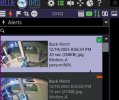
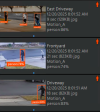
Mine is not putting the correct icon on the clip list for "person" I am running 6.0.1.3 but still using CPAI. You can see here what's going on. Still get terrible timings using yolo8 and my Nvidia RTX A2000, why I still use CPAI...for now anyway :)

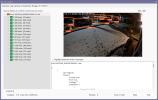
Screenshot 2025-12-19 205800.jpg


Screenshot 2025-12-20 075810.jpg
 
Mine is not putting the correct icon on the clip list for "person" I am running 6.0.1.3 but still using CPAI. You can see here what's going on. Still get terrible timings using yolo8 and my Nvidia RTX A2000, why I still use CPAI...for now anyway :)

View attachment 234781


View attachment 234782
The first detection will always have terrible timings because the model is loading. So make sure you are looking at not the first detection.
 
  • Like
Reactions: Tinman
Mine is not putting the correct icon on the clip list for "person" I am running 6.0.1.3 but still using CPAI.
The built in AI seems to be working well with CPAI disabled.

Screen Shot 2025-12-20 at 8.10.21 AM.png

In fact it's working so well I just removed CPAI and freed up over 10 gigs of storage.
 
Last edited:
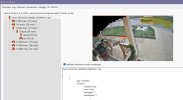
Ok, I went in and manually stopped the CPAI service and then went for the BI yolo8. I am usinf the m size model and it is working but seems to not be as acurate. Seems to be working now that I killed the CPAI service.

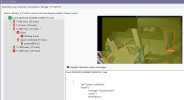
Screenshot 2025-12-20 094559.jpg
 
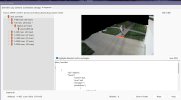
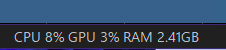
Well, it appears my issue was related to CPAI service running while I was trying to use BI's AI. I assumed they could run the same time, but evidently not. Now I am getting good detection and good timings, just uses a ton of memory. I am running the small model now.

Screenshot 2025-12-20 101020.jpgScreenshot 2025-12-20 101057.jpg