Dahua NVR16CH-AI-S2 P2P not working on mobile network

river100

Getting the hang of it
May 25, 2014
52
28
I just purchased my 3rd Dahua NVR from Empire Tech on Amazon for use at work.
Model
NVR16CH-AI-S2,
hardware vers V1.0.
system vers V5.000.0000000.1.R
Manufacture date 06/24/2025

I have 2 others, 16 channel, that're a couple of years old running on the same network. They both work great on P2P while on the same LAN, a Verizon cell, and Smart PSS Lite from local and remote locations.
This new NVR only works while my cell is connected to the same LAN. The P2P in web setup on the NVR shows online.
I've turned on/off P2P a few times, Tried DHCP and gave it a static address with the DNS of 8.8.8.8 / 8.8.4.4. Still only works with my cell on the LAN.
I did notice one thing though, on the DMSS app while on the LAN the cameras work live but the "get info" shows "failed to get". The other 2 show "On Line". The Smart PSS desktop app does not see the NVR at home or at work.

The new on has a menu that looks like Amcrest. I did not sign up for the Dahua account on this or the other 2 that are working fine.

I brought it home and tried on my LAN with spectrum and a ASUS / Tomato router and i get the same issue.

Has anyone dealt with this issue?
 
I have the same NVR except with the built in ports/switch, just purchased over the holidays and still messing with it.

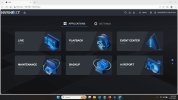
It has bugs, assume you have this new "NEXT" interface?

View attachment 238615

Yes, it's the same. It's starting to look like the reason it's not working is because I didn't get the dahua DMSS account and there's a very good reason for that. We have 2 company locations with 3 NVRs in them. Multiple employees have DMMS on their cell phones for them, including 3 different owners, 2 of them have Dahua NVRs at their home and camps, so as of now 6 NVRs total. So if I get a DMSS account for this one which is going to an owners home, what about the other NVRs that are already on his DMSS phone app? They don't use a DMSS account, will they need to be added to the DMSS account? If I setup everyone's DMSS with one overall account then they would be able see each other's NVR. I am hesitant to try various scenarios because Dahua locks the serial # of the NVR to the DMSS account. People have been complaining that they cannot remove the NVR after it's been added to a DMSS account.

I might have to delete all of the DMSS apps and then get each owner to setup a DMSS account. From there they could, or might be able to share the NVRs between those that they want to share with.

So far I'm not sure if the lack of a DMSS account is what's stopping the connection.
 
I actually hadn't tested P2P remote off my LAN ........and Yes, I'm seeing the same exact things you are.

Standby, I have a Dahua acct on DMSS on my phone, but dont typically login to it.
I'll test and report back
 
Nope that didnt change anything.

Works fine on LAN but P2P, while it shows Online, does not work via DMSS remote and SmartPSS does not see it local.
P2P does not work outside of the LAN

Combined with at least 2-3 other non-functioning features, I'm returning mine.
 
Nope that didnt change anything.

Works fine on LAN but P2P, while it shows Online, does not work via DMSS remote and SmartPSS does not see it local.
P2P does not work outside of the LAN

Combined with at least 2-3 other non-functioning features, I'm returning mine.
So P2P doesn't work even though you have a DMSS account? I saw in a video from them that you have to add the NVR to the DMSS account. Did you do that?
 
  • Like
Reactions: bigredfish
Ok I added it to the account on DMSS
(Hint remove/delete it if you created it without an account first and re-add with account active and logged in on DMSS)

I can see now it via DMSS remote/cellular (not logged into my LAN wifi)

Still Not able to see it via SmartPSS Lite on my laptop at home connected to my LAN Wifi which is weird... though it is a 2023 version of SmartPSS Lite....
 
Ok I added it to the account on DMSS
(Hint remove/delete it if you created it without an account first and re-add with account active and logged in on DMSS)

I can see now it via DMSS remote/cellular (not logged into my LAN wifi)

Still Not able to see it via SmartPSS Lite on my laptop at home connected to my LAN Wifi which is weird... though it is a 2023 version of SmartPSS Lite....
Yeah that might have something to do with it. LOL
 
Ok I added it to the account on DMSS
(Hint remove/delete it if you created it without an account first and re-add with account active and logged in on DMSS)

I can see now it via DMSS remote/cellular (not logged into my LAN wifi)

Still Not able to see it via SmartPSS Lite on my laptop at home connected to my LAN Wifi which is weird... though it is a 2023 version of SmartPSS Lite....
Hey, I want to thank you for trying this.
Do you have any other working dahua NVRs on your DMSS that were working without an account?
 
  • Like
Reactions: bigredfish
Yeah 2 older 5216-16P-4K2SE s working fine for years now

Frankly unless you need to use the NVR for added AI rules by recorder, I don't see much sense in the upgrade.
 
Yes via P2P or with a VPN to those networks. Been doing it for years

8 of them total that I still access/manage. Some from 2017
 
Yes via P2P or with a VPN to those networks. Been doing it for years

8 of them total that I still access/manage. Some from 2017
Good, thanks a lot. I have a bunch of Dahua NVRs spread around a few companies and it's owners. They have them at home too. Some of the company NVRs are viewable by employees so it's going to get crazy when we start adding newer NVRs.
 
  • Like
Reactions: bigredfish