Can't use sub streams?

cmx

Getting the hang of it
Nov 9, 2024
125
52
NJ
I have 6 identical cameras out of the 6 only one of them will let me use the sub stream! All 6 have sub stream turned on all use the same ports, settings, firmware, codec.

But BI using the latest version will not find the substreams on the other 5, i even tired to clone the working cameras settings and then i would just not get video.

The correct video path is

/cam/realmonitor?channel=1&subtype=0&unicast=true&proto=Onvif


if i use that on one of the other 5 i get no video.
 

Attachments

  • 1.jpg
    1.jpg
    80.9 KB · Views: 6
  • 2.jpg
    2.jpg
    70.3 KB · Views: 6
I have 6 identical cameras out of the 6 only one of them will let me use the sub stream! All 6 have sub stream turned on all use the same ports, settings, firmware, codec.

But BI using the latest version will not find the substreams on the other 5, i even tired to clone the working cameras settings and then i would just not get video.

The correct video path is

/cam/realmonitor?channel=1&subtype=0&unicast=true&proto=Onvif


if i use that on one of the other 5 i get no video.
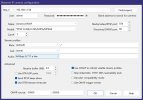
FWIW, the URL you posted is for main stream (subtype=0).

When you say ".... All 6 have sub stream turned on...." does that mean you've logged into each camera's webGUI and enabled/configured the sub stream?

EDIT: Are you using "Find/Inspect" to populate the BI video configuration boxes?
 
Last edited:
FWIW, the URL you posted is for main stream (subtype=0).

When you say ".... All 6 have sub stream turned on...." does that mean you've logged into each camera's webGUI and enabled/configured the sub stream?

EDIT: Are you using "Find/Inspect" to populate the BI video configuration boxes?

Yes find and inspect leaves it blank, Yes all had the sub stream on by default but i did log in and check.

even if i put /cam/realmonitor?channel=1&subtype=0&unicast=true&proto=Onvif

The other 5 will not show any video unless it's left blank.
 
  • Wow
Reactions: TonyR
All 5 are the same.

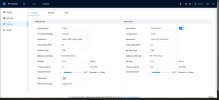
Device Model
IPC-Color4K-T180

Audio Input
1
Audio Output
1
Alarm-in Port
1
Alarm-out Port
1
ONVIF Version
24.12(V3.1.0.2313712)
System Version
V3.140.0000000.81.R, Build Date: 2026-05-08
Web Version
V5.01.0.2447661
Algorithm Version
V6.02.09.0
Security Baseline Version
V2.4
H5Player Version
V3.01.1

Copyright 2026, all rights reserved.
 

Attachments

  • t.jpg
    t.jpg
    93.8 KB · Views: 4
Goto whatever page/link the camera provides for Users / Accounts.
Select the tab that says Onvif.
Be certain whatever user you're putting in Blue Iris username has a matching Onvif user defined.
 
This has little to do with your issue but thought I'd mention these recommended initial camera settings for use with BI:
  • Encoding strategy: General (or Smart Codec: Off)
  • Encode mode: H264
  • Bitrate type: CBR
  • Bit rate: 8192
  • Frame rate: 15 FPS
  • Frame interval (iFrame): 15
 
A while back I had something (forgot what) that wasn't working on one camera, even though all its settings were identical to another same model camera that worked right. I eventually solved it by deleting the non-working camera and reinstalled it, copying the one that worked right.
 
  • Like
Reactions: TonyR
A while back I had something (forgot what) that wasn't working on one camera, even though all its settings were identical to another same model camera that worked right. I eventually solved it by deleting the non-working camera and reinstalled it, copying the one that worked right.
Yes, I forgot about that....had a similar occurence years ago...
Kind of like how we sometimes forget about power cycling a glitchy device...it's too non-technical and uncomplicated to work, our subconscious thinks. :cool:
 
Just gonna say "me too" when it comes to finally giving up, deleting the camera entirely from Blue Iris, and adding it back from scratch.
 
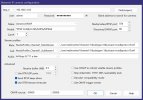
Post the results of the find/inspect window.

Couple of things, you need to up the Receive Buffer up to 20mb, you have it entirely too low.

Also, use H264H for your codec, 15fps, match Iframe to FPS.

Can you copy the links from the good camera and paste them in the dialog for the troublesome cams and it work?