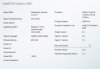
So I've tested with the keepalives on and off, lower bit rate, main profile, high profile, variable, and constant bit rate, and other settings.
the laptop running this is at 30% CPU use with all 4 cameras going direct to disk recording.
Looking closely I am seeing some other artifacts too - like times where the playback is just black like it missed a couple frames or an entire IFrame.
I have 4 cameras that all exhibit the same behavior. 3 run through a central core switch before passing to the switch by my server gear. The 4th goes directly into that switch. Trying to be analytical about this to me I am wondering if this is a laptop based issue.
To troubleshoot I just disabled Hardware acceleration for one of the cameras, that does jack the CPU Utilization but I will see if that remedies this in some way.
the laptop running this is at 30% CPU use with all 4 cameras going direct to disk recording.
Looking closely I am seeing some other artifacts too - like times where the playback is just black like it missed a couple frames or an entire IFrame.
I have 4 cameras that all exhibit the same behavior. 3 run through a central core switch before passing to the switch by my server gear. The 4th goes directly into that switch. Trying to be analytical about this to me I am wondering if this is a laptop based issue.
To troubleshoot I just disabled Hardware acceleration for one of the cameras, that does jack the CPU Utilization but I will see if that remedies this in some way.
Last edited: