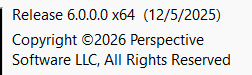
Version 6

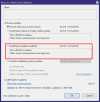
It better not mean that.

We have words for auto renewing systems that make it difficult for people to cancel. They are not kind words.
To cancel the auto-renewal for Blue Iris, you must log in to your account, find the subscription management section, and disable the auto-renewal option. If you cannot find this option, you will need to contact Blue Iris support directly to request the cancellation.

Steps to cancel auto-renewal
  1. Log in to your account on the Blue Iris website.
  2. Navigate to the account or profile settings.
  3. Find the subscription management or billing section.
  4. Locate your Blue Iris subscription and select the option to disable auto-renew.
  5. Confirm the cancellation. You should receive a confirmation email.
  6. If you cannot find the option, contact Blue Iris support directly to have them cancel the subscription for you.
Edit: Well I looked at the website and looks like the support is the only way now. If it gets more expense may have to consider. Retiree here.
 
Last edited:
It better not mean that.

We have words for auto renewing systems that make it difficult for people to cancel. They are not kind words.
Yeah, I'm not sure either. One of my systems has that button greyed out. The other two do not.
 
Not sure if this is the right way to do this, but here's what I did.
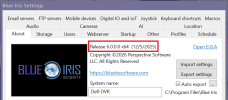
  1. From the about page in BI5 exported the settings to a backup directory
  2. Used BI Tools to capture my current license
  3. Downloaded the install file from the BI website:
  4. Shutdown BI5 and stopped the service
  5. Ran the install file downloaded in step 3
  6. Checked the old BI5 service and made sure it was set to manual startup
  7. Rebooted PC
  8. After the reboot there were two BI icons on my desktop. One said Blue Iris and the other was Blue Iris 5. I started the new install using the Blue Iris icon and to my surprise all my cameras and settings were intact so I didn't need to import the settings from step 1 or the license key from step 2.
  9. Verified everything was working including UI3 and the mobile app
  10. Setup the new instance to run as a service and autostart
  11. Uninstalled BI5 via Windows control panel
  12. Deleted the old BI5 directory (C:\Program Files\Blue Iris 5)
View attachment 233171
Today I tried to upgrade to 5.9.9.99. In principle it worked, except that 'run as a service' no longer worked. So I tried reverting back to 5.9.9.98, but even now 'run as a service' won’t run after a restart.", any suggestions ?
 
Today I tried to upgrade to 5.9.9.99. In principle it worked, except that 'run as a service' no longer worked. So I tried reverting back to 5.9.9.98, but even now 'run as a service' won’t run after a restart.", any suggestions ?
This is expected behavior: you just need to re-enter your user credentials in the same location of the general settings of startup of BI. Can't say for sure, but it is probably due to the change of using a new (more conventional) location of the program directory.
 
This is expected behavior: you just need to re-enter your user credentials in the same location of the general settings of startup of BI. Can't say for sure, but it is probably due to the change of using a new (more conventional) location of the program directory.
thx, no idea where to look, the only thing I can imagine is a fresh installation
 
I thought that might be the case, but I was going to wait until the 12th for sure. It looks like it auto-renewed after looking at last year's email.
An hour after I purchased the renewal from send owl my bank dinged that I was charged $34.99 for blue iris renewal. No email ahead of time, no confirmation email and no change in the app still says expired. So now I've been charged twice, $49.99 and $34.99, and a still have a demo blue iris.
 
Another fun aspect of all this is my recordings and camera layouts are gone. DB is still there with jpg but no recording. Tried importing settings backup from last week and it puts me back in demo mode asking for license key.
Screenshot 2025-12-03 124148.png
 
Last edited: