Teaser Info and Mini Review - Empiretech B52IR-X3 Triple Lens Camera

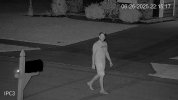
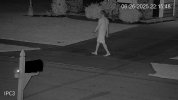
those are some great day time images, but im sure this cam struggles with night motion?
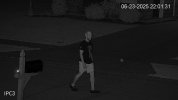
Yea, not overly happy with it at night, but it's likely the limitation of 2MP. Could be better, but could be worse. I have a lot of IR on the front of the house too.

PathNorthPath.20250623_220131905.73.jpg

PathNorthPath.20250626_221518150.75.jpg

PathNorthPath.20250626_221549097.76.jpg
 
I really havent fine tuned mine that much. It could be better.

The IR is super strong which helps
 
  • Like
Reactions: David L
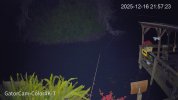
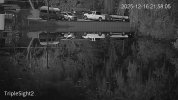
Well, there's a 4K-T shining toward it but not in the direction of the boat you saw. They're well past it. Very little benefit from it I think

192.168.1.110_GatorCam-Color4K-T_main_20251216215646_@1.jpg

The streetlight at 100-120 yds is really all. But you can see thats not really adding much at that distance, its the IR doing the job

192.168.1.110_TripleSight2_main_20251216215728_@1.jpg
 
  • Like
Reactions: bigredfish
This is what I captured last night when a couple randomly decided to take a photo with my Christmas decorations. I feel my triple lens captures could be much better.

They also couldn't have stopped in a worse spot. They avoided a lot of my triggers, haha.

I have a Color4K-X from over the driveway, but it's too big to upload. It was only for reference anyways.

View attachment Xmas - Triple Mid.mp4

View attachment Xmas - Triple Far.mp4
 
In BI, how do I decipher which IVS rule is which? Currently when any tripwire or intrusion box is tripped it will trigger all 3 cameras to record. This is annoying because I will have tons of alerts on some where the person never enters its FOV which just adds a bunch of erroneous clips and alerts that take up storage space and give me a red warning.

1786239883333.png

1786239960134.png
1786240004168.png
1786240036436.png
 
  • Like
Reactions: David L
In BI, how do I decipher which IVS rule is which? Currently when any tripwire or intrusion box is tripped it will trigger all 3 cameras to record. This is annoying because I will have tons of alerts on some where the person never enters its FOV which just adds a bunch of erroneous clips and alerts that take up storage space and give me a red warning.

View attachment 247402

View attachment 247403
View attachment 247404
View attachment 247405
on a side note,

are you still liking this camera?
 
  • Like
Reactions: David L
Add the name of the IVS rule in the Memo field and then have the alert require (or not require) the name of the IVS rule.
I found your instructions in the PTZ spotter thread and got it figured out. Since the IVS triggers only come in on the main/wide view, you basically treat that as the spotter for the other two views. Once I figured that out, I got it working.
 
  • Like
Reactions: David L
If they only made it in 4MP with a 1/1.8” sensor….. sigh
 
  • Haha
  • Exclamation
Reactions: David L and Arjun
After looking at it again this morning, I had to make some changes. I ended up cloning the wide view as a spotter and using that to control all three views via the named ONVIF triggers. I was getting a bunch of 2-3 second clips on the wide view and I think it was due to how I set up the IVS triggers, and how they were being triggered within BI.