Review- EmpireTech IPC-T54IR-ZE-S3 4mp Varifocal Turret

Yea, your examples have been great ... for instance, LOL that you too are "Pigpen from Peanuts with a dust cloud" behind 'ya! ;-)
Plus your stuff and others are much more representative of typical use cases versus my "scene" shots.
And LOL I obsess over the Pixel-Peeping! ;-)

I wasn't clear that what I meant by IR compensation is adjusting the strength of the light itself. I.e. if something in the foreground becomes over-exposed, rather than dropping the overall exposure (which effects everything), the camera could maintain the exposure (so you have some detail in the dark/far-away areas from ambient light) but reduce the power of the light. That's not an option with an external IR unless you hook it up somehow.

With an external IR, when something moves into the foreground, the camera has to decide (quickly!) if it should leave the exposure as-is ... so everything is good except that foreground is blown out ... or reduce exposure, darkening everything, but providing good detail what showed up close to the camera ... which yea, is probably what you want the vast majority of the time.

i.e. who cares if the background goes dark as long as you get a good face shot of the dirtbag ... or someone driving by in their golf cart! ;-)

Exactly.
 
  • Like
Reactions: JDreaming
What do you think of the COLOR video?
Below is a GIF of them with the two JPEG's pulled from the video.

The 54PRO blows away the 5442 -

It doesn't matter how good the static part of the image is if the subject isn't clear. 70 gain is way too much for the 5442 which is why you'd never use it in full colour mode in that situation. The subject can be seen to be suffering from ghosting and visible noise in the 54 pro image both of which are signs of too gain. The AI is probably pushing the gain to make the picture brighter along with probably the sharpness and brightness, and then attempting to process the noise back out. The subject moving is probably making it hard for the AI to work out which pixels are noise and which are part of the picture. IR improves the situation but the same underlying process is still occurring by the looks of it. With a static element in a video it's easy as static video gain usually is a speckle so the moving pixels are noise. You also have the actual pixels underneath recorded as the noise moves around probably making it relatively easy for the AI to trarget the noise and know what the underlying pixels are. With a moving subject I'm guessing it's far more difficult as the subject pixels are moving as the subject moves.
 
It doesn't matter how good the static part of the image is if the subject isn't clear. 70 gain is way too much for the 5442 which is why you'd never use it in full colour mode in that situation. The subject can be seen to be suffering from ghosting and visible noise in the 54 pro image both of which are signs of too gain. The AI is probably pushing the gain to make the picture brighter along with probably the sharpness and brightness, and then attempting to process the noise back out. The subject moving is probably making it hard for the AI to work out which pixels are noise and which are part of the picture. IR improves the situation but the same underlying process is still occurring by the looks of it. With a static element in a video it's easy as static video gain usually is a speckle so the moving pixels are noise. You also have the actual pixels underneath recorded as the noise moves around probably making it relatively easy for the AI to trarget the noise and know what the underlying pixels are. With a moving subject I'm guessing it's far more difficult as the subject pixels are moving as the subject moves.
This ^^^^^^^^^^^^^ :thumb:
 
  • Like
Reactions: JDreaming
I don't want to sound like a Dahua fan-boy, but I'm pretty encouraged by what I see in the 54PRO (versus the 5442-S3) and the improvements in the firmware ... both visible and IR.

Yes, we don't know if gain=70 on the 54PRO is the same as gain=70 on the 5442 (and if there is a "extra" AI boost), but regardless, the overall picture is (IMHO) brighter and not as noisy. I.e. in low-light, I can get the 54PRO to provide a decent static picture that I can NOT do with the 5442-S3 ... since if I go crazy with gain, it becomes a noisy mess ... and if I go crazy with NR, it's just smeared softness.

There is DEFINITIVELY something squirrly going on with moving objects (which obviously is the primary use case for these cameras) and my explanation is "I think the (inter-frame) 3D NR doesn't handle moving objects well so the blur is increased" ... or in more technical terms, "it looks like the dust cloud from Pig-Pen from Peanuts!" ;-)

As others have posted (and I've seen myself), this happens in fairly well lit situations ... so adding more light just reduces the severity of the problem.

So I'm hoping the Dahua Engineers can adjust the algorithms so if movement is detected, don't be so aggressive about trying to "fix" it. If so, then the HOPE is for moving objects, it should be at least comparable to the 5442-S3 ... but also provide better image quality on static content.

What would be REALLY nice if they released a firmware that had an option to REALLY turn off ALL of the wiz-bang stuff so we could directly compare to the 5442-S3.

As I've said several times, my testing isn't optimal ... it's more scene related and it's waayyy too dark ... even (in IR) when I put in a 10-Watt DI10 illuminator.

LOL that thanks to feedback from others and as seen below, I just installed a DI20! ;-)
As noted above, that should reduce, but not make the "Pig-Pen Dust Cloud" go away ...


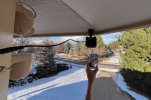
FYI that the DI20 is "more" bigger than the DI10 that shown here, since perspective is in play as my arm wasn't long enough.
Also FYI that the "base/mounting" plate is identically sized ... so super simple to swap them out ... in fact, if I hadn't moved from White to Black, I could have just unscrewed the illuminator. The AC-DC transformer is a little bigger.

2025_12_06_DI20.jpg
 
Last edited:
I don't want to sound like a Dahua fan-boy, but I'm pretty encouraged by what I see in the 54PRO (versus the 5442-S3) and the improvements in the firmware ... both visible and IR.

Yes, we don't know if gain=70 on the 54PRO is the same as gain=70 on the 5442 (and if there is a "extra" AI boost), but regardless, the overall picture is (IMHO) brighter and not as noisy. I.e. in low-light, I can get the 54PRO to provide a decent static picture that I can NOT do with the 5442-S3 ... since if I go crazy with gain, it becomes a noisy mess ... and if I go crazy with NR, it's just smeared softness.

There is DEFINITIVELY something squirrly going on with moving objects (which obviously is the primary use case for these cameras) and my explanation is "I think the (inter-frame) 3D NR doesn't handle moving objects well so the blur is increased" ... or in more technical terms, "it looks like the dust cloud from Pig-Pen from Peanuts!" ;-)

As others have posted (and I've seen myself), this happens in fairly well lit situations ... so adding more light just reduces the severity of the problem.

So I'm hoping the Dahua Engineers can adjust the algorithms so if movement is detected, don't be so aggressive about trying to "fix" it. If so, then the HOPE is for moving objects, it should be at least comparable to the 5442-S3 ... but also provide better image quality on static content.

What would be REALLY nice if they released a firmware that had an option to REALLY turn off ALL of the wiz-bang stuff so we could directly compare to the 5442-S3.

As I've said several times, my testing isn't optimal ... it's more scene related and it's waayyy too dark ... even (in IR) when I put in a 10-Watt DI10 illuminator.

LOL that thanks to feedback from others and as seen below, I just installed a DI20! ;-)
As noted above, that should reduce, but not make the "Pig-Pen Dust Cloud" go away ...


FYI that the DI20 is "more" bigger than the DI10 that shown here, since perspective is in play as my arm wasn't long enough.
Also FYI that the "base/mounting" plate is identically sized ... so super simple to swap them out ... in fact, if I hadn't moved from White to Black, I could have just unscrewed the illuminator. The AC-DC transformer is a little bigger.

View attachment 233976

I think that there are not enough people testing this camera in poor lighting, it hightlights the floors more, which is a good thing. It means those fortunate enought to have street lights or additional ambient will be winning.

For the sake of the three I own, hopefully they can pull this around. Personally I just don't see enough light being captured compared to the S3, this leads me to believe firmware will potentially not save this model. I also think the chances of Dahua turning off any auto/Ai assistance altogether is very slim. I see no drastic changes in recent firmware revisions linked to night and poor lighting, daytime the footage is pretty good, surprisingly so at times. My use case is with zero additional lighting for some locations, the S3 shows the 54Pro a clean pair of heels in these scenarios, even with some ambient from my 4K-T's the 54Pro still struggles to perform.
 
Looking at your photos in post #336, that looks a lot higher than 9 feet.

ipc-t54ir-ze-s3-settings-1-png.233765


Assuming the lower wall with the railings on is at least 6 feet, and looking at the side with the red gas bottle on it, it looks more like 10 feet, that position looks more like 20 feet.

I usually mount about 6.5-7 ft ie virtually eye level - cameras rarely get attacked and if they ever do, usually you get a very good facial of the person attacking it as they have to walk straight up to it and look directly at the camera to damage it, by which case you have them for criminal damage if nothing else.

The height your at is good for over view but you'll struggle to get a good facial unless anyone looks up and isn't wearing a baseball cap or similar. The coverage close in also looks poor with most of the picture being the garden some way from the house. Again fine, if you have another camera at @6-7 feet, watching the actual home itself, but if not there oculd be too issues - 1. focal point / dof, 2. the fact any break in won't be covered as the home isn't covered, so you'll only capture someone walking across your lawn which isn't an offence in many jursidictions!
The picture is a bit misleading because the terrain slopes slightly. At the position of the camera the height is around 9 feet, but further down the stairs – or when you go down into the garden – it’s much higher.
That said, you’re right that this height gives a better view of a burglar’s face. I’ll probably also install another camera on the house wall, around the corner to the right in the picture. I definitely can’t mount it directly under the gable, because it’s even higher there – I’d estimate around 20 feet. I’ll aim for about 7 feet at that spot.
 
The picture is a bit misleading because the terrain slopes slightly. At the position of the camera the height is around 9 feet, but further down the stairs – or when you go down into the garden – it’s much higher.
That said, you’re right that this height gives a better view of a burglar’s face. I’ll probably also install another camera on the house wall, around the corner to the right in the picture. I definitely can’t mount it directly under the gable, because it’s even higher there – I’d estimate around 20 feet. I’ll aim for about 7 feet at that spot.
Use a shutter range : 0-4
 
And it's better to use a fixed time when the camera switches. Try Custom szene with fixed time. Day 0-4 , night 0-8,33.
Okay, I'll try that too, as I haven't done that yet.
I see that you can set the times per month there, but I guess there's no setting that allows you to synchronize the scenes with sunrise / sunset (as you can do in Blue Iris, for example)?
 
Okay, I'll try that too, as I haven't done that yet.
I see that you can set the times per month there, but I guess there's no setting that allows you to synchronize the scenes with sunrise / sunset (as you can do in Blue Iris, for example)?

Not that I'm aware of.

I havent found 15 minutes any given day, with any given cloud cover/rain/etc makes a big difference. Trying for perfection in that short dawn/dusk timeframe is an endless pursuit