PTZ6C2M-45X — How to enable zoom-in during auto-tracking?

stevef22

Getting the hang of it
Mar 7, 2016
194
43
I recently picked up an AI Smart PTZ camera (Model PTZ6C2M-45X) and I'm stuck on one thing.

I can't find a setting anywhere — on the NVR or in the camera's web admin — for something like Tracking > Zoom in on subject.

What I'm trying to do:

  • Camera sits on Preset 1 at a wide shot
  • When a human is detected, it zooms in tight on them and follows
I've got the tracking rule working under IVS, the camera follows the subject but the camera stays so zoomed out that the tracking isn't very useful. I need it to actually zoom in on the subject while following.

Has anyone gotten this working, or know where that option lives in the menu? Any help is much appreciated.


NVR:
NVR EmpireTech NVR32CH-16P-2AI-S2 16CH 1U 16POE


CAMERA:
PTZ PTZ6C2M-45X


Thank you
 
First turn off Acupick and restart the PTZ.

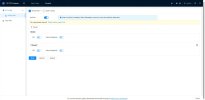
Then you need to do "+Preset" to add the preset then hit next to get to the Preset and the IVS rule for the tracking you want to set a target size on.
 
  • Like
Reactions: JDreaming
It looks like you are using a browser that isn't letting you see everything.

When you get to the IVS rule, you should see your preset field of view and then be able to draw the IVS rule.

The PTZs tend to be cranky when using browsers - have you tried good ole Internet Explorer?
 
Thanks, I will try explorer. Im using edge.

Funny thing, I was able to see the video feed. Then a pop-up said download the dahua activex plugin. I did it and it broke my video feed.
 
I have located the screen! Thank you.


Also noticed some of these settings are available in NVR as well. IVS etc.

What is best method to setup? touch nothing on NVR and use camera web config only?


Thank you


screenshot 2026-08-19 at 18.54.21@2x.jpg
 
  • Like
Reactions: JDreaming
touch nothing on NVR and use camera web config only?\

YES!
 
Also while each scene is different, I rarely have any luck with Ration over 50 , most of mine are set to 30-40

Zoom too much and it will lose the target quickly
 
It sounds like the IVS auto-tracking itself is working, but the camera is only following the target without changing the zoom level. On some PTZ models, zoom during auto-tracking isn't exposed as a simple “Zoom in on subject” setting in the NVR.

I’d check the camera’s own web interface rather than the NVR first. Look under the PTZ/Auto Tracking, Smart Tracking, or IVS settings for options related to tracking zoom, target size, or tracking parameters. If there’s no such option, the PTZ6C2M-45X firmware may control the zoom automatically based on the tracking algorithm, and the behaviour may depend on the firmware version or preset configuration. It may be worth checking for a newer camera firmware or asking the manufacturer whether this model supports zoom-follow during IVS tracking.
 
Spot on advice from @bigredfish and @wittaj!

Just to confirm for anyone coming across this thread in the future or for @hypowersecurity: on these Dahua / EmpireTech OEM PTZs (like the PTZ6C2M-45X), auto-zoom during IVS tracking isn't a separate toggle button—it is entirely controlled by the Tracking Target Size Ratio setting inside the camera's Web UI under the IVS rule settings for that specific Preset.

A couple of final tuning tips to get the best results now that you've found the screen, @stevef22:

  • Target Ratio Sweet Spot: As bigredfish mentioned, keep the ratio around 30% to 40%. If you crank it up to 70%+ trying to get a super close-up facial shot, the PTZ's field of view becomes so narrow that fast-moving subjects will easily step out of frame, causing the camera to instantly lose tracking and return to Preset 1.
  • Tracking Time / Limit: Set your auto-tracking limit (e.g., 15–30 seconds) so the camera doesn't get stuck tracking a stray dog or tree branch indefinitely and miss other activity.
  • Smart Plan & IE Mode: Always configure IVS/Smart Plan directly via the camera's IP using Edge in Internet Explorer Mode (or Pale Moon / Chrome with IE Tab extension). Setting up rules directly on the NVR GUI often overrides or strips out sub-parameters like Target Ratio.
 
  • Like
Reactions: bigredfish