New Reolink Wired POE Doorbell Cam ?

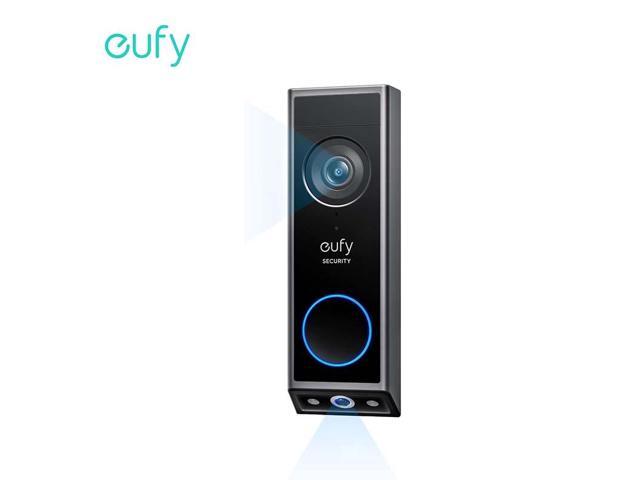
Interesting concept with second camera on bottom to see packages:


View attachment 236810
Is it a single video stream? Or two separate streams? Good idea, either way.
 
  • Like
Reactions: David L
Interesting concept with second camera on bottom to see packages:


View attachment 236810
they had that on their older model as well.
 
  • Like
Reactions: David L
Interesting concept with second camera on bottom to see packages:

Or discover if your delivery person is wearing pants.... :winktongue:
 
  • Haha
Reactions: David L and TonyR
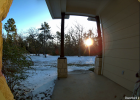
Good Morning Sunshine...

1769436165241.png
 
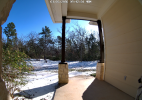
Sadly, that is Ice on the ground, not snow. But what a beautiful morning...
1769442148524.png
 
Interesting concept with second camera on bottom to see packages:


View attachment 236810
POE or GTFO lol

None of that battery nonsense in this thread. The Unifi camera has the package view, but getting locked into their hardware is too much for me =/
 
  • Like
Reactions: Arjun and David L
POE or GTFO lol

None of that battery nonsense in this thread. The Unifi camera has the package view, but getting locked into their hardware is too much for me =/
Agreed. I can't afford Uni stuff. Very, very happy with my TP-Link Managed L2/L3 switches and pfSense for my Router. Nothing priority here.

Had a friend get an eufy door lock camera combo. He wanted me to help him install it, I passed ;)
 
I'm actually considering buying another refurbished Reolink Doorbell as a backup while they're still available.
Done. :lol:

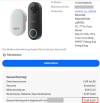
ebay_Reolink_Doorbell.png
By the way: Reolink itself (Reolink Official EU) is selling the black PoE or Wi-Fi model again on eBay as refurbished for € 71.09.

Prices on eBay have been reduced even further thanks to a new voucher.
PoE Version = € 58,73
Wifi Version = € 63,19

I hope Reolink has somehow managed to fix the Wi-Fi connection dropout issue by now. It was a known problem during my last test of the Reolink Doorbell Wi-Fi back in 2024. If it's still a problem, the device is going straight back. :lol: A PoE connection is unfortunately completely out of the question here. :(
 
As an eBay Associate IPCamTalk earns from qualifying purchases.
  • Like
Reactions: David L
It works with Blue Iris
A unifi gateway isn’t too expensive
If I understand the ecosystem, you need at least the cloud key max to use any of their cameras with third party system because the nvr software is what actually serves us the RSTP stream. So just to use their cameras I have to buy a $200 "gateway" to use the $379 poe doorbell cam because they don't tell it without the $79 chime, but the wifi one comes without the chime for $79. Literally forcing you to buy an undiscounted chime to use poe.

Literally after taxes $600 just to use their doorbell camera. And from what I have seen none of their other cameras are worth the money. No thanks.

I do currently used unifi AP's, had a usg3 and 8 port 150w poe switch a while ago. So I am not some ubiquiti hater. Eventually I just got fed up with their antics and decided a single pane of glass control panel wasn't work the price tag and went Pfsense (working to convert to opnsense) and used netgear etc switches.
 
If I understand the ecosystem, you need at least the cloud key max to use any of their cameras with third party system because the nvr software is what actually serves us the RSTP stream. So just to use their cameras I have to buy a $200 "gateway" to use the $379 poe doorbell cam because they don't tell it without the $79 chime, but the wifi one comes without the chime for $79. Literally forcing you to buy an undiscounted chime to use poe.

Literally after taxes $600 just to use their doorbell camera. And from what I have seen none of their other cameras are worth the money. No thanks.

I do currently used unifi AP's, had a usg3 and 8 port 150w poe switch a while ago. So I am not some ubiquiti hater. Eventually I just got fed up with their antics and decided a single pane of glass control panel wasn't work the price tag and went Pfsense (working to convert to opnsense) and used netgear etc switches.
Very fair point - I receive a lot of backlash on Reddit every time i stress that Ubiquiti overcharges for their stuff and is not necessarily the best - also, no company is immune to data breaches and no company cares about consumer safety. A lot of controversy stirring up the Reddit Ubiquiti threads lately especially after developing allegations against the company for supplying Russia with their own equipment. Lots of flare on Reddit recently posted by other users complaining as well.
I don't even use Ubiqutii's Cloud Access for managing my UniFi setup, everything is managed via VPN
Apparently, it is possible to run a Ubiquiti UNVR without the need of a gateway
My only reason for switching over to Ubiquiti doorbells was to have them work with their cordless and PoE door chimes - also works great in a Smart Home integration settings and Home Assistant -Webhooks legitimately works
The microphones on every Ubiquiti surveillance product are top-notch and have proved very useful to me
There are things in Ubiquiti that just work, but I am not implying that they are perfect - they are closed-ended and lack customizability
Majority of the cameras in my setup are still Dahua and I prefer to stick with what works - Ubiquiti still has ways to go and they are prohibitively expensive with their camera gear unjustifiably. Even their new 1/1.8" sensor cameras lack performance versus Dahua's latest T54PRO cameras
Even if I wanted to say that I can afford everything Ubiquiti, it would be very silly to invest 100% in one system.
 
If I understand the ecosystem, you need at least the cloud key max to use any of their cameras with third party system because the nvr software is what actually serves us the RSTP stream. So just to use their cameras I have to buy a $200 "gateway" to use the $379 poe doorbell cam because they don't tell it without the $79 chime, but the wifi one comes without the chime for $79. Literally forcing you to buy an undiscounted chime to use poe.

Literally after taxes $600 just to use their doorbell camera. And from what I have seen none of their other cameras are worth the money. No thanks.

I do currently used unifi AP's, had a usg3 and 8 port 150w poe switch a while ago. So I am not some ubiquiti hater. Eventually I just got fed up with their antics and decided a single pane of glass control panel wasn't work the price tag and went Pfsense (working to convert to opnsense) and used netgear etc switches.
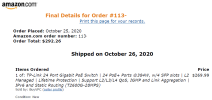
If someone can afford their system, kewl. When I was pricing a few years back, I was able to buy my TP-Link 24 port 384w POE Switch, plus 4 other switches, from 8 port to 16 and one 24 port, All Enterprise Switches for Half the price of Ubiquiti. Even my pfSense Router was cheaper and it is an i7 fanless box and does much more IMO. I have temporarily retired my 384watt switch at our new house. It is a great switch but has fans and I don't need all those POE ports...

Got it at a great price back then:

1770131417699.png

Switches have went up since I bought mine...

But TP-Link now has their Omada series. Don't know much about them but even my switches can use Omada remote cloud service, which I don't use or never will. Hoping the new switches does not force you to use their cloud.

My best APs has been my TP-Links EAP660 & 620 I had/have the EAP245 & 225 I worked for an ISP that we installed hundreds of APs, use to hear the Techs complain about coverage. I use to use old Routers in AP mode too back in the day.
Will say these TP-Links rock. Only issue I have had is a few times, long ago, when I would update the firmware I would lose the config, could not even use my backup config, I complained to TP-Link back then, apparently they were major firmware upgrades which rendered backups useless, my complaint was they needed a warning notice/text before someone, like me, upgraded their firmware. Lucky I have a small network, about half a dozen VLANs, so resetting them up was too much of pain. They since fixed this...

I see they have their WiFi7's now:

Would love to go 2.5G or10G but too expensive for me to change out my switches...1G is still working for me in my small Enterprise network...

 
As an Amazon Associate IPCamTalk earns from qualifying purchases.
  • Like
Reactions: Arjun
Done. :lol:

View attachment 237499


Prices on eBay have been reduced even further thanks to a new voucher.
PoE Version = € 58,73
Wifi Version = € 63,19

I hope Reolink has somehow managed to fix the Wi-Fi connection dropout issue by now. It was a known problem during my last test of the Reolink Doorbell Wi-Fi back in 2024. If it's still a problem, the device is going straight back. :lol: A PoE connection is unfortunately completely out of the question here. :(
Hmmm, I have the original v1, bought it when they first came out, still running original firmware too. Zero problems with WiFi connections, no dropouts. Actually I came from a Hikvision Doorbell that did not like walls. This one has reached my AP that I had on the opposite end of the house in my Office with no problems, through the glass door, and 3 walls. Of course our walls are different here in the states than in Europe. They are hollow, wood framing with sheetrock. No concrete...

Well let me say, I was having dropout issues when using RTSP. They went away when I switched to RTMP...keep in mind I am streaming to Blue Iris...but these were not WiFi dropouts...

Maybe newer firmware fixed what you were referring to...
 
As an eBay Associate IPCamTalk earns from qualifying purchases.
I have seen this a few times and have yet to find a way to make it happen. I have seen the Unifi OS they released and supposedly, in the future (TM), it will allow for selfhosted UNVR. I am not holding my breathe for that day to come lol

If that day does come then I will highly consider replacing my reolink with the unifi doorbell.
 
  • Like
Reactions: David L
Hmmm, I have the original v1, bought it when they first came out, still running original firmware too. Zero problems with WiFi connections, no dropouts. Actually I came from a Hikvision Doorbell that did not like walls. This one has reached my AP that I had on the opposite end of the house in my Office with no problems, through the glass door, and 3 walls. Of course our walls are different here in the states than in Europe. They are hollow, wood framing with sheetrock. No concrete...

Well let me say, I was having dropout issues when using RTSP. They went away when I switched to RTMP...keep in mind I am streaming to Blue Iris...but these were not WiFi dropouts...

Maybe newer firmware fixed what you were referring to...
FWIW, both my V1's are rock-steady via dedicated 5Ghz W-Fi AP's, each about 10 ft. from the AP's but through brick, streaming RTSP to Blue Iris., original firmware from June 2023.
 
  • Love
Reactions: David L
Zero problems with WiFi connections, no dropouts
Hi David

Thanks for the info. The Wi-Fi is definitely not the problem here, as I'm using an Asus mesh system, with one mesh client located just three meters from the doorbell outside. :) The Reolink Wi-Fi doorbell had a Wi-Fi signal strength of between ~ -30 dBm and -40 dBm outside, and whether I used a 2.4 GHz or 5 GHz connection made no difference. Furthermore, I've used various Wi-Fi doorbells here over the years (Dahua and the OEM models from Amcrest and Imou) without any Wi-Fi issues.

The problem I had with the Reolink Wi-Fi doorbell back then (2024) only occurred when it was under load. "Under load" in this case means that, like all previous Dahua doorbells, the Reolink Wi-Fi doorbell was integrated with my Dahua NVR (Onvif) and Home Assistant (Reolink Integration or Onvif Integration). When accessing the Reolink Wi-Fi Doorbell's web interface or app to adjust settings, the connection would regularly drop.This meant the doorbell was essentially "overloaded", causing the Wi-Fi signal to collapse. Even reducing the frame rate to potentially alleviate the load didn't resolve the issue.

I conducted numerous tests at the time and was able to reproduce the issue repeatedly. Several other users described the same behavior and it was discussed in various forums. Unfortunately, there was no real solution back then.

The Reolink Wi-Fi Doorbell I purchased on eBay should arrive this week, and then I'll see whether it's running stably with the latest firmware version, or if it still has the same old Wi-Fi problem. :)
 
  • Like
Reactions: David L
If someone can afford their system, kewl. When I was pricing a few years back, I was able to buy my TP-Link 24 port 384w POE Switch, plus 4 other switches, from 8 port to 16 and one 24 port, All Enterprise Switches for Half the price of Ubiquiti. Even my pfSense Router was cheaper and it is an i7 fanless box and does much more IMO. I have temporarily retired my 384watt switch at our new house. It is a great switch but has fans and I don't need all those POE ports...

Got it at a great price back then:

View attachment 237501

Switches have went up since I bought mine...

But TP-Link now has their Omada series. Don't know much about them but even my switches can use Omada remote cloud service, which I don't use or never will. Hoping the new switches does not force you to use their cloud.

My best APs has been my TP-Links EAP660 & 620 I had/have the EAP245 & 225 I worked for an ISP that we installed hundreds of APs, use to hear the Techs complain about coverage. I use to use old Routers in AP mode too back in the day.
Will say these TP-Links rock. Only issue I have had is a few times, long ago, when I would update the firmware I would lose the config, could not even use my backup config, I complained to TP-Link back then, apparently they were major firmware upgrades which rendered backups useless, my complaint was they needed a warning notice/text before someone, like me, upgraded their firmware. Lucky I have a small network, about half a dozen VLANs, so resetting them up was too much of pain. They since fixed this...

I see they have their WiFi7's now:

Would love to go 2.5G or10G but too expensive for me to change out my switches...1G is still working for me in my small Enterprise network...

I sold all of my TP Link PoE Switches and non-PoE Switches late last year through the forum and ebay for somewhere between $55 to $80 - those buyers should consider themselves very lucky for buying them cheap, lol
 
As an Amazon Associate IPCamTalk earns from qualifying purchases.