New Reolink Wired POE Doorbell Cam ?

How is everyone using this as a Ring replacement with BI? It just dawned on me that my camera network that this would be plugged into doesn't touch the internet, so the Reolink app won't work...
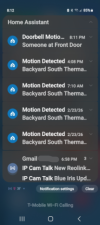
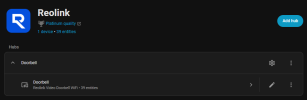
So for me I don't use their App, never have. My setup is: The ReoLink DB is connected to BI for 24/7 recording (I use RTMP protocol instead of RTSP, works better for me). I use Home Assistant that is connect to BI to get my notifications to our phones, when motion is detected or the doorbell button is pressed, it evens sends us a snapshot...

I am like you, no cameras touch the Internet. I have them in/on their own VLAN.

I know you can setup your phone in BI to get notifications, I have never done this but have read about it. Just be aware no two-way communications through BI. Also, you know you will lose the Ring network of communications with other Rings (Neighbors by Ring) we have a few family members that are all into this, Fakebook too, lol...

HTH
 
So for me I don't use their App, never have. My setup is: The ReoLink DB is connected to BI for 24/7 recording (I use RTMP protocol instead of RTSP, works better for me). I use Home Assistant that is connect to BI to get my notifications to our phones, when motion is detected or the doorbell button is pressed, it evens sends us a snapshot...

I am like you, no cameras touch the Internet. I have them in/on their own VLAN.

I know you can setup your phone in BI to get notifications, I have never done this but have read about it. Just be aware no two-way communications through BI. Also, you know you will lose the Ring network of communications with other Rings (Neighbors by Ring) we have a few family members that are all into this, Fakebook too, lol...

HTH
Ok, I'll need to look into Home Assistant, then. I use Hubitat for all of my home automation, but do have a SFF PC running HA for programming some project ESP32s with ESPHome.

I don't much care about Neighbors, there's never anything fun on there.
 
  • Like
Reactions: David L
Ok, I'll need to look into Home Assistant, then. I use Hubitat for all of my home automation, but do have a SFF PC running HA for programming some project ESP32s with ESPHome.

I don't much care about Neighbors, there's never anything fun on there.
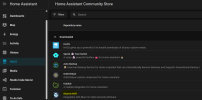
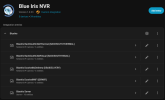
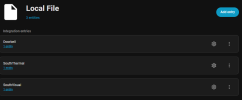
If you are running Home Assistant then I would load the BI Intergration though the Store HACS
1771983751790.png

It will port all your Cameras over to HA. Or you can chose which ones you want.

Settings/Devices you will be able to setup the BI Integration.
1771983953932.png

Presently I only have a few Cameras installed, have 8 more planned, just got 4 of them this month from Andy. Need to cable first.

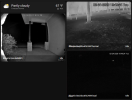
My Dashboard:
1771984137612.png

How this all works is through the Home Assistant App, which is not cloud based, I connect to my home network through a local VPN Server on my Router (OpenVPN) via the OpenVPN for Android App on our phones. Once connected to our VPN the Home Assistant App connects to our Home Assistant box, which I have it's IP available in the OpenVPN settings, I also have the BI PC available too incase I want to use BI's UI3 Webpage to view footage...

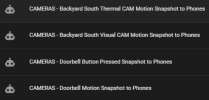
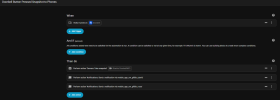
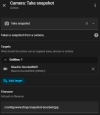
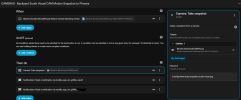
In Automations in Home Assistant I have two, one for motion and the other for Door Button Press...each takes a snapshot when triggered and sends the snapshot with a notification to our phones.

1771984633209.png

1771985962536.png

When setting up the Automations you can chose the BI Camera or with ReoLink they have their own Integration which I found to work good too so I pick it. But as you can see I get the Snapshot from the BI Camera entity...
1771984760778.png
1771985594820.png

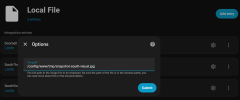
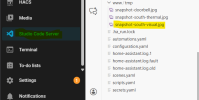
You use www folder in HA for the snapshots
1771984994489.png

1771985126582.png


I know this seems like alot but it is not that hard...above is messy but gives you an idea of what I have setup...

HTH
 
Last edited:
What about Pushover? Can I do anything with that? My guess is I wouldn't be able to use it for the button press, only motion alerts.
I have not used Pushover but read many have.
 
Unfortunately when I switched to fiber I didn't know they use CGNAT, which kills my ability to use a VPN. I just need to call and order a static IP, I think it's $10 per month.

I've been messing around with the doorbell in BI and narrowed down which trigger is for the button, so I think I can get it to work with a cloned camera for the button notification through Pushover. It's been a while since I have messed with snapshots, so I need to figure out settings and why I am getting the initial snapshot trigger and then another 15 seconds later, without another button press.

Also, unless I missed it, I didn't see a way to turn off Smart Detection within the doorbell. So it looks like I can either kill the triggers in BI to use BI motion, or just rely on the doorbell's Smart Detection.
 
  • Like
Reactions: David L
Actually, it looks like my Unifi Teleport will work similarly to Tailscale. I'll see if I can get that set up and working.
Hope my ISP does not change over to CGNAT...
 
Hope my ISP does not change over to CGNAT...
I just set up Teleport and it was as easy as generating a link, emailing it to myself, and then clicking a couple buttons on my phone to accept. Would have taken longer, but I already had Wifiman installed on my phone.

I disconnected from Wifi and tried connecting to the BI Web UI link on my home screen. It took a second for the VPN to kick in, but it loaded just fine.

I wish I would have known this sooner.
 
I am looking to finally convert over from my Ring doorbell. Is there any reason to go with the Reolink in a 4:3 ratio over the 3:4? I don't know why the color dictates the ratio, but black v white is not an issue. I thought maybe the taller ratio would be more ideal given how narrow my front porch is.

I have other views/angles of the porch and door, so this would not be the sole coverage, and either would work. Currently the 4:3 is $94, and the 3:4 is $110, if that matters.

Current view from the Ring:
View attachment 238641

The T54IR-AS that is above the doorbell:
View attachment 238644

The T54IR-AS that is above the door:
View attachment 238643

Are you going to keep the 54IR in place?

If so, do you even need to deal with a doorbell cam that will not be as good quality and since not connected to the internet, will not function as a typical doorbell camera?
 
  • Like
Reactions: David L
Are you going to keep the 54IR in place?

If so, do you even need to deal with a doorbell cam that will not be as good quality and since not connected to the internet, will not function as a typical doorbell camera?
Yea, the 54IR is going to stay there.

I considered that route, as well. Go back to a dumb doorbell and come up with a way to receive triggers when someone pushes the doorbell. I previously had modified a Zwave door sensor and attached it to my doorbell chime. When the "door" would close, I would get a notification. But, that was with a different automation hub that was app/cloud based and easier to get notifications from.

I'll definitely think on it. I'm sure I can lean more into Home Assistant, but not sure I have the mental capacity for all of that right now.
 
  • Like
Reactions: David L
I know this is a bias statement being here in the Doorbell Thread, but truthfully for us, this Doorbell is kinda useless. WHAT? WHAT? What did he just say?

Well since the Summer of 2019 when we got our first Video Doorbell (Which was exciting back then) till now, what we have found is nobody rings Doorbells anymore, well at least these Smart Video Doorbells. No Delivery people do, Solicitors don't, they knock and very few family and friends do either. Not sure why, guessing they think the Camera gets triggered when door button is pressed? The Delivery people I understand, drop the package and run before someone answers the door and slow you down with chit-chat. Solicitors are the opposite, I have had them knock three times...hahaha, this song seems to always come to mind when I say knock three times, hahaha


So what's my point? If your doorbell rings, having a Smart Video Doorbell makes sense, but if not, get a better camera instead...just my 2 cents...
 
  • Exclamation
Reactions: Arjun
I know this is a bias statement being here in the Doorbell Thread, but truthfully for us, this Doorbell is kinda useless. WHAT? WHAT? What did he just say?

Well since the Summer of 2019 when we got our first Video Doorbell (Which was exciting back then) till now, what we have found is nobody rings Doorbells anymore, well at least these Smart Video Doorbells. No Delivery people do, Solicitors don't, they knock and very few family and friends do either. Not sure why, guessing they think the Camera gets triggered when door button is pressed? The Delivery people I understand, drop the package and run before someone answers the door and slow you down with chit-chat. Solicitors are the opposite, I have had them knock three times...hahaha, this song seems to always come to mind when I say knock three times, hahaha


So what's my point? If your doorbell rings, having a Smart Video Doorbell makes sense, but if not, get a better camera instead...just my 2 cents...

1772028592096.png

I completely agree. I don't think I have ever answered the doorbell through my phone.

I'm looking into using a Shelly relay at my door chime to trigger my Hubitat and send a Pushover notification. If I can get it to include a snapshot from the 54IR above it, that would be even better.
 
  • Like
Reactions: David L and Arjun
I know this is a bias statement being here in the Doorbell Thread, but truthfully for us, this Doorbell is kinda useless. WHAT? WHAT? What did he just say?

Well since the Summer of 2019 when we got our first Video Doorbell (Which was exciting back then) till now, what we have found is nobody rings Doorbells anymore, well at least these Smart Video Doorbells. No Delivery people do, Solicitors don't, they knock and very few family and friends do either. Not sure why, guessing they think the Camera gets triggered when door button is pressed? The Delivery people I understand, drop the package and run before someone answers the door and slow you down with chit-chat. Solicitors are the opposite, I have had them knock three times...hahaha, this song seems to always come to mind when I say knock three times, hahaha


So what's my point? If your doorbell rings, having a Smart Video Doorbell makes sense, but if not, get a better camera instead...just my 2 cents...

I absolutely agree
Some drivers still ring the bell but it is not a consistent instance
Smart AI Detections is the new modern doorbell
 
View attachment 238753

I completely agree. I don't think I have ever answered the doorbell through my phone.

I'm looking into using a Shelly relay at my door chime to trigger my Hubitat and send a Pushover notification. If I can get it to include a snapshot from the 54IR above it, that would be even better.
Yeah SAGE Doorbell relay was one several people used, I even have a few, somewhere, I bought years back but never installed. They would probably need a battery replacement by now.


If you have Hubitat integrated in Home Assistant like I do, then just create a HA automation to include a Snapshot from your 54IR with the BI integration to HA when the relay gets triggered, send to your phone, which your phone should also be integrated in HA too. But this only works through the HA App, which I would suggest using a VPN with the HA App, as previously mentioned.

1772032633846.png
1772033597717.png

The snapshot will be stored in www folder in HA and replaced when a new snapshot is taken.
1772033741299.png

Integrations you will need in HA:
1772033311104.png1772033339195.png1772033379778.png1772033410470.png

HTH
 
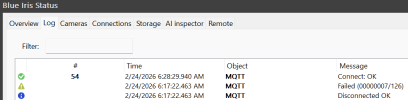
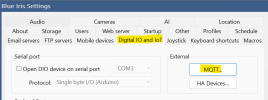
Sorry, been awhile since I set all of this up, one step I forgot is MQTT

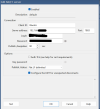
I assume the BI Integration in HA will guide you though setting up the MQTT Server...think you have to just create a login in HA or use one already there and put the HA IP in BI...

I see I created a Login in HA for HA-BI:
1772035162127.png

Just looked in BI:
1772034016185.png

1772034410948.png

1772034578264.png

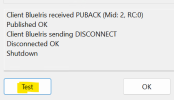
I ran the test, it checks all Cameras in HA...

1772035323612.png
 
I'm taking baby steps with it right now. I currently have my test Shelly working and sending my phone notifications through Hubitat regardless of whether I am on wifi.

I have nothing set up in HA other than ESPHome, which was the only reason I set it up. I am building temperature controllers that use ESP32s and wanted an easy way to program them. I never really intended on using it much more than that. I will if I need to, but if I can make this all happen in Hubitat, that would be preferred.
 
  • Like
Reactions: David L
Huge strides were made, now I just need to get it all off the bench and installed.

When the doorbell is pressed, the Shelly is triggered which also ding dongs the chime. Hubitat sees the trigger from the Shelly and then sends an HTTP command trigger to BI. Then, with that external trigger, BI sends a Pushover notification with a still of who the ding donger is.

It looks like I will be sending the Reolink back because this is a much better solution.