
New Reolink Wired POE Doorbell Cam ?
- Thread starter Elton Noway
- Start date

You are using an out of date browser. It may not display this or other websites correctly.
You should upgrade or use an alternative browser.
You should upgrade or use an alternative browser.


TechBill
Known around here
- Nov 1, 2014
- 1,834
- 1,195
I’m looking at getting the Reolink PoE Doorbell. Running an Ethernet cable to the doorbell location will be easy, but I noticed in the photos that it uses a thinner RJ45 connector on the doorbell's pigtail.
For those of you who have installed one, will a standard Ethernet cable with a regular RJ45 connector still allow the doorbell to sit flush against the door frame? Or do you need to drill a fairly large hole in the door frame to hide the connector behind the doorbell?
For those of you who have installed one, will a standard Ethernet cable with a regular RJ45 connector still allow the doorbell to sit flush against the door frame? Or do you need to drill a fairly large hole in the door frame to hide the connector behind the doorbell?

ExTechjunkie
Getting the hang of it
I drilled my hole just wide enough for the jacket of the ethernet cable, and then put the head on myself with a crimping toolI’m looking at getting the Reolink PoE Doorbell. Running an Ethernet cable to the doorbell location will be easy, but I noticed in the photos that it uses a thinner RJ45 connector on the doorbell's pigtail.
For those of you who have installed one, will a standard Ethernet cable with a regular RJ45 connector still allow the doorbell to sit flush against the door frame? Or do you need to drill a fairly large hole in the door frame to hide the connector behind the doorbell?
Yes, a normal cable and standard RJ45 works fine. I've installed 3 that way.I’m looking at getting the Reolink PoE Doorbell. Running an Ethernet cable to the doorbell location will be easy, but I noticed in the photos that it uses a thinner RJ45 connector on the doorbell's pigtail.
For those of you who have installed one, will a standard Ethernet cable with a regular RJ45 connector still allow the doorbell to sit flush against the door frame? Or do you need to drill a fairly large hole in the door frame to hide the connector behind the doorbell?
TechBill
Known around here
- Nov 1, 2014
- 1,834
- 1,195
I drilled my hole just wide enough for the jacket of the ethernet cable, and then put the head on myself with a crimping tool
Yes, a normal cable and standard RJ45 works fine. I've installed 3 that way.
Thanks!
I installed all of my security cameras using buried Cat6 solid copper cable, so it's a pretty thick cable and doesn't like making sharp bends. I'm hoping the back of the doorbell has enough clearance above the mounting hole that the cable can gradually bend into the wall without putting pressure on the connector or requiring me to make a larger hole.
It's a little tight but you can probably make it work. Worst case might have to enlarge the hole through the wall a bit to let the bend start sooner.Thanks!
I installed all of my security cameras using buried Cat6 solid copper cable, so it's a pretty thick cable and doesn't like making sharp bends. I'm hoping the back of the doorbell has enough clearance above the mounting hole that the cable can gradually bend into the wall without putting pressure on the connector or requiring me to make a larger hole.

Check to see how your original doorbell was installed as you might not need to run new ethernet. The electrician that wired up all the phone jacks in the house used the same cat3 cable to wire up the doorbell since that's what he had handy. It made it easy to cut the RJ-11 end off and crimp an RJ-45. The doorbell chime was mounted to the coat closet that my ethernet switches are installed in, so the other end of my wiring was extremely easy as well.
The POE Doorbell has the same area like the WiFi Doorbell where the Ethernet cable plugs in. In your case if you can have the bend stay in the wall behind the trim with the cable coming up would be best. Easier said than done. If you have to push the cable back in then the hole would have to be bigger. What I am thinking is pushing the cable down past the hole then retrieving it, somehow so the cable is coming up from the bottom up into the Doorbell, the hole would be angled down.
If the above is too much of a pain, I would just not use the thick buried cable. If humidity is a concern, use some dielectric grease on the ethernet fitting.
If the above is too much of a pain, I would just not use the thick buried cable. If humidity is a concern, use some dielectric grease on the ethernet fitting.
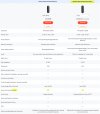
Reolink Video Doorbell 2nd Gen | 2K Battery Doorbell Camera
Reolink Video Doorbell (2nd Gen) is a wireless 4MP battery-powered doorbell camera that supports person/vehicle/animal/package detection. Front door security with no monthly fees.
 reolink.com




Since my Imou DB61i doorbell unfortunately broke down,  I set up my "Backup" Reolink Doorbell WiFi V2 a few days ago. However, I’m grappling with an issue I can't quite explain.
I am currently using the older firmware version v3.0.0.4662_2508071282 rather than the newer version v3.0.0.6460_2605211897. It seems there are some problems with the newer version anyway for example.
I couldn't perform the initial setup of the Doorbell WiFi via the Reolink app and Wi-Fi; I had to do it using a LAN connection. That said, other users have encountered this problem too. Once set up, it appears on the Wi-Fi network and is easily accessible via the app or for example Home Assistant. The problem I’m facing now is that whenever I access the doorbell's web GUI and change a setting, saving the changes regularly results in a timeout. Even worse, the camera subsequently becomes completely inaccessible via LAN - regardless of the client or browser I use to try and access the web GUI. The connection from Home Assistant to the doorbell drops as well. Strangely enough, however, I can still access the doorbell without any issues via the Reolink app. It only becomes available on the LAN again after restarting the doorbell via the app.
I can't explain this behavior at all; perhaps someone here has an idea what might be causing it or has experienced something similar?
Just as a bit of background: I’m actually quite knowledgeable about networking and IP cameras, so I can rule out any fundamental issues with my LAN or WLAN as the cause with 99% certainty. To me, the problem looks more like a firmware bug, so I’m hoping there are other users here who have had to deal with this same issue.
In this context, I would naturally also be interested in your experiences with the newer firmware v3.0.0.6460_2605211897.
I set up my "Backup" Reolink Doorbell WiFi V2 a few days ago. However, I’m grappling with an issue I can't quite explain.I am currently using the older firmware version v3.0.0.4662_2508071282 rather than the newer version v3.0.0.6460_2605211897. It seems there are some problems with the newer version anyway for example.
I couldn't perform the initial setup of the Doorbell WiFi via the Reolink app and Wi-Fi; I had to do it using a LAN connection. That said, other users have encountered this problem too. Once set up, it appears on the Wi-Fi network and is easily accessible via the app or for example Home Assistant. The problem I’m facing now is that whenever I access the doorbell's web GUI and change a setting, saving the changes regularly results in a timeout. Even worse, the camera subsequently becomes completely inaccessible via LAN - regardless of the client or browser I use to try and access the web GUI. The connection from Home Assistant to the doorbell drops as well. Strangely enough, however, I can still access the doorbell without any issues via the Reolink app. It only becomes available on the LAN again after restarting the doorbell via the app.
I can't explain this behavior at all; perhaps someone here has an idea what might be causing it or has experienced something similar?
Just as a bit of background: I’m actually quite knowledgeable about networking and IP cameras,
so I can rule out any fundamental issues with my LAN or WLAN as the cause with 99% certainty. To me, the problem looks more like a firmware bug, so I’m hoping there are other users here who have had to deal with this same issue.In this context, I would naturally also be interested in your experiences with the newer firmware v3.0.0.6460_2605211897.
Last edited:
Can't help you on the latest firmware, I run a very old firmware and even Client on my Gen 1 WiFi version:Since my Imou DB61i doorbell unfortunately broke down,
I am currently using the older firmware version v3.0.0.4662_2508071282 rather than the newer version v3.0.0.6460_2605211897. It seems there are some problems with the newer version anyway for example.
I couldn't perform the initial setup of the Doorbell WiFi via the Reolink app and Wi-Fi; I had to do it using a LAN connection. That said, other users have encountered this problem too. Once set up, it appears on the Wi-Fi network and is easily accessible via the app or for example Home Assistant. The problem I’m facing now is that whenever I access the doorbell's web GUI and change a setting, saving the changes regularly results in a timeout. Even worse, the camera subsequently becomes completely inaccessible via LAN - regardless of the client or browser I use to try and access the web GUI. The connection from Home Assistant to the doorbell drops as well. Strangely enough, however, I can still access the doorbell without any issues via the Reolink app. It only becomes available on the LAN again after restarting the doorbell via the app.
I can't explain this behavior at all; perhaps someone here has an idea what might be causing it or has experienced something similar?
Just as a bit of background: I’m actually quite knowledgeable about networking and IP cameras,
In this context, I would naturally also be interested in your experiences with the newer firmware v3.0.0.6460_2605211897.


I don't chase the latest firmwares on cameras unless it is a feature I want or a fix to a feature I am using or it is security related but since I don't use camera phone apps and my cameras don't have internet access it really doesn't matter security wise.
I will say with the Web Client I have experienced Saving hangups where the Web page freezes/does not refresh. May try clearing your browser cache.
I would download the the Windows Client, I have better luck with it...
Reolink App & Client Download
Get the Reolink app for Windows, Mac, and mobile devices. Download the Reolink client on your desktop to log in, view live feeds, and manage your cameras securely.
 reolink.com
Oh one more note, firmware updates via WiFi is always risky, it is always best to update via wired if available...in my experience...
Last edited:

Hi David
Thanks for the info.

Once this timeout message appears,

client access from the LAN is no longer possible. At least in the tests I ran yesterday. Strangely enough, however, access via the Reolink app and Wi-Fi remains possible.
However, this doesn't happen every time or with every menu item in the web GUI; it seems completely random. For instance, I tried to disable the RTMP stream in the web GUI yesterday, but I couldn't manage it. Every time I tried to save the setting, it timed out, and I had to restart the doorbell via the app just to regain access to the web GUI. Consequently, the change wasn't saved, and the RTMP stream remained active.
As previously mentioned, it cannot be related to my LAN or WLAN either, as the connection is absolutely stable and none of the other clients (e.g., around 30 Wi-Fi clients) experience any interruptions.
 I've been using nothing but Linux for years now. I’m certainly not going to run Windows somewhere just for the Reolink Windows client software. In principle, you can configure most things via the Reolink app, but unfortunately not everything - for instance, network settings like RTSP. Sure, once you've set that up, you shouldn't really need to change it again, but the timeouts in the web GUI are still a real pain.
I plan to run a few more tests over the coming days, but it is obviously annoying to have to restart the doorbell via the app (almost) every time I change a setting in the web GUI - simply because, otherwise, LAN clients (such as Home Assistant and the NVR) lose access to the doorbell and cannot connect to it.
I was just hoping that perhaps other users with the same problem might chime in and mention that it stopped happening for them with firmware version x, y, or z.
Thanks for the info.
I generally only perform firmware updates when they are absolutely necessary (e.g., to address security vulnerabilities), when I know the update fixes specific bugs, or when there is a new feature I really want to have.I don't chase the latest firmwares on cameras unless
That’s good to know, as it suggests the Reolink Doorbell still has an issue in that regard. I tested the Reolink Doorbell Wi-Fi for a few days back in March 2024, and even then, I frequently encountered timeouts in the web GUI when trying to save setting changes. At that time, however, I was able to regain access to the web GUI after waiting one to three minutes. That is no longer possible now; instead, the doorbell has to be restarted via the app.I will say with the Web Client I have experienced Saving hangups where the Web page freezes/does not refresh.
No, that doesn't change anything either, precisely because access from the LAN appears to be completely blocked. In other words, I can no longer access the web GUI - even with a different browser - and Home Assistant (where the doorbell is integrated) can no longer establish a connection to the doorbell either. With my Dahua NVR - to which the doorbell is also connected - the connection to it drops as well, and it doesn't automatically reconnect there either.May try clearing your browser cache.
Once this timeout message appears,
client access from the LAN is no longer possible. At least in the tests I ran yesterday. Strangely enough, however, access via the Reolink app and Wi-Fi remains possible.
However, this doesn't happen every time or with every menu item in the web GUI; it seems completely random. For instance, I tried to disable the RTMP stream in the web GUI yesterday, but I couldn't manage it. Every time I tried to save the setting, it timed out, and I had to restart the doorbell via the app just to regain access to the web GUI. Consequently, the change wasn't saved, and the RTMP stream remained active.
As previously mentioned, it cannot be related to my LAN or WLAN either, as the connection is absolutely stable and none of the other clients (e.g., around 30 Wi-Fi clients) experience any interruptions.
I don't use Windows here;I would download the the Windows Client,
I've been using nothing but Linux for years now. I’m certainly not going to run Windows somewhere just for the Reolink Windows client software. In principle, you can configure most things via the Reolink app, but unfortunately not everything - for instance, network settings like RTSP. Sure, once you've set that up, you shouldn't really need to change it again, but the timeouts in the web GUI are still a real pain.I plan to run a few more tests over the coming days, but it is obviously annoying to have to restart the doorbell via the app (almost) every time I change a setting in the web GUI - simply because, otherwise, LAN clients (such as Home Assistant and the NVR) lose access to the doorbell and cannot connect to it.
I was just hoping that perhaps other users with the same problem might chime in and mention that it stopped happening for them with firmware version x, y, or z.
Assumed you have tried bypassing your NVR and connecting the DB directly to a switch?Hi David
Thanks for the info.
I generally only perform firmware updates when they are absolutely necessary (e.g., to address security vulnerabilities), when I know the update fixes specific bugs, or when there is a new feature I really want to have.
That’s good to know, as it suggests the Reolink Doorbell still has an issue in that regard. I tested the Reolink Doorbell Wi-Fi for a few days back in March 2024, and even then, I frequently encountered timeouts in the web GUI when trying to save setting changes. At that time, however, I was able to regain access to the web GUI after waiting one to three minutes. That is no longer possible now; instead, the doorbell has to be restarted via the app.
No, that doesn't change anything either, precisely because access from the LAN appears to be completely blocked. In other words, I can no longer access the web GUI - even with a different browser - and Home Assistant (where the doorbell is integrated) can no longer establish a connection to the doorbell either. With my Dahua NVR - to which the doorbell is also connected - the connection to it drops as well, and it doesn't automatically reconnect there either.
Once this timeout message appears,
View attachment 247467
client access from the LAN is no longer possible. At least in the tests I ran yesterday. Strangely enough, however, access via the Reolink app and Wi-Fi remains possible.
However, this doesn't happen every time or with every menu item in the web GUI; it seems completely random. For instance, I tried to disable the RTMP stream in the web GUI yesterday, but I couldn't manage it. Every time I tried to save the setting, it timed out, and I had to restart the doorbell via the app just to regain access to the web GUI. Consequently, the change wasn't saved, and the RTMP stream remained active.
As previously mentioned, it cannot be related to my LAN or WLAN either, as the connection is absolutely stable and none of the other clients (e.g., around 30 Wi-Fi clients) experience any interruptions.
I don't use Windows here;
I plan to run a few more tests over the coming days, but it is obviously annoying to have to restart the doorbell via the app (almost) every time I change a setting in the web GUI - simply because, otherwise, LAN clients (such as Home Assistant and the NVR) lose access to the doorbell and cannot connect to it.
I was just hoping that perhaps other users with the same problem might chime in and mention that it stopped happening for them with firmware version x, y, or z.
Hmm, I don't quite understand what you mean by that. The doorbell is connected to the network via Wi-Fi only, not via LAN as well. In other words, the connection between the doorbell and the NVR goes through an Asus XT8 mesh client: Doorbell --> Wi-Fi --> Asus XT8 --> LAN --> Switch --> NVR.
If I had the option to connect the doorbell via LAN or PoE, I certainly would have done so. Unfortunately, that isn't possible in this case because I can't run a LAN cable to the doorbell mounted on the exterior wall. The doorbell is therefore powered by a 24V doorbell transformer, utilizing the existing 4-wire cable.
By the way: I previously used an Amcrest AD110 here starting in 2021, followed by an Imou DB61i (which is structurally identical to the Amcrest AD410, among others) from late 2023 onwards. All of them were connected in the same way as the current Reolink Wi-Fi doorbell: powered by a doorbell transformer and connected to the network via Wi-Fi.
If I were to speculate: The timeouts occurring when accessing the Reolink doorbell's web GUI are likely due either to insufficient CPU performance when the doorbell is running on Wi-Fi -especially when the web GUI is also being accessed - and/or simply because the web GUI isn't well-programmed.
Other users have reported these WebGUI access timeouts, and I actually encountered the same issue myself when testing the Reolink Doorbell in 2024. I had just hoped that Reolink had managed to get a handle on it by now.
I had also hoped that a new and up-to-date Dahua Wi-Fi doorbell model would be available by now - one I likely would have preferred over the Reolink doorbell - but Dahua hasn't implemented ONVIF in either of the current models (DB41 and DB43BB-BTR), so I can't integrate them into Home Assistant via ONVIF. Consequently, neither Dahua model is an option for me. Other customers presumably feel the same way, given that Dahua is now practically dumping the DB41 model here in Germany for a mere € 50.
If I had the option to connect the doorbell via LAN or PoE, I certainly would have done so.
Unfortunately, that isn't possible in this case because I can't run a LAN cable to the doorbell mounted on the exterior wall. The doorbell is therefore powered by a 24V doorbell transformer, utilizing the existing 4-wire cable.By the way: I previously used an Amcrest AD110 here starting in 2021, followed by an Imou DB61i (which is structurally identical to the Amcrest AD410, among others) from late 2023 onwards. All of them were connected in the same way as the current Reolink Wi-Fi doorbell: powered by a doorbell transformer and connected to the network via Wi-Fi.
If I were to speculate:
The timeouts occurring when accessing the Reolink doorbell's web GUI are likely due either to insufficient CPU performance when the doorbell is running on Wi-Fi -especially when the web GUI is also being accessed - and/or simply because the web GUI isn't well-programmed.Other users have reported these WebGUI access timeouts, and I actually encountered the same issue myself when testing the Reolink Doorbell in 2024. I had just hoped that Reolink had managed to get a handle on it by now.
I had also hoped that a new and up-to-date Dahua Wi-Fi doorbell model would be available by now - one I likely would have preferred over the Reolink doorbell - but Dahua hasn't implemented ONVIF in either of the current models (DB41 and DB43BB-BTR), so I can't integrate them into Home Assistant via ONVIF. Consequently, neither Dahua model is an option for me. Other customers presumably feel the same way, given that Dahua is now practically dumping the DB41 model here in Germany for a mere € 50.
I am suggesting try the Doorbell connected via it's wired LAN port. Then see if it is a WiFi issue, it would also eliminate your suggestion of lack of CPU power which I have never experienced nor many here have not.Hmm, I don't quite understand what you mean by that. The doorbell is connected to the network via Wi-Fi only, not via LAN as well. In other words, the connection between the doorbell and the NVR goes through an Asus XT8 mesh client: Doorbell --> Wi-Fi --> Asus XT8 --> LAN --> Switch --> NVR.
If I had the option to connect the doorbell via LAN or PoE, I certainly would have done so.
By the way: I previously used an Amcrest AD110 here starting in 2021, followed by an Imou DB61i (which is structurally identical to the Amcrest AD410, among others) from late 2023 onwards. All of them were connected in the same way as the current Reolink Wi-Fi doorbell: powered by a doorbell transformer and connected to the network via Wi-Fi.
If I were to speculate:
Other users have reported these WebGUI access timeouts, and I actually encountered the same issue myself when testing the Reolink Doorbell in 2024. I had just hoped that Reolink had managed to get a handle on it by now.
I had also hoped that a new and up-to-date Dahua Wi-Fi doorbell model would be available by now - one I likely would have preferred over the Reolink doorbell - but Dahua hasn't implemented ONVIF in either of the current models (DB41 and DB43BB-BTR), so I can't integrate them into Home Assistant via ONVIF. Consequently, neither Dahua model is an option for me. Other customers presumably feel the same way, given that Dahua is now practically dumping the DB41 model here in Germany for a mere € 50.
The only reason the ReoLink Doorbell got Any attention at all was the LAN port, either one, POE or WiFi version. Reolink is by no means a good choice in cameras, you will find many here on this Forum posting about that.
I have both, presently the WiFi DB is on my door frame, until I can get the ok from the wife to cut out/replace some sheetrock to run cable this is working for us for now. WiFi Cams are a joke when it comes to being security cameras. That is also a big No here on this Forum.
As far as WebGUI timeouts, if there are people having this issue I have not seen it much at all on this Thread. My guess is it may be firmware like you mentioned.
BTW, the Client software I have never had any problems with settings. Would be nice if they had a Linux version, never made sense to me, from my understanding most Cameras are running a version of Linux anyway...
Reolink is by no means a good choice in cameras, you will find many here on this Forum posting about that.
I know.WiFi Cams are a joke when it comes to being security cameras. That is also a big No here on this Forum.
I’ve been using IP cameras from various manufacturers for over 20 years now. My first IP camera was an Axis 2100 back in 2001. For about 10 years now, I’ve been using exclusively Dahua cameras or their OEM models.Unfortunately, it’s not "that simple" in my case.until I can get the ok from the wife to cut out/replace some sheetrock to run cable this is working for us for now.
To run a LAN cable outside to the front door, I would somehow have to go through the room containing the guest toilet. The walls in that room are tiled all the way to the ceiling; to open up the timber-frame wall behind them - and then route a LAN cable through that and the brick exterior wall - I would first have to remove the tiles. I’m not going to go to that much trouble, especially since the setup with Dahua doorbells and Wi-Fi has worked flawlessly all these years.Apart from that WebGUI timeout issue, the Reolink Doorbell has been working flawlessly so far, and I hope it stays that way. Maybe I'll just go ahead and install the latest firmware, hoping that something has changed regarding the WebGUI timeout. In any case, I’ll keep an eye out for potential alternatives and see what new doorbell models might hit the market in the coming months.
I’ve been following new doorbell releases for a long time, and I’m still hoping for a model that fully meets my expectations and requirements. These are:
1. Power supply via 24V doorbell transformer and 2-wire setup.
2. Wi-Fi or Wi-Fi + PoE.
3. RTSP and ONVIF support.
4. Integration with Home Assistant via ONVIF and/or a dedicated integration - specifically one that includes a sensor for the doorbell button press.
5. Integration with my Dahua NVR (which shouldn't be an issue via ONVIF).
6. 24/7 operation without any problems or dropouts.
7. At least person and vehicle detection.
8. No reliance on a manufacturer cloud.
9. Price up to a maximum of €150.
10. Nice-to-haves:
- Ability to integrate the existing old chime alongside the new one (something that was possible with older Dahua models using the included chime kit).
- A WebGUI.
- Line detection feature.
Unfortunately, there are limitations of one kind or another with the offerings from the usual suspects - such as Dahua, Hikvision, Reolink, TP-Link Tapo (D235), and Aqara (G410/G400). Other manufacturers - such as Ring, EZVIZ, etc. - are immediately ruled out because, for instance, they lack ONVIF support or require a cloud service or subscription, or ....
Note: The new Reolink Battery Video Doorbell (2nd Gen) is simply too new (for me), and there is currently too little real-world user feedback available. It is also to be expected that, as is often the case, the firmware will need some time to mature after reaching customers.
If anyone here has any further ideas regarding the WebGUI timeouts - or perhaps could share their experiences with the firmware version v3.0.0.6460_2605211897 from May - please feel free to do so.