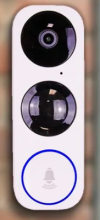
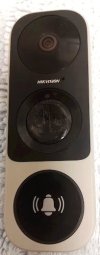
New RCA HSDB2A 3MP Doorbell IP Camera

My motion sensor here is mostly cracked. Never used it much as it was very sensitive. It does get warm. That said it is working fine today.

Thinking you asked on Cocoontech about ONVIF. There is software in Windows and Linux to check features. It is also part of the Home Assistant add on.

Windows

Device Manager for ONVIF-based Network video devices.


ONVIF device manager for Linux


Homeassistant ONVIF add on.


I still utillize Zoneminder here but have not configured it since moving. I use a 433Mhz outdoor PIr which works great with Home Assistant and the Hikvision doorbell.
 
Last edited:
  • Like
Reactions: David L
Hi Pete! Just exploring onvif. it appears that it's a way to communicate to an NVR or automation system but what gets reported and the level of detail seems largely missing for the cams I have looked at. They mostly state it has onvif if it does but seems like more detail would be good. For example, some cams such as Reolink can now detect vehicles or people. Are there different messages for vehicles than people?
 
  • Like
Reactions: David L
For the Hikvision with ONVIF enabled I am not aware of vehicle or people detection.
 
  • Like
Reactions: David L
I have one of these (NSC-DB2) integrated into my Blue Iris setup. It is in rough shape- the round center plastic basically disintegrated from the Florida sun and is gone. The doorbell part no longer rings (even though the blue led does turn red), and I no longer get notifications on phone, etc. But the camera still works fine. Can anyone recommend a suitable replacement?
 
  • Sad
Reactions: David L
@WannaTheater

Mine was doing that and I rebooted it and all is well.
 
  • Like
Reactions: David L
I dropped in a Reolink and have been very happy. The only issue I had was it will not ring my chime. It does have a wireless remote chime so it's not a deal breaker for me.
Ditto here.
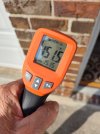
I have 2 running flawlessly for over 18 months now. One has been in blazing hot, summertime afternoon sun during that time frame. Below is a reading on the face on 6/29/23 @ 1704 hrs CDT:

Reolink-at-Side_062923_1704_small.jpg
 
I dropped in a Reolink and have been very happy. The only issue I had was it will not ring my chime. It does have a wireless remote chime so it's not a deal breaker for me.
I moved over to the reoloink as well and LOVE IT.

Picked it up on September 9, 2025 so no clue how well it will hold up
Doorbell and chime extra chime The wireless chimes are great to have for a larger house.
The ONVIF/camera events work GREAT with BI
I have a chime for people (built in person/pet/car/motion events BI will see) that just come on the deck and a dingdong and jump to cam with 2way audio for when someone pushes the btn. About a 3 or 4sec delay so MUCH faster than the DB2 when the events did work in BI.
The riolink did NOT work with my old school 12v mechanical chime like TonyR pointed out as well. ( but the riolink wireless chimes are much better IMO )

!! The reolink does phone home if you do not put it on a subnet or block it from the internet. !!


I blocked the DB2 when I first got it and it worked fine for about 2 years then it stopped booting up if it could not phone home. After it booted and started working if I blocked it from the net it would reboot within 30sec. and lockup again. That was the big push for me to find something new. (But glad I did the reolink system is much better IMO)

It does seem well built and does not have the other spots for people to push and crack like everyone did to the poor DB2. Its winter here so no clue if I will have the same overheating problem in the summer as the DB2 yet.
 
Last edited:
As an Amazon Associate IPCamTalk earns from qualifying purchases.
@KC8DKT Thank you for the reply- I actually purchased that unit yesterday a bit after my post, received it about 7 hours later (gotta love Amazon Prime), and installed it this morning. It integrated into Blue Iris without issue. Thank you for the heads up on the phoning home- will need to block that. The remote chime is nice, and I have an outlet right near my exiting mechanical chime (on a plant shelf), so it worked out well.

I will say that the image quality is much nicer, with a much wider horizontal FOV, with the trade off of a reduced vertical FOV. The only downside for me is, due to camera positioning perpendicular to double entry doors, the bottom left portion does have a blind spot for packages closest to the camera. I believe I could've purchased the white version, which would give me increased vertical FOV at the expense of the horizontal FOV, but I am happy with this setup. It is also nice to not have the massive fisheye and barrel distortion that came with the RCA HSDB2A.

And.... the unit dropped $12 in price from yesterday to today. Oh well :idk:

UPDATE: When I blocked WAN access from the device, I no longer get any motion/doorbell ring alerts on my phone. In researching, it looks like I need to whitelist access to pushx.reolink.com.. Unfortunately, I cannot find a way to do this in my router- It looks like I can only whitelist by IP address, which are most likely dynamic. Additionally, my router seems to only allow an ALLOW LIST, or a DENY LIST (mutually exclusive).... if I allow camera.ip.address to access the nslookup of pushx.reolink.com, all other device traffic is blocked from accessing WAN. Looks like I need to allow it to phone home for the moment...

 
Last edited:
  • Like
Reactions: David L and pete_c
@KC8DKT Thank you for the reply- I actually purchased that unit yesterday a bit after my post, received it about 7 hours later (gotta love Amazon Prime), and installed it this morning. It integrated into Blue Iris without issue. Thank you for the heads up on the phoning home- will need to block that. The remote chime is nice, and I have an outlet right near my exiting mechanical chime (on a plant shelf), so it worked out well.

I will say that the image quality is much nicer, with a much wider horizontal FOV, with the trade off of a reduced vertical FOV. The only downside for me is, due to camera positioning perpendicular to double entry doors, the bottom left portion does have a blind spot for packages closest to the camera. I believe I could've purchased the white version, which would give me increased vertical FOV at the expense of the horizontal FOV, but I am happy with this setup. It is also nice to not have the massive fisheye and barrel distortion that came with the RCA HSDB2A.

And.... the unit dropped $12 in price from yesterday to today. Oh well :idk:

UPDATE: When I blocked WAN access from the device, I no longer get any motion/doorbell ring alerts on my phone. In researching, it looks like I need to whitelist access to pushx.reolink.com.. Unfortunately, I cannot find a way to do this in my router- It looks like I can only whitelist by IP address, which are most likely dynamic. Additionally, my router seems to only allow an ALLOW LIST, or a DENY LIST (mutually exclusive).... if I allow camera.ip.address to access the nslookup of pushx.reolink.com, all other device traffic is blocked from accessing WAN. Looks like I need to allow it to phone home for the moment...

This is the Thread for the ReoLink DB, FYI

 
  • Like
Reactions: WannaTheater
My original Nelly which I converted to a Hikvision started to fail with a stuck button issue and the PIR was totally crushed.

Its been a couple of years now of running fine 24/7.

I had installed Hikvision Firmware Version build 200321 and configured it with a couple of circuit boards to connect it to my HAI/Leviton OmniPro 2 alarm panel.


1769275466850.pngnelly.jpg

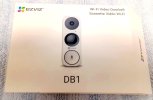
Switched it over to a new EZViz DB1. Thank you @David L

Initially just power it up with a 12, 16, 24 VAC transformer. Noticed it getting warm with all of these transformers.

1769276658665.jpeg

Read the QR code on the box to get the serial number and 6 digit code.

First time power up shows it going to wireless AP mode. Attached to the AP mode EZVIZ_SN (serial number) using the passcode EZVIS_6digitcode.

In AP mode it provides an IP to client and shows the gateway address. I have Windows 2016 server runnin on a Lenova Tiny M93P with wireless. There I connected to the AP mode using same info as mentioned above. Then I ran Batch Configuration V. 3.0.2.6 and connected to IP 192.168.8.1 (always the same gateway address when running in AP mode).

Changed the configuration to connect to my AP SSID. Noticed that RTSP and ONVIF were not available. Reset Doorbell.

Connected it again to AP mode.

I then updated the firmware to the Hikvision (Mar. 31, 2020) Build 200321 (ONVIF Support)


Rebooted and attached to AP mode and configured it for my home SSID / password. Working great!!!

Note connecting it in AP mode the password is softap-6digitcode.
 
Last edited:
  • Love
Reactions: David L
Inside the Ezviz DB1 power kit for anyone interested. It's installed across the solenoid wires when using a mechanical chime. For me the chime solenoid buzzed if it's not connected. It seems to allow some of the current to bypass the solenoid to stop it buzzing(and maybe burning out). Unfortunately for me it allows too much current to bypass the chime solenoid, preventing it from working. I wired a 5.6ohm resistor in series with the power kit to stop it taking too much current away form the chime solenoid. Seems to be working ok now.
Does anyone understand how the power kit works from the pictures? I really thought it would just contain resistors.
I'm using a 16v 10va transformer and Friedland D454 doorbell.
I know there are a lot of people on here saying to use a 30va transformer on here, but the DB1 only uses 200/300mA(day/night with IR) and the mechanical chime will only be on for about 1 second when the DB1 is pressed...
I know this is a very old post, but I am finding that my mechanical chime seems to ring rather weakly, typically creating a mild ding and a dong thank is more of a clank. I've been considering added the resister as you mentioned, however I was also experience chiming chatter at various intervals during the summer. If I do add the resistor in hopes of resolving the chiming issue, are there features I could disable to help prevent the chime chatter.

I have two DB1's and would like to connect the 2nd one to the rear door terminals, but I'm concerned about trying anything until I can resolve the first.
 
  • Like
Reactions: David L
In the old house I purchased a new Doorbell chime and upgraded the transformer. In current home upgraded transformer. I used the power kit for both configurations.

The power kit is to stop power stealing of the chime. Similiar to the power stealing which occurs with a thermostat. I had that issue in two homes using the Leviton HAI thermostats. I ended up using a second power supply and relay board inside my furnace to fix this issue.

Personally I would replace the chime, upgrade the power supply and use two power kits; one for each video doorbell.
 
  • Like
Reactions: David L
In the old house I purchased a new Doorbell chime and upgraded the transformer. In current home upgraded transformer. I used the power kit for both configurations.

The power kit is to stop power stealing of the chime. Similiar to the power stealing which occurs with a thermostat. I had that issue in two homes using the Leviton HAI thermostats. I ended up using a second power supply and relay board inside my furnace to fix this issue.

Personally I would replace the chime, upgrade the power supply and use two power kits; one for each video doorbell.
Unfortunately, l left out, that I had already replaced the transformer with a 30VA model and tried a replacement chime with the same result.
 
  • Like
Reactions: David L
May need a power kit.
 
May need a power kit.
Are you suggesting mine has failed? I have two and have tried both of them with the same result so I have some level of confidence they are fine, but not total. Given the are already passing current to the chime on button press and the doorbell works properly otherwise, I assumed they were fine.
 
  • Like
Reactions: David L
Are you suggesting mine has failed? I have two and have tried both of them with the same result so I have some level of confidence they are fine, but not total. Given the are already passing current to the chime on button press and the doorbell works properly otherwise, I assumed they were fine.
Just sharing, are you bench testing the second one? If you have the old chime and transformer. If they work, maybe a wiring issue? I would monitor voltage/wattage. See how low it goes with button press.

 
What firmware and model doorbell are you using? I put the Hikvision firmware on the EZViz doorbell because I wanted RTSP and ONVIF and the doorbell with the EZViz firmware kept bouncing. I do not know why it kept boucing. I also locked myself out of the EZViz app. Went to using the Nelly app which was much easier to use.

What did the replacement chime come with ; what size transformer? Test the chime / transformer with a regular doobell button. Then add a resistor and power pack to each video doorbell and see if it chimes the same.
 
Last edited:
  • Like
Reactions: David L