New RCA HSDB2A 3MP Doorbell IP Camera

My motion sensor here is mostly cracked. Never used it much as it was very sensitive. It does get warm. That said it is working fine today.

Thinking you asked on Cocoontech about ONVIF. There is software in Windows and Linux to check features. It is also part of the Home Assistant add on.

Windows

Device Manager for ONVIF-based Network video devices.


ONVIF device manager for Linux


Homeassistant ONVIF add on.


I still utillize Zoneminder here but have not configured it since moving. I use a 433Mhz outdoor PIr which works great with Home Assistant and the Hikvision doorbell.
 
Last edited:
  • Like
Reactions: David L
Hi Pete! Just exploring onvif. it appears that it's a way to communicate to an NVR or automation system but what gets reported and the level of detail seems largely missing for the cams I have looked at. They mostly state it has onvif if it does but seems like more detail would be good. For example, some cams such as Reolink can now detect vehicles or people. Are there different messages for vehicles than people?
 
  • Like
Reactions: David L
For the Hikvision with ONVIF enabled I am not aware of vehicle or people detection.
 
  • Like
Reactions: David L
I have one of these (NSC-DB2) integrated into my Blue Iris setup. It is in rough shape- the round center plastic basically disintegrated from the Florida sun and is gone. The doorbell part no longer rings (even though the blue led does turn red), and I no longer get notifications on phone, etc. But the camera still works fine. Can anyone recommend a suitable replacement?
 
  • Sad
Reactions: David L
@WannaTheater

Mine was doing that and I rebooted it and all is well.
 
  • Like
Reactions: David L
I dropped in a Reolink and have been very happy. The only issue I had was it will not ring my chime. It does have a wireless remote chime so it's not a deal breaker for me.
Ditto here.
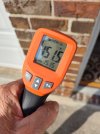
I have 2 running flawlessly for over 18 months now. One has been in blazing hot, summertime afternoon sun during that time frame. Below is a reading on the face on 6/29/23 @ 1704 hrs CDT:

Reolink-at-Side_062923_1704_small.jpg
 
I dropped in a Reolink and have been very happy. The only issue I had was it will not ring my chime. It does have a wireless remote chime so it's not a deal breaker for me.
I moved over to the reoloink as well and LOVE IT.

Picked it up on September 9, 2025 so no clue how well it will hold up
Doorbell and chime extra chime The wireless chimes are great to have for a larger house.
The ONVIF/camera events work GREAT with BI
I have a chime for people (built in person/pet/car/motion events BI will see) that just come on the deck and a dingdong and jump to cam with 2way audio for when someone pushes the btn. About a 3 or 4sec delay so MUCH faster than the DB2 when the events did work in BI.
The riolink did NOT work with my old school 12v mechanical chime like TonyR pointed out as well. ( but the riolink wireless chimes are much better IMO )

!! The reolink does phone home if you do not put it on a subnet or block it from the internet. !!


I blocked the DB2 when I first got it and it worked fine for about 2 years then it stopped booting up if it could not phone home. After it booted and started working if I blocked it from the net it would reboot within 30sec. and lockup again. That was the big push for me to find something new. (But glad I did the reolink system is much better IMO)

It does seem well built and does not have the other spots for people to push and crack like everyone did to the poor DB2. Its winter here so no clue if I will have the same overheating problem in the summer as the DB2 yet.
 
Last edited:
As an Amazon Associate IPCamTalk earns from qualifying purchases.
@KC8DKT Thank you for the reply- I actually purchased that unit yesterday a bit after my post, received it about 7 hours later (gotta love Amazon Prime), and installed it this morning. It integrated into Blue Iris without issue. Thank you for the heads up on the phoning home- will need to block that. The remote chime is nice, and I have an outlet right near my exiting mechanical chime (on a plant shelf), so it worked out well.

I will say that the image quality is much nicer, with a much wider horizontal FOV, with the trade off of a reduced vertical FOV. The only downside for me is, due to camera positioning perpendicular to double entry doors, the bottom left portion does have a blind spot for packages closest to the camera. I believe I could've purchased the white version, which would give me increased vertical FOV at the expense of the horizontal FOV, but I am happy with this setup. It is also nice to not have the massive fisheye and barrel distortion that came with the RCA HSDB2A.

And.... the unit dropped $12 in price from yesterday to today. Oh well :idk:

UPDATE: When I blocked WAN access from the device, I no longer get any motion/doorbell ring alerts on my phone. In researching, it looks like I need to whitelist access to pushx.reolink.com.. Unfortunately, I cannot find a way to do this in my router- It looks like I can only whitelist by IP address, which are most likely dynamic. Additionally, my router seems to only allow an ALLOW LIST, or a DENY LIST (mutually exclusive).... if I allow camera.ip.address to access the nslookup of pushx.reolink.com, all other device traffic is blocked from accessing WAN. Looks like I need to allow it to phone home for the moment...

 
Last edited:
  • Like
Reactions: David L and pete_c
@KC8DKT Thank you for the reply- I actually purchased that unit yesterday a bit after my post, received it about 7 hours later (gotta love Amazon Prime), and installed it this morning. It integrated into Blue Iris without issue. Thank you for the heads up on the phoning home- will need to block that. The remote chime is nice, and I have an outlet right near my exiting mechanical chime (on a plant shelf), so it worked out well.

I will say that the image quality is much nicer, with a much wider horizontal FOV, with the trade off of a reduced vertical FOV. The only downside for me is, due to camera positioning perpendicular to double entry doors, the bottom left portion does have a blind spot for packages closest to the camera. I believe I could've purchased the white version, which would give me increased vertical FOV at the expense of the horizontal FOV, but I am happy with this setup. It is also nice to not have the massive fisheye and barrel distortion that came with the RCA HSDB2A.

And.... the unit dropped $12 in price from yesterday to today. Oh well :idk:

UPDATE: When I blocked WAN access from the device, I no longer get any motion/doorbell ring alerts on my phone. In researching, it looks like I need to whitelist access to pushx.reolink.com.. Unfortunately, I cannot find a way to do this in my router- It looks like I can only whitelist by IP address, which are most likely dynamic. Additionally, my router seems to only allow an ALLOW LIST, or a DENY LIST (mutually exclusive).... if I allow camera.ip.address to access the nslookup of pushx.reolink.com, all other device traffic is blocked from accessing WAN. Looks like I need to allow it to phone home for the moment...

This is the Thread for the ReoLink DB, FYI

 
  • Like
Reactions: WannaTheater