IPC-Color4K-T and IPC-Color4K-T180 230227 Firmware

Regarding the firmware for the camera, I have two T180 cameras, and I am using the firmware Andy has posted on his site (2023-12-24) revision 7, but I see that there is a newer firmware for the camera listed on the Dahua site (2025-07-18) revision 25. Here are links to both:
Andy's site: Download Firmwares
Dahua's site: IPC-PDW5849-A180-E2-ASTE - Dahua International

Note, I updated my cameras to the newer Dahua firmware (2025-07-18) revision 25 just now, and they seem to be working fine.

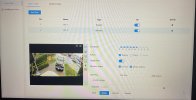
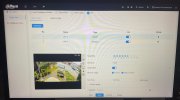
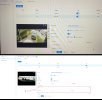
After a few factory resets, new IVS added, still getting the same results.

A real shame as the camera image quality is pretty good and hoping to use this at a few clients who need the 180° view.

Thanks for your help.
 
That is probably the problem.

Try Internet Explorer.

Yeah we know, but that was the browser the firmware is centered around.

It is still native to Win10 and 11

How to enable native Internet Explorer in Windows 10 and 11:
  • Open Notepad:
    • Copy then paste the single line of code below into Notepad:
    • CreateObject("InternetExplorer.Application").Visible=true
    • Save as OpenIE.vbs
  • Make sure the the file name ends in .vbs not .txt, If it ends in .txt you must rename to .vbs
  • Create a shortcut to the above file and double-click it anytime you want native Internet Explorer.
 
That is probably the problem.

Try Internet Explorer.

Yeah we know, but that was the browser the firmware is centered around.

It is still native to Win10 and 11

How to enable native Internet Explorer in Windows 10 and 11:
  • Open Notepad:
    • Copy then paste the single line of code below into Notepad:
    • CreateObject("InternetExplorer.Application").Visible=true
    • Save as OpenIE.vbs
  • Make sure the the file name ends in .vbs not .txt, If it ends in .txt you must rename to .vbs
  • Create a shortcut to the above file and double-click it anytime you want native Internet Explorer.

I will give this a go this afternoon.
 
  • Like
Reactions: JDreaming
That is probably the problem.

Try Internet Explorer.

Yeah we know, but that was the browser the firmware is centered around.

It is still native to Win10 and 11

How to enable native Internet Explorer in Windows 10 and 11:
  • Open Notepad:
    • Copy then paste the single line of code below into Notepad:
    • CreateObject("InternetExplorer.Application").Visible=true
    • Save as OpenIE.vbs
  • Make sure the the file name ends in .vbs not .txt, If it ends in .txt you must rename to .vbs
  • Create a shortcut to the above file and double-click it anytime you want native Internet Explorer.

So not getting the results that I was hoping for. Thinking that I will flash the latest Andy firmware of the EmpireTech site and see if this changes anything.
 
Well the outcome with this after flashing the official Andy FW is that IVS just won’t work on only this camera.

I have 4 other cameras, all with working IVS rules in place. T54IR-AS-S3 as an example, IVS works perfectly.

This color4K-T180, just frustrated by the amount of time I’ve spent trying to get the IVS feature working.

Thanks again for the constructive input others have offered.
 
Oh I didn't realize it was the T180 - yeah we have all seen the IVS on that thing is a real stinker. Especially as you move away from the center of the image.
 
Oh I didn't realize it was the T180 - yeah we have all seen the IVS on that thing is a real stinker. Especially as you move away from the center of the image.
My T-180 picks me up way off to the sides of the image everytime. Maybe I got a good one.
 
Yes, my two T180's have trouble with IVS on the sides also. The center is very stable. The angle that the camera is mounted makes a difference too. If the angle is too low, IVS will often fail to trigger. It really needs to be looking down at its subject. My results were greatly improved when I setup the NVR (NVR16CH-16P-2AI-S2) to do the processing of the IVS instead of the camera. It was like getting a whole camera.
 
Last edited: