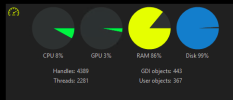
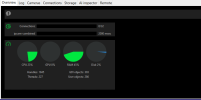
I thought the Intel vpp was supposed to offload CPU use to the GPU
As far as using hardware decoding is concerned, it used to be a requirement to process the mainstream videos.
However, with substreams being introduced, the CPU% needed to offload video to a GPU (internal or external) is more than the CPU% savings seen by offloading to a GPU. Especially after about 12 cameras, the CPU goes up by using hardware acceleration. The
wiki points this out as well.
Plus substreams opens up the
possibility for older machines to be just fine, along with non-intel computers.
Around the time AI was introduced in BI, many here had their system become unstable with hardware acceleration (hardware decode) (Quick Sync) on (even if not using DeepStack or CodeProject). Some have also been fine. I started to see errors when I was using hardware acceleration several updates into when AI was added.
It seems to be a big issues with BI6 and many threads like this are here.
This hits everyone at a different point. Some had their system go wonky immediately, some it was after a specific update, and some still don't have a problem, but the trend is showing running hardware acceleration will result in a problem at some point.
My CPU % went down by not using hardware acceleration.
Here is a
recent thread where someone turned off hardware acceleration based on my post and their CPU dropped 10-15% and BI became stable.
But if you use HA, use plain intel and not the variants.
Some still don't have a problem, but eventually it may result in a problem.
Here is a sampling of recent threads that turning off HA fixed the issues they were having....
No hardware acceleration with subs?
Hardware decoding just increases GPU usage?
Can't enable HA on one camera + high Bitrate
And as always, YMMV.