CPU Usage v6.x

HomeWPoe

Getting the hang of it
Aug 17, 2024
67
25
US
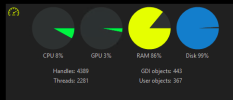
Currently using BI v6.0.2.8. Currently supporting 6, 4k cams and 3, 3k cams (recording 24/7). Using the larger yolo8m module. When BI is static, cpu usage hovers around 7-9%. When AI attempts to confirm a trigger it momentarily spikes to 40-60% for about 2-3 seconds then drops to 7-9% again. CPU is an i7-8700. 32gb of RAM. On-board Intel 630 graphics card (switched off in BI).

Is 40-60% acceptable?
 
Last edited:
If it is just momentarily, how is that a problem? if the CPU is idling at 7-9% I think that is quite acceptable for that CPU, do you have the graphics card enabled for AI, if not then you should try it.
 
  • Like
Reactions: HomeWPoe
Had a hunch a few seconds at 40-60% was acceptable, but wasn't sure. Thx for confirming.

@Bruce_H, I've tried turning on the on-board/integrated Intel 630 graphics a few times in the past and noticed no improvement. Is there a reasonably priced dedicated graphics card that can put a noticeable dent in AI's cpu %?
 
You would be wasting your money on a graphics card and the electricity to run it.

Using the camera AI or upgrading cameras slowly to ones with AI would be a wiser spend of the money and would have a bigger dent in savings of the CPU.

The only time you would need a card for BI is if you were creating your own models and you had so many cameras using AI that the computer actually choked and crashed.
 
Appreciate the graphics card info, @wittaj.

For what it's worth, 6 of our 9 cams are POE with on-board AI (IVS), which have worked flawlessly for over a year (and as you alluded to, have little cpu overhead).

We're using BI v6's built-in AI with three inexpensive wifi cams. After some fine-tuning, we're pleasantly surprised how well the BI AI is working. Not nearly as accurate as IVS when there's fast motion by a small object, and obviously much more cpu intensive, but still very useable.
 
You would be wasting your money on a graphics card and the electricity to run it.

Using the camera AI or upgrading cameras slowly to ones with AI would be a wiser spend of the money and would have a bigger dent in savings of the CPU.

The only time you would need a card for BI is if you were creating your own models and you had so many cameras using AI that the computer actually choked and crashed.
Yep I've slowly moved away from a power hungry GPU. Have a GTX970. Had that running on a NAS with CPAI in docker on that. All removed now.

Now using the built-in AI onnx Yolo8s. Although it's now running on AMD (proxmox VM) I managed to utilize an old amd firepro W4100 as a GPU (very efficient - does not need an extra power source). The cpu can handle the AI but is rather slow.
Works well with the AMD DirectML computing.
 
On my test system I’ve noticed that with the last 2 releases of BI the CPU usage has gone up, is normally 25-35% on my system but after 23 hours of running it’s sitting at 60%

Anybody else notice this?
 
Couldn't wait till the weekend so just had a look, turns out that at some stage I must have been "playing around", technical term, with Hardware Acceleration on some of the cams and had it enabled and set to Intel+VPP on a few of my older cams. Disabled it on all the cams and now my flakey old i5-6500 is back to idling at around 25%
 
  • Like
Reactions: Pentagano
Couldn't wait till the weekend so just had a look, turns out that at some stage I must have been "playing around", technical term, with Hardware Acceleration on some of the cams and had it enabled and set to Intel+VPP on a few of my older cams. Disabled it on all the cams and now my flakey old i5-6500 is back to idling at around 25%
I thought the Intel vpp was supposed to offload CPU use to the GPU
 
  • Like
Reactions: redpoint5
I thought the Intel vpp was supposed to offload CPU use to the GPU

As far as using hardware decoding is concerned, it used to be a requirement to process the mainstream videos.

However, with substreams being introduced, the CPU% needed to offload video to a GPU (internal or external) is more than the CPU% savings seen by offloading to a GPU. Especially after about 12 cameras, the CPU goes up by using hardware acceleration. The wiki points this out as well.

Plus substreams opens up the possibility for older machines to be just fine, along with non-intel computers.

Around the time AI was introduced in BI, many here had their system become unstable with hardware acceleration (hardware decode) (Quick Sync) on (even if not using DeepStack or CodeProject). Some have also been fine. I started to see errors when I was using hardware acceleration several updates into when AI was added.

It seems to be a big issues with BI6 and many threads like this are here.

This hits everyone at a different point. Some had their system go wonky immediately, some it was after a specific update, and some still don't have a problem, but the trend is showing running hardware acceleration will result in a problem at some point.


My CPU % went down by not using hardware acceleration.

Here is a recent thread where someone turned off hardware acceleration based on my post and their CPU dropped 10-15% and BI became stable.

But if you use HA, use plain intel and not the variants.

Some still don't have a problem, but eventually it may result in a problem.

Here is a sampling of recent threads that turning off HA fixed the issues they were having....

No hardware acceleration with subs?


Hardware decoding just increases GPU usage?


Can't enable HA on one camera + high Bitrate


And as always, YMMV.