Camera setup

Did you manually make the 192.168.1.100?
if so go back and reset everything back to dhcp.
see what your Cellular modem assigns you as an IP.
If it falls into the 192.168.001.xxx Net, then you can find your camera.
If the cellular modem is on a 10.10.10.xxx Net,
then you'll have to go back to Wittaj's post, and try and do a direct connect with the Cam.
have tried a FIND/Inspect yet? in BI?
Yes I manually made the 192.168.1.100

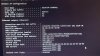
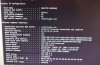
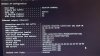
Here's what it looks like when I reset it back to dhcp.

And yes I tried the find/inspect in BI and never got anything.
 

Attachments

  • 20210825_222152.jpg
    20210825_222152.jpg
    722.3 KB · Views: 3
Then you ought to be able to open Internet explorer, or Edge, or Chrome, and type in 192.168.1.108 and hit enter.
if the camera is new, it should be waiting there.
Also try the Amcrest IP Config Tool Download
 
You are getting somewhere now lol.

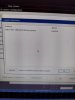
Wait until is says close or done (I forget which one) before you hit OK. It may spit 30 lines of text before it is done.
 
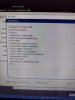
It is opening 10.1.1.66? That is usually for being hooked to an NVR.

I suggest at this point do a factory reset of the camera to put it back on the default address.
 
Or change the IPv4 to 10.1.1.100 so you can see this camera

Or factory reset the camera to get it back to the default address and then see it with what you already set the computer to (192.168.1.100)