

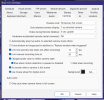
Same old crap works great all night then goes dead during the day. Brand new cat 6 cable and 12.6v from the power supply. It makes absolutely no sense.Thank you, they are both checked. And here is my watchdog settings I am not familiar with these settings at all . Also when the camera stops responding it is not just with B.I. I use advanced port scanner to find my IPs and it shows up in there as not connected also when it does this.
Camera Freezes
- Thread starter Woody70
- Start date
You are using an out of date browser. It may not display this or other websites correctly.
You should upgrade or use an alternative browser.
You should upgrade or use an alternative browser.

Bruce_H
Getting comfortable
So to clarify you shut down BI during the day, if so how are you determining that the camera goes dead, or is it dead when you restart BI in the evening. What happens if you leave BI running during the day?
Not sure about that one. I will leave it running tomorrow and see what happens. I did notice today I checked it about 9:30AM and it was dead, checked periodically through the day and it suddenly appeared again about 3PM. I use the program Advanced Port Scanner to check it because if it shows up dead in there it will definitely not show up in B.I. I'm sorry to keep bothering you guys about this, i think maybe I should just contact Zosi and see what they say. I did have problems with this camera right after I bought it and they remotely updated the firmware on it for me and it has worked fine until this problem. I'll see what it does tomorrow leaving it running.So to clarify you shut down BI during the day, if so how are you determining that the camera goes dead, or is it dead when you restart BI in the evening. What happens if you leave BI running during the day?
Bruce_H
Getting comfortable
I suspect that you may be right, moist likely some sort of fault with the camera, If the camera keeps working with BI running all day, then I would suspect some sort of built in energy management that you have no control over, lets see what happens!Not sure about that one. I will leave it running tomorrow and see what happens. I did notice today I checked it about 9:30AM and it was dead, checked periodically through the day and it suddenly appeared again about 3PM. I use the program Advanced Port Scanner to check it because if it shows up dead in there it will definitely not show up in B.I. I'm sorry to keep bothering you guys about this, i think maybe I should just contact Zosi and see what they say. I did have problems with this camera right after I bought it and they remotely updated the firmware on it for me and it has worked fine until this problem. I'll see what it does tomorrow leaving it running.
Well it did the same thing with leaving B.I. running. I checked it about 10:30Am and it was dead, came back on around 1:30PM and went dead again around 2PM. I checked the voltage all the way to the camera and it is good. I even replaced it with a 2amp instead of the 1amp 12v power supply to no avail. I'm going to order a ethernet cable tester (my wife was supposed to order it 4 days ago and didn't) just to make sure it is not that before I contact Zosi. I highly doubt that is the problem though because it is brand new cat 6 cable, only about two months old. I will advise when I get the results. Thank you all for the time and advice you have given me, it is much appreciated.I suspect that you may be right, moist likely some sort of fault with the camera, If the camera keeps working with BI running all day, then I would suspect some sort of built in energy management that you have no control over, lets see what happens!
Well I haven't got my tester yet but I did switch the camera over to wireless two days ago and it has not gone dead. It does lose connection sometimes for a minute or so I'm sure because of it being wireless. I guess that tells me the camera is ok I'm not sure. I will check the cable when my tester gets here, should be tomorrow.
Ok the cable tested good so I don't know what is wrong. It does better wireless than wired except for the video freezing. Could the ethernet cable next to the power cable for only about three feet be a problem? It is unshielded cable. But it works good all night.I suspect that you may be right, moist likely some sort of fault with the camera, If the camera keeps working with BI running all day, then I would suspect some sort of built in energy management that you have no control over, lets see what happens!
Bruce_H
Getting comfortable
I am not sure what else to suggest, I have never encountered that sort of issue, it has always been a bad camera or a damaged Ethernet cable!Ok the cable tested good so I don't know what is wrong. It does better wireless than wired except for the video freezing. Could the ethernet cable next to the power cable for only about three feet be a problem? It is unshielded cable. But it works good all night.
That's what bugs me. It worked and didn't lose connection when connected to the router, the video would freeze sometimes is what I was asking about from the start and it was suggested to use a NIC switch to solve that and it seemed to do that. But that is when it would go dead for hours and then reappear suddenly. So I will just deal with it freezing I guess. Thank you all for all the help you did suggest anyway.I am not sure what else to suggest, I have never encountered that sort of issue, it has always been a bad camera or a damaged Ethernet cable!
Bruce_H
Getting comfortable
Try plugging it back in to the router again, it makes no sense to me!That's what bugs me. It worked and didn't lose connection when connected to the router, the video would freeze sometimes is what I was asking about from the start and it was suggested to use a NIC switch to solve that and it seemed to do that. But that is when it would go dead for hours and then reappear suddenly. So I will just deal with it freezing I guess. Thank you all for all the help you did suggest anyway.
Last edited:
That's what I did a few days ago and it has not gone dead after that. I have noticed though after I shut down B.i. I then connect to IP Cam Viewer in the mornings just to be able to view what is going on and it seems like when I shut it down and switch back to B.I. the camera is not there. I know it could only happen to me something this crazy. Anyway I will keep playing with it and see what happens.Try plugging it back in to the router again, it makes no sense to me!

It's been connected directly to my router the last few days so I'm sure it could find internet if it needed it. Everything I have been told is security cameras don't need internet. I think I will go ahead and contact the company and see what they have to say. One thing I can say about them is they have been very good in the past with their support.Wonder if it is looking for internet and shuts down if access isn't given?
It's been connected directly to my router the last few days so I'm sure it could find internet if it needed it. Everything I have been told is security cameras don't need internet. I think I will go ahead and contact the company and see what they have to say. One thing I can say about them is they have been very good in the past with their support.
Many cameras need internet to work correctly.
From what I understand the only reason you need internet for a security camera is if you want to view them from anywhere or want alerts and so on. I just need them to record to my hard drive at nighttime and that's it.Many cameras need internet to work correctly.
Last edited:

Your Blue Iris machine may not have enough free resources for smooth playback on that camera. Or the stream from the camera's hardware is weak and glitchy. Or network hardware is slow somewhere.I have a Zosi C296 5MP wired camera that works fine except it sometimes freezes on movement. Can anyone tell me if there is any setting in Blue Iris that can fix this issue. I have three other cameras that don't do this. Attached is a video showing what it does. Thank you for any advice.
I've seen that before on my earlier BI boxes.
One time I solved it by using 2 Hard drives and splitting the writes and reads across 2 disks,
to try and unchoke any bottlenecks associated with Spinning drives.
This resulted in a big improvement on my hardware back then, I think it was an i7-3770s FrankenDell 7010.
So now I run 2 WD PURZ drives.
Last edited:
Thank you for the info. I have two solid state HDs that I already do use (WD Blue SA510 2.5 500GB & Timetec 30TT253X2-IT ) and a Intel Core i7-4790K 3.60GHz CPU that is the best CPU I can put in my motherboard.( ASUS B85M-E Motherboard bios 3602). Also running (Win. 10x64 with 24GB Ram). I would think that would be good enough to handle the video. B.I. is the only thing running because I only use it during the night and it don't run during the daytime. As far as splitting the writes and reads, I will try that and see if that helps.Your Blue Iris machine may not have enough free resources for smooth playback on that camera. Or the stream from the camera's hardware is weak and glitchy. Or network hardware is slow somewhere.
I've seen that before on my earlier BI boxes.
One time I solved it by using 2 Hard drives and splitting the writes and reads across 2 disks,
to try and unchoke any bottlenecks associated with Spinning drives.
This resulted in a big improvement on my hardware back then, I think it was an i7-3770s FrankenDell 7010.
So now I run 2 WD PURZ drives.
Last edited:
Some people use Solid state drives for collecting camera footage. Over time some have become erratic.
Many forum aficionado's use a 3.5" hard drive or 2 or more for collecting and holding Camera "footage."
Some hard drives perform better than others when they are busy( multitasking). in essence, collecting "footage"(reads) and then asked to playback (write) "footage" back thru the computer to the display.
Your system should be running Blue Iris/Windows (C:\) from an SSD.... and Alerts should also be going to the same drive (C:\)
Streams or " footage" are recommended to be on a separate Large Terabyte Drive. ( an SSD in your case) extra Free space should be left on the drive that is reading and writing " footage." Some say 5-10%. If the full capacity of the Storage drive is allocated to data then it can often have "freeze" issues when it is trying to delete old footage while writing new footage and then also asked to retrieve and playback footage.
Trying running the Timetec drive with 10% free space and see what happens.
Also , if your PSU has any extra SATA connectors, You could see if the problem goes away when taking the load off the Timetec 30TT253X2-IT drive and putting it on another drive, as a test to see if that drive is causing the "freeze" issue.
My 3rd and 4th Generation Intel machines also ran better with the Intel hardware acceleration set to "NO" globally, ( in the Cameras tab) when I got up to about 12-15 cameras. Tinkering with turning on or off Hardware accelerated decode on some or all of the cameras can change/improve system performance.
Attached are 2 short videos showing the path to tell Blue Iris where to write data "footage."
Once you assign AUX1 and Aux2 to a Drive letter like X:\ then they become available in the individual cameras "Record" tab.
View attachment Screen Recording 2025-12-19 072042.mp4
View attachment Screen Recording 2025-12-19 075644.mp4
Many forum aficionado's use a 3.5" hard drive or 2 or more for collecting and holding Camera "footage."
Some hard drives perform better than others when they are busy( multitasking). in essence, collecting "footage"(reads) and then asked to playback (write) "footage" back thru the computer to the display.
Your system should be running Blue Iris/Windows (C:\) from an SSD.... and Alerts should also be going to the same drive (C:\)
Streams or " footage" are recommended to be on a separate Large Terabyte Drive. ( an SSD in your case) extra Free space should be left on the drive that is reading and writing " footage." Some say 5-10%. If the full capacity of the Storage drive is allocated to data then it can often have "freeze" issues when it is trying to delete old footage while writing new footage and then also asked to retrieve and playback footage.
Trying running the Timetec drive with 10% free space and see what happens.
Also , if your PSU has any extra SATA connectors, You could see if the problem goes away when taking the load off the Timetec 30TT253X2-IT drive and putting it on another drive, as a test to see if that drive is causing the "freeze" issue.
My 3rd and 4th Generation Intel machines also ran better with the Intel hardware acceleration set to "NO" globally, ( in the Cameras tab) when I got up to about 12-15 cameras. Tinkering with turning on or off Hardware accelerated decode on some or all of the cameras can change/improve system performance.
Attached are 2 short videos showing the path to tell Blue Iris where to write data "footage."
Once you assign AUX1 and Aux2 to a Drive letter like X:\ then they become available in the individual cameras "Record" tab.
View attachment Screen Recording 2025-12-19 072042.mp4
View attachment Screen Recording 2025-12-19 075644.mp4

My Timetec drive is a one TB drive and has 850GB free space. I do not use hardware acceleration it is set to no. I don't use any alerts or anything else in B.I. except record. I have it set to record five second videos for all cameras. I review the main camera videos every morning and delete everything I do not want to keep from all cameras so B.I. does not delete anything because I have done it already. Also B.I. is installed on my C drive (WD Blue SA5102050500GB). I have changed B.I. to record to different drives as you suggested earlier and will see how that works tomorrow morning. Thank you for the info and videos, I will save them and try that if changing the videos to different drives don't work.Some people use Solid state drives for collecting camera footage. Over time some have become erratic.
Many forum aficionado's use a 3.5" hard drive or 2 or more for collecting and holding Camera "footage."
Some hard drives perform better than others when they are busy( multitasking). in essence, collecting "footage"(reads) and then asked to playback (write) "footage" back thru the computer to the display.
Your system should be running Blue Iris/Windows (C:\) from an SSD.... and Alerts should also be going to the same drive (C:\)
Streams or " footage" are recommended to be on a separate Large Terabyte Drive. ( an SSD in your case) extra Free space should be left on the drive that is reading and writing " footage." Some say 5-10%. If the full capacity of the Storage drive is allocated to data then it can often have "freeze" issues when it is trying to delete old footage while writing new footage and then also asked to retrieve and playback footage.
Trying running the Timetec drive with 10% free space and see what happens.
Also , if your PSU has any extra SATA connectors, You could see if the problem goes away when taking the load off the Timetec 30TT253X2-IT drive and putting it on another drive, as a test to see if that drive is causing the "freeze" issue.
My 3rd and 4th Generation Intel machines also ran better with the Intel hardware acceleration set to "NO" globally, ( in the Cameras tab) when I got up to about 12-15 cameras. Tinkering with turning on or off Hardware accelerated decode on some or all of the cameras can change/improve system performance.
Attached are 2 short videos showing the path to tell Blue Iris where to write data "footage."
Once you assign AUX1 and Aux2 to a Drive letter like X:\ then they become available in the individual cameras "Record" tab.
View attachment 234616
View attachment 234619
View attachment 234620
Well it looks like putting them a separate drives has made it much better. Not perfect but much better so I will leave it like this for now. Thank you so much to everyone for their advice who helped me with this.My Timetec drive is a one TB drive and has 850GB free space. I do not use hardware acceleration it is set to no. I don't use any alerts or anything else in B.I. except record. I have it set to record five second videos for all cameras. I review the main camera videos every morning and delete everything I do not want to keep from all cameras so B.I. does not delete anything because I have done it already. Also B.I. is installed on my C drive (WD Blue SA5102050500GB). I have changed B.I. to record to different drives as you suggested earlier and will see how that works tomorrow morning. Thank you for the info and videos, I will save them and try that if changing the videos to different drives don't work.