Blue Iris won't load after Windows 11 update March 2026 - avnetsdk err 126

Aug 10, 2025
5
0
USA
Hi,
Blue Iris was working fine on 5 cameras before a Windows 11 update recently. After the update BI launches briefly but wont load the full app and in Task Manager shows it suspends and closes. No main log file is being created.
Error from sdk_log:AVNetSDKMgr.cpp:658 — Test load avnetsdk err 126

I've already tried:
  • Reinstalled all Visual C++ runtimes using VisualCppRedist_AIO_x86_x64
  • Fresh reinstall of Blue Iris to C: drive
  • Checked Windows Defender quarantine — nothing there
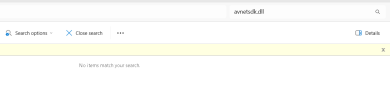
  • avnetsdk.dll cannot be found anywhere on my system

BI is installed on C:, data/clips are in C:\BlueIris. Running Windows 11, 5 Dahua cameras.
Any help appreciated!
 
I did a quick search of the internet and there is some indication that avnetsdk.dll may be part of some software from Dahua, do you have some software called Patriot on your computer by any chance

I also found a reference to that file in this thread
I did find the file on my BI 6 system in a folder "C:\Program Files (x86)\ConfigTool\ConfigTool", ConfigTools is for Dahua Camera setup!
Hope this helps!
 
I did a quick search of the internet and there is some indication that avnetsdk.dll may be part of some software from Dahua, do you have some software called Patriot on your computer by any chance

I also found a reference to that file in this thread

I did find the file on my BI 6 system in a folder "C:\Program Files (x86)\ConfigTool\ConfigTool", ConfigTools is for Dahua Camera setup!
Hope this helps!
I'm using the empiretech cameras which are just like them i think, in that post i saw it and it said they were having problems before the update but mine were fine before, so i didn't read much into it.
I used Claude AI to try and trouble shoot this and it actually told me to come here and post after trial and no success!LOL "the BI developer Ken actually responds there and this is exactly the kind of thing he can fix in one reply."

Claude explained it was also with the dahua and said "That DLL needs to come from the Dahua SDK package that Blue Iris bundles" and it has come up missing somehow.

I don't have the patriot software installed.
Also checked for configtool and I dont have that folder under C:\Program Files (x86)\ConfigTool\ConfigTool
 
Well, It is strange because the only place that the avnetsdk.dll exists on both of my BI system is in the location C:\Program Files (x86)\ConfigTool\ConfigTool, if you set up your Dahua cameras did you not use the Dahua ConfigTool. perhaps you could try installing it on your BI PC to see if it resolves the error! On both of my BI systems I have the ConfigTool installed, but in both cases BI was up and running before that software was installed, if it came bundles with BI you would think that it would exist in the BI folder structure. Another thought would be to open an admin cmd prompt and run this command "SFC /scannow" that will check all of your windows files and fix any possible windows file errors, no risk in trying it!
 
Well, It is strange because the only place that the avnetsdk.dll exists on both of my BI system is in the location C:\Program Files (x86)\ConfigTool\ConfigTool, if you set up your Dahua cameras did you not use the Dahua ConfigTool. perhaps you could try installing it on your BI PC to see if it resolves the error! On both of my BI systems I have the ConfigTool installed, but in both cases BI was up and running before that software was installed, if it came bundles with BI you would think that it would exist in the BI folder structure. Another thought would be to open an admin cmd prompt and run this command "SFC /scannow" that will check all of your windows files and fix any possible windows file errors, no risk in trying it!
I didn't need the config tool to set them up, i just went straight into the IP and configured the cams off that. Also ran SFC /scannow with no luck.
I d/led the config tool and then transferred the files below over to C:\Program Files\Blue Iris and that helped but the error just changed from 126 to 193 — that means it's now FINDING the avnetsdk.dll file but can't load it. Error 193 means "not a valid Win32 application" — in plain English, the DLL you copied is 32-bit but Blue Iris needs a 64-bit version.
  • dhnetsdk.dll
  • dhconfigsdk.dll
  • avnetsdk.dll
 
Well I would say that it's time to email support if you have a current support contract, need to use the info in "Settings", "Get Support" or your email will not get past their spam filters!
 
Well I would say that it's time to email support if you have a current support contract, need to use the info in "Settings", "Get Support" or your email will not get past their spam filters!
I do still have the support, i just thought here would be faster, last time i emailed them it took 5 days to respond. I just sent one over to them, Thank you for the help!
 
I do still have the support, i just thought here would be faster, last time i emailed them it took 5 days to respond. I just sent one over to them, Thank you for the help!
Yes it is normally faster for common issues if someone else knows a solution, BI support does not participate in this forum.
 
I'm using the empiretech cameras which are just like them i think, in that post i saw it and it said they were having problems before the update but mine were fine before, so i didn't read much into it.
I used Claude AI to try and trouble shoot this and it actually told me to come here and post after trial and no success!LOL "the BI developer Ken actually responds there and this is exactly the kind of thing he can fix in one reply."

Claude explained it was also with the dahua and said "That DLL needs to come from the Dahua SDK package that Blue Iris bundles" and it has come up missing somehow.

I don't have the patriot software installed.
Also checked for configtool and I dont have that folder under C:\Program Files (x86)\ConfigTool\ConfigTool

And to show that AI isn't always right, Ken the BI developer is not on this site!

Most of us here don't use the ConfigTool, so that isn't how our system obtained that file.
 
And to show that AI isn't always right, Ken the BI developer is not on this site!

Most of us here don't use the ConfigTool, so that isn't how our system obtained that file.
Yeah, I was skeptical about that one for sure, I generally us AI for help with coding and simple trouble shooting and its worked ok for my knowledge level. After speaking with support I had to do a complete reinstall and I'm able to bring up the console now but the previous backup corrupts the system again. So it's back up and working which is awesome but hopefully I can get the backup fixed.
 
And to show that AI isn't always right, Ken the BI developer is not on this site!

Most of us here don't use the ConfigTool, so that isn't how our system obtained that file.
@wittaj you say that your BI system has never had the ConfigTool installed, if that is the case where is the avnetsdk.dll located on your system? Just curious!