Blue Iris Version 6.0.1.24 Now Supports Custom Models

MikeLud1

IPCT Contributor
Apr 5, 2017
2,787
4,898
Brooklyn, NY
You can download my custom models from the below link


[6.0.1.24] – 2026-1-23
Added
• Support for custom models using the built-in AI. The model must be an object
detection model with an ONNX extension and either the Yolo5, 8 or 10 format.
Anything else may cause hanging or instability; please send the model to support for
analysis if you are unsure.

Fixed
• A potential code ambiguity regarding use of global custom models and camera
overrides
 
It might be helpful to revisit the subject of what each model uses for naming of objects (capitalization of person vs. Person), and/or how these interact with BI's use of shorthand macros (persons, vehicles, wildlife) and where each can be used.
A matrix/table perhaps?
 
  • Like
Reactions: Braap
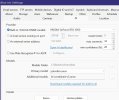
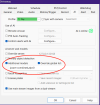
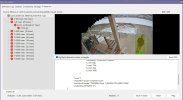
Not sure if I did something wrong. I dropped bi-combined-v5.onnx into the AI models folder. It shows up under "additional models"
yolo5-2.jpg
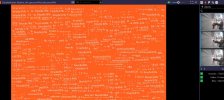
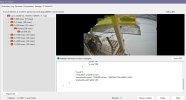
But when I do an "analyze with AI" I get this:

yolo5-1.jpg
 

Attachments

  • yolo5-2.jpg
    yolo5-2.jpg
    116.3 KB · Views: 27
  • yolo5-1.jpg
    yolo5-1.jpg
    286.2 KB · Views: 25
  • Haha
Reactions: BORIStheBLADE
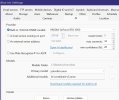
Not sure if I did something wrong. I dropped bi-combined-v5.onnx into the AI models folder. It shows up under "additional models"

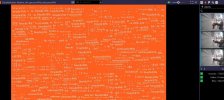
But when I do an "analyze with AI" I get this:
I did the same thing and mine appears to be working. However, it's unclear how you define which model the camera is using.

Screen Shot 2026-01-23 at 9.41.49 PM.png
 
Last edited:
Not sure if I did something wrong. I dropped bi-combined-v5.onnx into the AI models folder. It shows up under "additional models"
View attachment 236826
But when I do an "analyze with AI" I get this:

View attachment 236827
You look to be set correctly, there looks to be an issue with the way BI does the post processing. The bi-general-v5.onnx model works fine. It looks like the bi-combined-v5 and bi-dark-v5 have issues.
 
Which ipcam-combined did you use (where did you download it). I will replace the file with the one you are using.
Sorry but I'm not using any ipcam models. The field in the screenshot I posted was previously filled in from when I first installed BI6.
 
I tried ipcam-combined and ipcam-animals, same wonky video comes up as above... 6.0.1.24
 
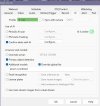
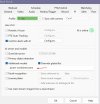
I just tested 6.0.1.24 adding the ipcam-combined first by itself with no luck. I then added primary object detection along with ipcam-combined but the .dat file shows nothing about ipcam-combined model.

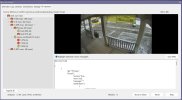
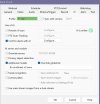
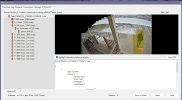
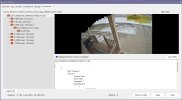
Screenshot 2026-01-24 103250.jpgScreenshot 2026-01-24 103210.jpgScreenshot 2026-01-24 121703.jpg

still getting same error on 6.0.1.25
 
Last edited:
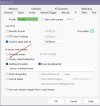
So am I thinking wrong here? If we want to just use a custom model we do NOT need the primary box checked?

Screenshot 2026-01-24 125052.jpg

Because this is what I get:

Screenshot 2026-01-24 124855.jpg

My loading error was due to me having IPcam-combined without the .onnz This seems to make that error go away:

Screenshot 2026-01-24 125417.jpg

on this cam I have the primary box checked as well. The ipcam-combined still does not work.

Screenshot 2026-01-24 125915.jpg

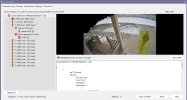
I also just tried the ipcam-general, same results:

Screenshot 2026-01-24 131207.jpg
 
Last edited:
You can download my custom models from the below link


[6.0.1.24] – 2026-1-23
Added
• Support for custom models using the built-in AI. The model must be an object
detection model with an ONNX extension and either the Yolo5, 8 or 10 format.
Anything else may cause hanging or instability; please send the model to support for
analysis if you are unsure.

Fixed
• A potential code ambiguity regarding use of global custom models and camera
overrides
Will your CodeProject models work? I'm looking for a delivery vehicle model.
 
bored again, so I just tried the bi-combined-v5 model and it worked! running 6.0.1.25

Screenshot 2026-01-24 155350.jpgScreenshot 2026-01-24 155318.jpgScreenshot 2026-01-24 155432.jpg

so I assume none of the older ipcam models that were used with CPAI will work with the BIv6 built in AI.

Few things to note: When you add a model to C:\BlueIris\AI , then when in the camera's AI setting just uncheck "Additional models" and recheck it. It will then populate the box of the ones you added.
 
Last edited: