

Perhaps this might help -- via Google Gemini.
There is more, but I did not copy/paste it all here.
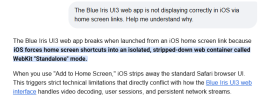
There is more, but I did not copy/paste it all here.


I can't answer that. All I can say is alerts still work for me and appear in the timeline across every system I've seen (on BI 6.1.0.0). But I do not use AI in Blue Iris so I am rather unfamiliar with its setup quirks.I'm no longer seeing Alerts on the TImeline. I have the continuos recording bars but no alert markers. (I have tested since the issue mentioned below).
Prior to this Alerts haven't been firing in any event (I have tested for alert markers since) but this seems to be because the setting in AI reverted to "No GPU". Previously this would have worked but I've now been forced to manually select "Intel 630 Intergrated graphics" is this correct now? (The other option is Microsoft software basic rendering).
If you click properties below stats for nerds on the bottom of the next page is the ENBABLE/DISABLE button. Its not directly on that page but not sure if you knew it wasn't too far awayGreat job on this UI3! One feature i'd love to see is the ability to "disable" or "enable" a camera directly on the right click menu (like below stats for nerds and above properties), would be seriously very beneficial for my use case.


