Mini-Review - EmpireTech LPR413-Z3

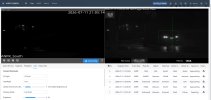
I am a true newbie that needs help, I have installed this 413 camera and I am still trying to utilize the lpr feature. My NVR is not capable of recording the data so I installed a micro sd card.

I have found the data in Query but can not view it download or export. Does anyone have any suggestions?
 
Last edited:
Does it have ONVIF - M ?

ONVIF Profile M (released in 2021) is a standard for metadata and event communication, enabling interoperability between AI-driven video analytics applications, IP cameras, and management software. It standardizes how analytics data—such as object classification, facial recognition, and license plate recognition—is shared between different vendors' products. [1, 2, 3]
 
Does it have ONVIF - M ?

ONVIF Profile M (released in 2021) is a standard for metadata and event communication, enabling interoperability between AI-driven video analytics applications, IP cameras, and management software. It standardizes how analytics data—such as object classification, facial recognition, and license plate recognition—is shared between different vendors' products. [1, 2, 3]
Specs here state "ONVIF (Profile S/Profile T)".
 
  • Like
Reactions: observant1
I set an intrusion box and trigger line in the camera but get NO corresponding alerts in BI. No idea why.
Does BI's built-in "Help" shed some light on it under "Triggering and Motion Detection" => "ONVIF/Camera Events" ?
 
Does BI's built-in "Help" shed some light on it under "Triggering and Motion Detection" => "ONVIF/Camera Events" ?
Oh, I'm sure it could provide insight after wading through their encyclopedia. But that's the reason people come and ask in a forum like this, isn't it? Some sort of shortcut that others have discovered to make it easier/faster with this particular model?
Or was your question rhetorical?
 
Last edited:
Last edited:
  • Haha
Reactions: bigredfish