
New iOS Version 2.0.6.01
- Thread starter Vettester
- Start date
You are using an out of date browser. It may not display this or other websites correctly.
You should upgrade or use an alternative browser.
You should upgrade or use an alternative browser.
killerdan56
Getting the hang of it
Made a recording of itPlz cameras from Dahua support it, it’s in blue iris and ui3. It lets u draw a box on any part of the screen and depending on the color and size, it will zoom into it or out of it quickly


aesterling
Getting comfortable
Today I just noticed that the iOS app search control on the Alerts page is now labeled 'Memo search', and no longer allows for the filtering of alerts for a single camera.
I emailed Ken that really missed that capability. His reply follows:
"Please find camera search is just selecting the camera on the camera tab and then switch to the alerts tab. So much easier and intuitive"
I tested this and it indeed works. But I wouldn't call this 2-step process "intuitive".
This behavior confused me too. Its not intuitive for the camera selection on one page of the app affect the alert filtering on another page of the app.

IAmATeaf
Known around here
Gotta agree, not that intuitive but I suppose we've just become used to going to Alerts, swiping down and then entering a cam name, this does eliminate the need to enter the cam name but the beauty of the old method was that I have cams called Drv1 and Drv2 so entering Drv would show the Alerts from both cams, can't see how you do this now as you have to select an individual cam.This behavior confused me too. Its not intuitive for the camera selection on one page of the app affect the alert filtering on another page of the app.
Exactly what I mentioned to Ken.the beauty of the old method was that I have cams called Drv1 and Drv2 so entering Drv would show the Alerts from both cams, can't see how you do this now as you have to select an individual cam.
I also asked Ken to enable control of the font size on the Help pages (which don't yet mention the filter change above). On iPads, the currently fixed HUGE font is painful to view - at least for those of us who don't yet suffer with macular degeneration.
Ptz cameras from Dahua support it, it’s in blue iris and ui3. It lets u draw a box on any part of the screen and depending on the color and size, it will zoom into it or out of it quickly
Made a recording of it
The Blue Iris Help PDF notes the following. Does the desktop app work as stated for your example camera in the recording? If this is the same capability, then note that Ken calls it 'Direct PTZ positioning'.
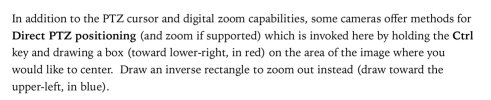
EDIT: I just noticed this feature (for the first time) in UI3. I'll ask Ken about it in the device apps.
Last edited:
killerdan56
Getting the hang of it
maybe your cameras are to old. DId you change the ptz driver in the camera ptz/control settings to dahua v4, which i think is required to do. And maybe a new find/inspect click under video>configure.
I misspoke. See my edit. I've emailed Ken.maybe your cameras are to old. DId you change the ptz driver in the camera ptz/control settings to dahua v4, which i think is required to do. And maybe a new find/inspect click under video>configure.
Ken just replied...Can someone who's better at emailing ken ask him if its possible to add 3d positioning to the ios app in the future?
ME:
Is it on your roadmap for the iOS and Android apps to support the UI3 ‘Toggle 3D Positioning’ feature (see screenshot below)?
KEN:
It is now!