I have been running version 5.9.9.9 for a few weeks now along with Codeproject Yolov5 6.2 and all has been well. When I saw that Yolo V8 is now integrated into BI I though lets give it a go.
I uninstalled BI and CPAI through windows and deleted all residual folders (including those on my CCTV drive. Then I went about installing BI6 plus the integrated AI. interesting all my cameras and setting reappears which I wasnt expecting. And for some reason Ai would not detect anything. So I used BCUninstaller which deep cleans an unistall. The subsequent reinstall in BI6 required reentry of my licence details plus setting up of my cameras again (plus other little tweaks). But it also meant that AI started working.
There's not a great deal of diffrence, if any, to the user interface for me as i was on 5.9.9.9 but having AI integrated is nice. Reinstall went smoothly except for the webserver which needed tweaking a little (I use port 8082 which it seemed to have difficulties with at first).
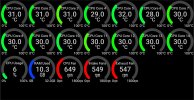
My biggest concern is CPU itilisation though. When I had BI 5.9.9.9 plus Codeproject Yolov5 6.2 my CPU was running at around 6-8% (NVIDIA GeForce GTX 970 GPU plus AMD Ryzen 5 3600 plus16Gb RAM. I also had continues video recording enabled. With the new BI6 / AI it was getting hammered at 45% lowering to around 30%. So much so I have taken continuous recording off and gone back to trigger. Even now I am around 18% when idel and 30% when triggered. Will keep an eye out on this forum to see if this is common.
Early indications are that the alert triggering is pretty accurate.
Oh i also tried yolov8m and yolov8n ( I am using yolov8s) to see if that help cpu urilisation. It didnt.
Other than that the AI integration is to be applauded.
I uninstalled BI and CPAI through windows and deleted all residual folders (including those on my CCTV drive. Then I went about installing BI6 plus the integrated AI. interesting all my cameras and setting reappears which I wasnt expecting. And for some reason Ai would not detect anything. So I used BCUninstaller which deep cleans an unistall. The subsequent reinstall in BI6 required reentry of my licence details plus setting up of my cameras again (plus other little tweaks). But it also meant that AI started working.
There's not a great deal of diffrence, if any, to the user interface for me as i was on 5.9.9.9 but having AI integrated is nice. Reinstall went smoothly except for the webserver which needed tweaking a little (I use port 8082 which it seemed to have difficulties with at first).
My biggest concern is CPU itilisation though. When I had BI 5.9.9.9 plus Codeproject Yolov5 6.2 my CPU was running at around 6-8% (NVIDIA GeForce GTX 970 GPU plus AMD Ryzen 5 3600 plus16Gb RAM. I also had continues video recording enabled. With the new BI6 / AI it was getting hammered at 45% lowering to around 30%. So much so I have taken continuous recording off and gone back to trigger. Even now I am around 18% when idel and 30% when triggered. Will keep an eye out on this forum to see if this is common.
Early indications are that the alert triggering is pretty accurate.
Oh i also tried yolov8m and yolov8n ( I am using yolov8s) to see if that help cpu urilisation. It didnt.
Other than that the AI integration is to be applauded.