bigredfish
Known around here
Head on helps Still looks good, maybe you found a good use for it
Still looks good, maybe you found a good use for it
Still looks good, maybe you found a good use for itIt's California plates. We're a "poppy" state. Ha haOdd how that plate pops with all that headlight glare....
Yeah, the plate definitely looks better than his car.WOW ... I stand corrected ... that's a pretty sharp license plate!
Nice License plate pic, aha i don't know that is a driveway, thought some old man drive to a wrong place and turn around.
View attachment 233826

Got to love the 4K series, maybe not on this thread but could you possibly post an image of that 4K-X in daylight with rough distance listed
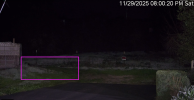
Curious what the 3NR setting is on the first color camera where the dude drives his pickup across the grass.
It's a good capture ... but you can see the "Pig-Pen Dust Cloud" behind it as it goes from right to left ... but it's fairly short/quick compared to the extreme examples I've posted in very low-light ... you appear to have a LOT more light than I do.

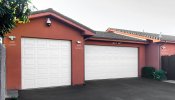
It's a 0-6 shutter with "43" 3D-NR and "37" 2D-NR. I have a center 3000 lumen light on my garage stay on at night. 3000 lumen motion sensor lights to the left and right of the garage light; so 9000 in total if they are all on.
Maybe someone can explain this to me, because I can't figure it out. All of my cameras look the same whether I am viewing them using SmartPSSLite or with a browser on my computer. (They have the same brightness characteristics.)
However, the same is not true when I am viewing the B54PRO-Z4E and T54PRO-ZE cameras on SmartPSSLite. They are both much darker.
Yet if I view either of them with a browser on my Macintosh, like Chrome or Safari, they are much brighter. Any ideas on why this might be happening?
Here is a video clip to show what it looks like. Taken at exactly the same time with the B54PRO-Z4E camera, but the first clip uses SmartPSSLite, and the second uses Chrome.

Maybe someone can explain this to me, because I can't figure it out. All of my cameras look the same whether I am viewing them using SmartPSSLite or with a browser on my computer. (They have the same brightness characteristics.)
However, the same is not true when I am viewing the B54PRO-Z4E and T54PRO-ZE cameras on SmartPSSLite. They are both much darker.
Yet if I view either of them with a browser on my Macintosh, like Chrome or Safari, they are much brighter. Any ideas on why this might be happening?
Here is a video clip to show what it looks like. Taken at exactly the same time with the B54PRO-Z4E camera, but the first clip uses SmartPSSLite, and the second uses Chrome.
Yes, you are correct. When I first started mounting my 4K-X cams I used a PFA-130E box, and it worked great. However, when I decided to swap out the 4K-X cams from time-to-time, I realized that a square box would allow me to use both 3-hole and 4-hole mounting cams (PFA-121 and PFA-122). It sure makes it easier to switch cams, but I will say that besides the PFA-130E being a perfect fit for the 4K-X cams, I like how the box came with a metal strap that could be used to hang the camera when mounting.That is a nice option.That looks like a fine setup. Question, is that 4K-X mounted on a PFA-121 rather than a PFA-130E, or are my eyes deceiving me?
Great suggestion. i’ll try that.check VLC over rtsp stream..
You will know what is really in RTSP stream and is SmartPSSLite or CHrome version wrong...
Yes, you are correct. When I first started mounting my 4K-X cams I used a PFA-130E box, and it worked great. However, when I decided to swap out the 4K-X cams from time-to-time, I realized that a square box would allow me to use both 3-hole and 4-hole mounting cams (PFA-121 and PFA-122). It sure makes it easier to switch cams, but I will say that besides the PFA-130E being a perfect fit for the 4K-X cams, I like how the box came with a metal strap that could be used to hang the camera when mounting.That is a nice option.