looney2ns
IPCT Contributor
Updates have been occurring almost every other day. 6 is out in Beta form.Closing in on 3 weeks with no update - big hint of 6.0 coming next? Maybe? Hope?

Updates have been occurring almost every other day. 6 is out in Beta form.Closing in on 3 weeks with no update - big hint of 6.0 coming next? Maybe? Hope?

I have moved three systems over to the Version 6 pre-release and everything moved over with no issues!So, who has jumped to version 6? If so, did you have to port over history/videos or does it just upgrade 5 to 6?
Since I started BI with 5, how does this Thread separate 5 & 6 Updates?
Lastly, for those who upgraded from 5 to 6, is it worth it? What stands out feature wise?
Thank you, I like new things so will probably jump on board sometime soon, I don't like being left behindI have moved three systems over to the Version 6 pre-release and everything moved over with no issues!
The version 6 prerelease is only available directly from the BI web site as far as I know, that is where I got my full install from!
There are no new features that I use, but the version 6 prerelease is just that, it has more changes to come from what I have read in various threads on this forum and the BI official forum!
I am just another user so this is the only information that I can give you from my perspective!

Where did you purchase 6 from?I upgraded my test machine to the latest v6, no issues at all.
Just run the complete install file, and it does it's magic. Easy Peasy.
I didn't need to purchase as I have an active maintenance plan. That includes all major upgrades.Where did you purchase 6 from?
If you have a current support agreement and you are prepared to use some beta software, yes download the full install file from the BI web site and just install it, it looks after everything, except adding the user credentials to the new BI service. This is not the final release of Version 6 so don't expect all the changes to be completed!I haven't upgrded yet. I'm confused can I just run the latest Beta install file and everything will be fine. I thought I had to uninstall V5 and then 6.
All I can tell you is that I have three systems that all have current support agreements, I have updated 2 of the 3 systems to the Version 6 pre-release using the full install that I downloaded directly from the BI website and did not have any issues, I am prepared to deal with any issues that might arise due to the fact that this is still Pre-release software! It is up to you if you have a support agreement and want to jump in, don't expect any radical changes to be visible from what I have read all the V6 changes have not been completed, I upgraded as I had an issue with exports causing my system to crash, and the word from BI was to move to the V6 full download or revert back to an earlier version!


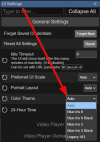
Yes.Where are ya'll getting your support agreements? Is this just the yearly updates we buy? Sorry for being so ignorant on this...
 blueirissoftware.com

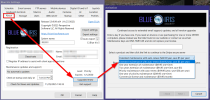
Thanks, so this will get me version 6 for free, correct? I did not know this also included major version upgrades too...sweet...I was on auto-renewal until they changed companies or whatever they did, mine did not auto-renew this year...Yes.
View attachment 233514Blue Iris by Perspective Software LLC | Video Security and Webcam Software
If you do the auto-renewing option within Blue Iris, it is $5 cheaper. Then you can cancel after paying for the first year if you want.
View attachment 233516
YesThanks, so this will get me version 6 for free, correct? I did not know this also included major version upgrades too...sweet...I was on auto-renewal until they changed companies or whatever they did, mine did not auto-renew this year...
Again, thanks...
Glad you were able to roil back, Version 6 is still in Beta as it's version # is still 5.9.9.99, I am running it on three systems with no issues so far!10pm installed v6 on same computer thats running v5 with 21 cameras.Thought "what the heck" lets try it. Started up fine, watched it for 30 mins or so working ok. Went to bed then, Got up at 2am, BI was locked up on the computer none of the cameras working, couldnt even shut it down and had to do a control/alt/del to close it out. Went back to v5 since I don't want to be a beta tester till its stable.