Year 2026 - What's the sweet spot these days for a used eBay computer for Blue Iris

Sybertiger

Known around here
Jun 30, 2018
7,694
24,029
Orlando
Was just curious what's recommended these days for a used HP or Dell computer to run Blue Iris. I'm still going strong with my Dell Optiplex 7040 i7-6700 that I've had running BI since 2018 with 13 cams. Wondering what most would go with now if they had to buy a used PC on eBay. Also, curious about the need or lack of need of a graphics accelerator board that might be added later. Not that I need Win11 as Win10 has been running fine on my Dell 7040 but I know it cannot be upgraded to Win11. Any good examples you see on eBay at the moment? My guess is that upwards of $250 would be what one would spend for a headless used computer.
 
Look no further -


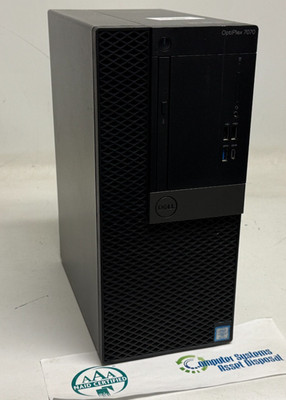
Seems pretty pricey compared to a used one on eBay. Maybe something more along to lines of THIS.
 
Last edited:
As an eBay Associate IPCamTalk earns from qualifying purchases.
  • Like
Reactions: Arjun
Seems pretty pricey compared to a used one on eBay. Maybe something more along to lines of THIS.
Occasionally Dell runs sales on their website which brings it around the ebay price territory

Dell provides a keyboard and mouse complimentary, Windows license, and 90 day warranty
 
As an eBay Associate IPCamTalk earns from qualifying purchases.
  • Like
Reactions: Sybertiger
this could handle an aftermarket graphics card, but only 1- 3.5" bay. deal breaker for me.
I got a Precision 3630 MT. has the SSD on the motherboard, and 3-3.5" drive bays.
the newer ( used/offlease) stuff you get the less 3.5" drive bays you will find because everyone is going 2.5" SSD or onboard SSD.
Optiplex used to house 2 or 3 3.5" drive bays back on the 7020 or 9020 series.
then they started shrinking.
 
I'd probably be inclined to try something in the 9th, 10th or 11th generation, the new intel chips are like 14th gen.
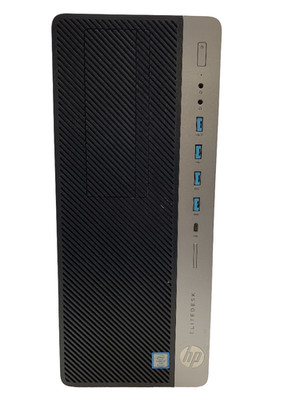
I was skeptical of HP being more familiar with Dell, but the older HP SFF elitedesks will run W 11 in 8th gen or newer configurations.
I ran the Condos 18 security cams with one ( HP Elitedesk G4 800 SFF Core i5 8500) and it was super stable and didn't crash.
 
  • Like
Reactions: Sybertiger
Keep in mind that unless you plan to run a lot of BI AI a graphics card is not needed. Most intel computers can run a few BI AI instances without a problem.

If you are using the camera AI for motion detection, then the graphics card is an expensive space heater.
 
Keep in mind that unless you plan to run a lot of BI AI a graphics card is not needed. Most intel computers can run a few BI AI instances without a problem.

If you are using the camera AI for motion detection, then the graphics card is an expensive space heater.
On two of my newer cams I went with using their built-in AI but only because I felt that they would do better than my current BI 5: the last release that still supports Deep Stack.

The reason for starting this 2026 thread was to explore an updated machine then moving to Win11 and BI 6 with newer AI options. I don't know that I need to go to BI 6 as I haven't kept up with all the discussions on what BI 6 offers over my current setup and if there are compelling reasons.

I know my current BI server cannot be upgraded to Win11...not that I have to have it.
 
On two of my newer cams I went with using their built-in AI but only because I felt that they would do better than my current BI 5: the last release that still supports Deep Stack.

The reason for starting this 2026 thread was to explore an updated machine then moving to Win11 and BI 6 with newer AI options. I don't know that I need to go to BI 6 as I haven't kept up with all the discussions on what BI 6 offers over my current setup and if there are compelling reasons.

I know my current BI server cannot be upgraded to Win11...not that I have to have it.
Keep in mind that you likely can update your machine to Win11 if desired with Rufus .... I did it on mine easily (i7-6700 Optiplex7040)
 
  • Like
Reactions: Sybertiger
Keep in mind that you likely can update your machine to Win11 if desired with Rufus .... I did it on mine easily (i7-6700 Optiplex7040)
Thanks, I'd forgotten about that possible option.