Would appreciate some help with a Hikvision camera if possible please.

Suggestion :
If the firmware version is still as shown on the label (check with Hikvision's SADP tool), then the camera configuration file should be able to be extracted without the need for authentication. If so, it can be decrypted and decoded to reveal the password.
Use this URL to try to extract the configuration file, then zip it up and attach here :

http://<camera_IP_address>/System/configurationFile?auth=YWRtaW46MTEK
What's the current firmware version of the camera?
SADP will show that.
 
  • Like
Reactions: scooby73466
What's the current firmware version of the camera?
SADP will show that.
Thankyou @alastairstevenson but I am afraid that you helpful guys are going to get fed up with me ! Although I have SADP on my desktop homr screen I don't know how to use it. I think it must have been put there when I did a Teamviewer session with my suppliers. I have just double-clicked on the icon and got sent to a screen where I am totally lost.
 
If the camera is on the same LAN as the PC that SADP is running on, it will find all Hikvision devices automatically and provide a variety of information about them.
Of interest will be the version of firmware shown in the 'Software Version' column against your camera.
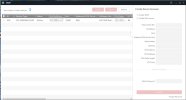
Thank you @alastairstevenson My cameras are on the same LAN as my pc. At the moment I have the 3 cameras that have always been on the system but the new camera is not plugged into the NVR at the moment although I have previously plugged it in, hence the request for a password. I opened up the SADP tool and got the following. I have blurred a couple of the IPv4 addresses in case they released information that I should not be showing. Where should I go from here ?

SADP-2.jpg
 
My cameras are on the same LAN as my pc.
Not when they are plugged in to the PoE ports of the NVR - that's a separate LAN. As you can see, they don't show in SADP despite them being active.
The new camera isn't found by SADP. How is it being powered / what is it connected to?

the new camera is not plugged into the NVR at the moment although I have previously plugged it in,
Suggestion :
Plug the new camera into one of the NVR PoE ports.
Connect the PC into an unused NVR PoE port. You don't need to change the PC IP address at this point.
Run SADP and see what it shows for the software version of the new camera.
You don't need to blur the IP addresses - we all have addresses in that range.
 
  • Like
Reactions: scooby73466
Not when they are plugged in to the PoE ports of the NVR - that's a separate LAN. As you can see, they don't show in SADP despite them being active.
The new camera isn't found by SADP. How is it being powered / what is it connected to?


Suggestion :
Plug the new camera into one of the NVR PoE ports.
Connect the PC into an unused NVR PoE port. You don't need to change the PC IP address at this point.
Run SADP and see what it shows for the software version of the new camera.
You don't need to blur the IP addresses - we all have addresses in that range.
Thank you @alastairstevenson At the presnt time the camera isn't plugged into the NVR but I made a short cable that I have used to connect it and that is how I got the message on the stand-alone monitor asking for a password.