VB Script to open HIK Connect in IE, enter username, enter password, click Login?

moocowman

n3wb
Oct 19, 2024
22
5
California, USA
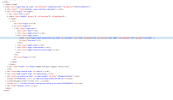
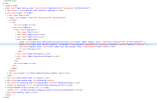
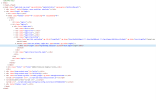
I have a VB script to open IE and go to the NVR's IP address, which loads the HIK Connect login page. But I'm having trouble getting it to automatically enter the username and password and clicking Login.

I need a quick way of opening HIK Connect to view live video. IVMS is too slow and unreliable. HIK Connect through a browser was great but suddenly stopped working (won't show video) in Chrome and Edge on most of my computers. Everything works fine using IE and IE mode in Edge, but I have to manually enter the username and password because autofill won't work in IE or IE mode.

 
HIK Connect through a browser was great but suddenly stopped working (won't show video) in Chrome and Edge on most of my computers.

Support article from Hikvision regarding this:

Chrome / Edge version V139 update causes a white screen in the web video window

ipcamtalk.com thread regarding this:

No Live View on PC

I'd read through the whole thread before trying anything... different people seemed to get different results... my advice is to try the solution in the Hikvision article first:

Screenshot 2025-09-29 124738.png


I have a VB script to open IE and go to the NVR's IP address, which loads the HIK Connect login page. But I'm having trouble getting it to automatically enter the username and password and clicking Login.

If you can you post the VB script you are using, I'll try and see if can find a way...
 
OK, I'll take some time to try that code out here on my DS-7616NI-M2/16P...

In the meantime, were you able to get your NVR GUI live view working on Chrome/Edge?
 
I haven't gotten to try the fix yet. I will after work. I truly appreciate you working on this. It's awesome that you have a HIK Vision NVR you can test it on! The person who was trying to help me had no way to test it. So, it was trial and error until we gave up.
 
I tried the fix. I installed all 3 components and tested, one at a time. I still get the white screen and unable to view video. Weird thing is after installing LocalServicesComponents.exe, video would show AFTER I closed the GUI page. I was able to expand each pane. But of course with the page closed I had no other controls. I couldn't even close the the video. It closes itself after 2 or 3 minutes though.
 
I started to take a look at your VBScript, but my NVR GUI is V5 and won't run on Internet Explorer (I use Edge)...

Screenshot 2025-10-01 014714.png


So, I can't help there :(

But, I do remember years ago when I had an older NVR with GUI V4 that ran on IE how frustrating it was that autofill (saved password feature) was not supported on the NVR login page... at the time, Hikvision thought not enabling the IE "saved password" feature was a good idea?

So, back then, I downloaded a free Windows macro recorder utility... I recorded a macro and mapped it to an unused key on my keyboard that would start IE, maximize the IE window, navigate to the NVR site, enter the username/password, and hit the login button... it worked great... you may want to try that instead of VBScript?

Any progress getting the live view screen working?