
Unable to move ports on Dahua NVR
- Thread starter McRoof
- Start date

You are using an out of date browser. It may not display this or other websites correctly.
You should upgrade or use an alternative browser.
You should upgrade or use an alternative browser.

bigredfish
Known around here

tigerwillow1
Known around here
Multicast has to be turned on for ConfigTool to find a camera, so maybe if it's off, the NVR won't find it either. Just speculating because I don't use a built-in-switch NVR.Multicast mostly has to do with streaming to multiple clients, but I'm not a network engineer. I just recall a tidbit from my wayback memory saying it needs to be enabled.
Starting to suspect the POE switch as well… I’ve now reconnected camera 10, of which I had only deleted the entry earlier to move some cameras around but never touched it or hooked anything else up to port 10. It’s also not showing up now eitherVery very odd.
I have to think the internal PoE switch on the NVR is having issues...... wish we had a PC to rule out any Mac viewing quirks,...
Last edited:
bigredfish
Known around here
After another full power down power up I now have the top panel back working. Plugged in the ‘old’ cameras 9 and 10, but don't seemed to be moving down. Do i need to factory reset them as well, or should they normally migrate down if you’ve only deleted the entry?
Attachments
bigredfish
Known around here
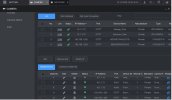
They show the correct IPs, I don't get why the NVR didnt just auto-register them, let alone using port 37777
Its treating them like external LAN IP's
Its treating them like external LAN IP's
bigredfish
Known around here
If they dont that would come close to confirming for me that there's a problem with the switch. In which case you use an external switch.
Your cams on the LAN network work fine right?
Your cams on the LAN network work fine right?
Yeah they work fine. One is the intercom camera that also records continuously, the other two are WiFi cameras in the back of the garden just to keep an eye on the bunnies. Real ones, not the playboy type unfortunately.
bigredfish
Known around here
Thx, will try tomorrow. I can confirm one thing: the top pane staying empty is a Mac thing. This happened when I was directly connected to the nvr by a network cable (on both Safari and Chrome), but as soon as I plugged the nvr back into my home network and accessed it on my iPad, the cameras showed up again in the top part, even though I’m using the same browser (Safari). Weird but true. At least it’s one thing that’s not the nvr’s fault

I do have a separate POE switch for my home network. Its a fully managed Unifi switch so I can confirm there's nothing else on 192.168.1.108 and the camera's work fine when I connected them to the Unifi.
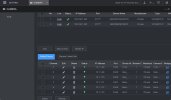
The other reason I suspect the NVR and not the camera's, is that the camera's all worked fine until I decided to move them around on the ports after deleting their entry. Both my original IPC-HDW3441T-ZAS camera's and the newer IPC-HDW3441TP-ZAS are unable to move down to the bottom of the camera list, whether I factory reset them or leave them with their current config. Also, I can add them manually but then obviously getting port 37777.
The other reason I suspect the NVR and not the camera's, is that the camera's all worked fine until I decided to move them around on the ports after deleting their entry. Both my original IPC-HDW3441T-ZAS camera's and the newer IPC-HDW3441TP-ZAS are unable to move down to the bottom of the camera list, whether I factory reset them or leave them with their current config. Also, I can add them manually but then obviously getting port 37777.
Last edited:
This definitely sounds frustrating, especially when things were working fine until a simple port change caused everything to break. From what you’re describing, it feels like the NVR is still holding on to old channel or authentication data for port 9, even after deleting entries and rebooting, which can sometimes prevent cameras from being re-assigned properly. It might be worth checking if that channel needs to be manually disabled and re-enabled.
Thanks for all the suggestions everyone. I pulled the plug today and did a factory reset on the NVR. It seemed to have solved my issues; all the camera's are back online and in the correct order (even port 9). I also ran through all the screen shots that I took before resetting but haven't been able to pinpoint anything that could explain the strange behaviour of the built in PoE switch before. Just glad that I was able to fix it for now.
Some observations/quirks for Mac users:
Hope this helps someone in the future. If all else fails; just factory reset the NVR lol
Some observations/quirks for Mac users:
- If the top camera pane on the NVR stays empty for whatever reason, try changing the IP address of the NVR. I don't have a clue why, but this seems to temporarily 'refresh' that part of the page. I've since changed it back to the original IP again. This happened both on Safari and on Chrome on either iMac or iPad so it doesn't look like the browser or device is the issue.
- When resetting the NVR and initializing it through an IOS device, it will tell you the password doesn't match even though you're sure it does. I think it has to do with the on-screen keyboard, so do it again on a Mac with a physical keyboard and it'll work.
- When you're trying to access the camera through the IE button on the NVR and it throws a blank page, try opening another camera first and then the camera you're trying to edit. It looks like only the first link isn't created properly, any subsequent IE link you press after that will work.
Hope this helps someone in the future. If all else fails; just factory reset the NVR lol
Attachments
Last edited: