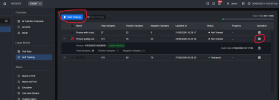
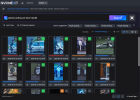
I purchased an NVR5432-16HP-XI/PRO.
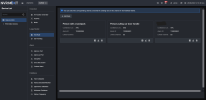
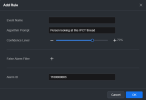
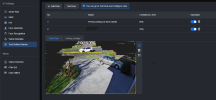
Amazing how well WizSeek and text defined alarms work. Alerts are ~3s of the action happening (e.g. person pulling car door handle). This can be sectioned to an area (I later changed to only my driveway).
Review as of firmware
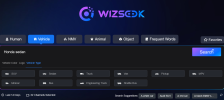
DMSS app has an update to include a WizSeek search button.
A few months ago an update was pushed for retraining the AI models, so now there is databases for each of your text defined alarms to flag positive/negative sample.
What has been accurate:
No success so far:
Overall, absolutely amazing AI recognition results.
Blows anything of Reolink's attempts out of the water through their cloud app system.
All is done locally on the NVR. There is a TPU module on the motherboard.
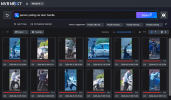

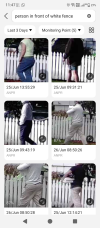
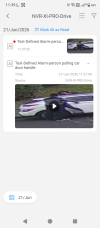
Amazing how well WizSeek and text defined alarms work. Alerts are ~3s of the action happening (e.g. person pulling car door handle). This can be sectioned to an area (I later changed to only my driveway).
Review as of firmware
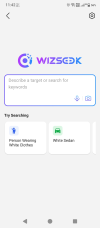
V5.000.0000001.0.R09/06/2026 DD/MM/YYYY .DMSS app has an update to include a WizSeek search button.
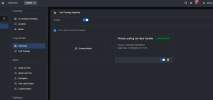
A few months ago an update was pushed for retraining the AI models, so now there is databases for each of your text defined alarms to flag positive/negative sample.
What has been accurate:
- People with an object [Person walking dog, kid with backpack, person on bike without helmet].
- People and object [Person pulling car door handle, person running, person on phone].
- The local post/courier. DHL, etc.
- Package/parcel.
- Vehicles and brands [White BMW SUV].
- Some objects [Fridge, helmet vs full-face helmet].
- Animals [Dog, white & black dog, cat].
- "Child in <school name> uniform". Depends if the camera resolution is enough to read the logo's text. A better term would be "Child in uniform" or "Logo on shirt".
- "Dog with red leash". Depends on sunlight/shadows to the camera for colour perception. Colours are not searched exactly (Red also returns pink & orange).
- "Person gardening". This nailed some cases, lesser confidence results were someone walking behind a bush.
- Tagging a face to a name, then searching. Name needs to be entered exactly (including capital letters). This isn't a replacement to face recognition.
No success so far:
- "Car with L sticker", "Car with L plate" (learning driver plate).
- "Cat with collar". I think my camera's are not positioned well to capture this and most cats visit at night.
- "Honda Civic". It's not good at specific models of cars. But "Honda sedan" is accurate.
Overall, absolutely amazing AI recognition results.
Blows anything of Reolink's attempts out of the water through their cloud app system.
All is done locally on the NVR. There is a TPU module on the motherboard.