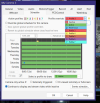
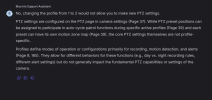
I've got a SD49225XA-HNR with multiple presets set up in Blue Iris. I also have the Resume cycle/schedule after inactivity (sec): setting in PTZ set to 120 seconds. It works great and reliably returns the cam to home/preset 1 after 120 seconds of inactivity.
However, we sometimes want to leave the camera fixed on something using a preset or manually panning to it for much longer than 2 minutes. Is there any way to disable the return to home command in Blue Iris without going into the program and manually changing it? I'm hoping for something like an http command that I can send to BI, or to the camera to ignore BI preset commands. This http command could be sent using my Hubitat hub or as a preset with an http request in Blue Iris.
Any ideas? I use the Blue Iris android app but nothing in there to shut it off. We are forced to make minor ptz adjustments every minute or so to keep the camera on the target.
However, we sometimes want to leave the camera fixed on something using a preset or manually panning to it for much longer than 2 minutes. Is there any way to disable the return to home command in Blue Iris without going into the program and manually changing it? I'm hoping for something like an http command that I can send to BI, or to the camera to ignore BI preset commands. This http command could be sent using my Hubitat hub or as a preset with an http request in Blue Iris.
Any ideas? I use the Blue Iris android app but nothing in there to shut it off. We are forced to make minor ptz adjustments every minute or so to keep the camera on the target.