Hello guys,
Not sure if anyone is having similar issue but had it pretty much since day one.
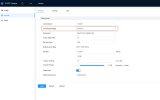
I have 1x PTZ SD49225XA-HNR and 3x IPC-HDW5231R-Z set up to record to a local NAS. All cameras are working fine and recording except I can't playback any videos generated by PTZ in SmartPSS as it says "IP Channel has no recordings" despite showing blue dots in the calendar indicating there are recordings. All other cameras playback just fine. I know the recordings from PTZ are there on the NAS, both DAV and JPG files as I downloaded a random one and can play it alright in VLC so it looks that SmartPSS doesn't like DAVs created by PTZ. Any ideas please?
Thanks
Not sure if anyone is having similar issue but had it pretty much since day one.
I have 1x PTZ SD49225XA-HNR and 3x IPC-HDW5231R-Z set up to record to a local NAS. All cameras are working fine and recording except I can't playback any videos generated by PTZ in SmartPSS as it says "IP Channel has no recordings" despite showing blue dots in the calendar indicating there are recordings. All other cameras playback just fine. I know the recordings from PTZ are there on the NAS, both DAV and JPG files as I downloaded a random one and can play it alright in VLC so it looks that SmartPSS doesn't like DAVs created by PTZ. Any ideas please?
Thanks
 Thanks