The Color4M-TL shouldn't mind being backlit by IR light, but the IR light will be of no use to it as it has a permanent IR filter in place.
No, it is not a TiOC camera. It's like the Color4K-T, with identical high light sensitivity, white LED illuminators and a permanent IR filter, but under half the resolution (1440p vs 2160p), a single mic, and no aux pigtail. Dahua part number
IPC-HDW2449T-S-PRO.
Because it has a 1440p sensor and has to interpolate the image to 1520p when you use that resolution. If you set it to 1520p, you may notice a grid-like sharp/blur pattern in some scenes due to the cheap rescaling algorithm they used. Use it at its native 1440p; there is nothing to gain with the higher resolution on that camera, and Dahua has wisely removed it on V2. Regarding the claim that the SOC "lacks the power", I was able to force it to do 30fps using CGI and it seemed to work fine (this is also how I make Dahua cameras output a key frame every 250 frames, something another member was mocking me about as being "not possible"). I have since dropped back to 1440p to lose the resizing grid artifacts.
That looks like an image from the original release (pre-WizColor) firmware of that camera. Even still, see how low resolution that image is! I'm not talking about the dimensions of the photo you uploaded, but rather the blurry/fuzzy image and poorly defined, artificial texture of the grass. Like that, the quality difference between sub stream at 720p and main stream at 2K would be nearly identical! Admittedly though, it did a great job freezing the subject (it also has a significantly brighter white light than the 4M-TL which helps with this). Without placing the 4M-TL side by side, it would be hard to say how it would compare with this besides being brighter and sharper. I do doubt it would've frozen the subject quite this well, but it probably could be adjusted to do a satisfactory job. Unfortunately, one downside of WizColor 1.0 is that as you speed the shutter up (even with gain limited), the 3D NR gets more aggressive, resulting in motion blur either way unless you have sufficient light. Not sure why they programmed it that way as noise is a gain thing, not a shutter speed thing—this could be fixed with a firmware update if they were smart/cared enough.
Any? Not true. I have repeatedly pointed y'all to
my Amazon review, which includes a side-by-side of the 2449 (Color4M-TL) and 3449 (Color4M-T/TiOC) depicting a deer walking in the early morning, right as it swung its head (the difference in angle between the two cameras is due to the 2449 being about a yard to the left of the 3449). In that picture, the cheap 2449 has a sharp image (this may be reduced by your browser scaling the image; copy it and paste into an image viewer to see the original 1:1 image) and no motion blur. Whereas the expensive 3449 has a fuzzy image with a weird color balance, motion blur, and a further blurry zone around the moving deer (it applies another round of 2D NR to moving objects, which clears up a few frames later if they stop moving—effectively lowering the resolution of moving objects in an attempt to reduce graininess; it does this regardless of the 2D NR setting, unlike the 2449). I did most of my testing of the 3449 with firmware V3.140.0000000.10.R.250226, and can't say if the image quality has improved since then as I returned the camera.
Another example of why I will not provide any quick demos here. What this
doesn't show you is that a 5442 (in forced color mode to be fair) would have produced an almost completely black image in this scene, and what little of the subjects was even visible at all would be lost in grain, blurred by 2D NR, and ghosted by 3D NR. You need a side-by-side comparison of all your target cameras to make a fair determination! If you were being honest, you should have recognized what lighting was present in this video and realized that none of the cameras you have would've done this well in the same scene with the same lighting. A mere
phone flashlight would have blown the second picture out. The washed out face in the first picture? That's just illumination from his phone
screen—there's almost no light present! But: "Gotcha, see how bad that camera motion blurs? It's a terrible camera!" You're lucky you had any image at all; and because this camera can do this, everyone punishes it by turning the lights out. Turning the camera's built-in white LEDs on manual 100% would've totally changed the image (they were on manual 0% in that video, with a shutter speed of 1/12 sec).
As I have characterized many times: The Color4M-TL performs on a similar level to the Color4K-T when it comes to light sensitivity and motion blur; both cameras usually need supplemental light (their own, or external) to capture moving objects with reasonable clarity at night. The fact that the Color4M-TL can pull in an image and even have IVS work in near total darkness is a novelty. But if stealth/darkness is the point, you need an IR-capable camera. Sadly, the compromise of these two (the "Smart Illumination" mode) on the white light cameras doesn't allow the onboard white LED to turn on/brighten when motion is detected (it is useful on the dual light cameras, switching from IR mode to color mode and turning on the white LED). I've been playing around with a BI-triggered script that uses CGI to control the camera LEDs to simulate this with tolerable results.
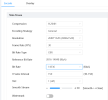
Without any light, it will motion blur, just like any other camera. As I have said, it is not magic. Don't join the ranks of all the people who've uploaded countless streaky videos to YouTube of this camera showing off its "no light" capabilities just to let the other members here chortle "See all the motion blur!" If you're going to test motion performance to share here, at least set
Fill Light to
White Light Mode,
Mode to
Manual, and
Brightness to
100 during the test. And don't forget the other settings I've posted about—the defaults are quite disappointing.