

Hello,
I have three cameras:
2x DS-2CD2386G2-ISU/SL
1x DS-2CD2387G2P-LSU/SL
I created a shared folder for each camera on my old Synology NAS (DS209+II - DSM 4.2).
With my new DS-2CD2387G2P-LSU/SL, everything went perfectly and it records constantly.
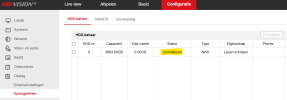
With my other two cameras, it's not working. It keeps saying the storage wasn't initialized:

Formatting seems working (already done several times, even from the hik-connect app):
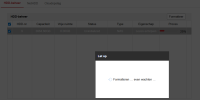
Once done I get this :
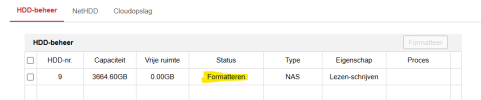
And after a refresh of my browser or navigating, I get this :
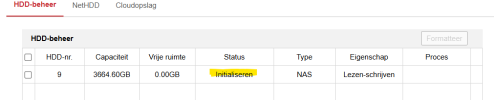
And after a while :

At that moment you think everything is fine, but after a minute it says this again:
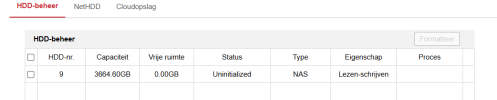
The shared folder seems alright :
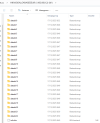
Installed the last firmware V5.5.820 build 231108, so I don't know anymore...
Anyone have any suggestions?
I have three cameras:
2x DS-2CD2386G2-ISU/SL
1x DS-2CD2387G2P-LSU/SL
I created a shared folder for each camera on my old Synology NAS (DS209+II - DSM 4.2).
With my new DS-2CD2387G2P-LSU/SL, everything went perfectly and it records constantly.
With my other two cameras, it's not working. It keeps saying the storage wasn't initialized:
Formatting seems working (already done several times, even from the hik-connect app):
Once done I get this :
And after a refresh of my browser or navigating, I get this :
And after a while :
At that moment you think everything is fine, but after a minute it says this again:
The shared folder seems alright :
Installed the last firmware V5.5.820 build 231108, so I don't know anymore...
Anyone have any suggestions?


