

That was what I did. Doing everything like in your 1st post. I even make sure the camera default gateway point to NVR switch at 10.1.1.1 and prefer DNS exactly like NVR..Hmmmm ...Hard to tell. I recommend making all setting changes (except recording shecule) on the camera itself. Save and let it push to the NVR.
***PSA for those with a New DAHUA NVR with Built-in PoE switch
- Thread starter bigredfish
- Start date
You are using an out of date browser. It may not display this or other websites correctly.
You should upgrade or use an alternative browser.
You should upgrade or use an alternative browser.

hmmm... What camera model and NVR model?
I just set up another brand new 4116 NVR and 2 Dahua 8MP cams at home yesterday and worked exactly as I described.
I dont mess with the camera network settings.
Default
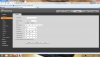
I just set up another brand new 4116 NVR and 2 Dahua 8MP cams at home yesterday and worked exactly as I described.
I dont mess with the camera network settings.
Default

That explains it. Waste half of a day trying to figure out what I did wrong after FW update on both NVR and cameras.Glad that worked!
Seems the configuration data doesn't get sync'd back from the camera to the NVR in real time, but when the reboot occurs it must communicate and sync.

DWinters1979
Getting the hang of it
Already did change it to onvif, but no resultI've not tried using a Foscam with a Dahua NVR, so not sure?. Maybe choose Onvif in the connection properties?
View attachment 60758
Saleen21
Young grasshopper
I finally got everything setup and working but when I click the blue IE it just takes me to camera info log in page and when I click ok it just says successfully operated and takes me back to camera registration page. If I go to live I get blank view. Am I missing something??
That 2nd image is what you should see if you were to click on the little "edit" pencil icon. The Blue IE icon should open a new browser window for the camera web login
Saleen21
Young grasshopper
Here videoThat 2nd image is what you should see if you were to click on the little "edit" pencil icon. The Blue IE icon should open a new browser window for the camera web login
View attachment trim.DF2444EC-8BE0-4BFE-81B2-1CFA5F9EF389.MOV
Saleen21
Young grasshopper
Ahh it doesn’t work on an MAC computer, used windows computer and all is goodHere video
View attachment 64514
There ya go
Saleen21
Young grasshopper
Once I went to windows computer instead of my MacBook it workedNo idea, never seen that before. The IE link launches a browser window on all of PoE NVR's Ive touched...
There ya go
Saleen21
Young grasshopper
Now all I need to do is hook up the other cameras and get them mounted. Then setup the cameras, the alerts, etc. I hope the hardest part is behind me. Any tips going forward with the camera settings and alerts??
Each camera/location will be different and to some degree require different tweaks to the settings. Start with default and go from there. Daytime is easy, nighttime is the hard part.
Set up you recording schedule on the NVR and your email (see post on first page) and make all of your stream/image/event-IVS/ and most everything eklse on the cameras themselves. Dont play with settings on the NVR and then the same settings on the camera, something will screw up.
Set up you recording schedule on the NVR and your email (see post on first page) and make all of your stream/image/event-IVS/ and most everything eklse on the cameras themselves. Dont play with settings on the NVR and then the same settings on the camera, something will screw up.
Saleen21
Young grasshopper
Curious what I’m doing wrong. I’m using DMSS app, which works fine if I’m at home on WiFi, but how do I view cameras remotely from DMSS app if I’m away from home like on vacation.
You need to install a vpn - like OpenVPN in your router and the client on your phone.
Your external IP is different than the one inside your home network (your WiFi). So once you leave your home it can’t find it.
Your external IP is different than the one inside your home network (your WiFi). So once you leave your home it can’t find it.
Saleen21
Young grasshopper
Lol, that just went right over my head, guess I better start trying to google for step by step instructions. Curious why I never had anything like that with a nest camera or Vivint.