Greetings,
I recently installed a Unifi switch and an AC Pro access point on my home network. I initially set it up with the legacy Unifi software and was soon prompted to download the more modern Unifi OS Server.
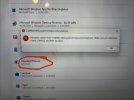
After installing the OS server, initialization was halted due to conflicts with a 4000’s range port and port 6789.
My instincts told me to uninstall several VMS softwares that I had been playing with but not really using. This resolved the issue with the 4000’s range port, but I’m still getting failures to initialize saying that port 6789 is still in use.
Any advice on how to free up this port?
Thanks !
Jim
I recently installed a Unifi switch and an AC Pro access point on my home network. I initially set it up with the legacy Unifi software and was soon prompted to download the more modern Unifi OS Server.
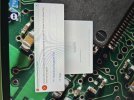
After installing the OS server, initialization was halted due to conflicts with a 4000’s range port and port 6789.
My instincts told me to uninstall several VMS softwares that I had been playing with but not really using. This resolved the issue with the 4000’s range port, but I’m still getting failures to initialize saying that port 6789 is still in use.
Any advice on how to free up this port?
Thanks !
Jim