Hello,
I am trying to reconfigure my cameras to use their built-in detection. So far I was using CPAI, right now I am at latest BI and have been using the built-in AI for a few days, however I noticed that I get some stutter that is present even in recordings if there are many simultaneous cameras triggering and processing by AI. From what I've read the built-in detection of the cameras (especially newer ones?) is very good, and it is not necessary to use external AI confirmations, so I am trying to set that up...
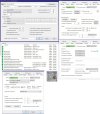
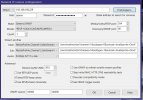
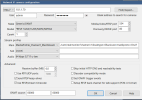
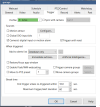
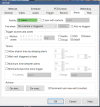
As per my initial setup - I have set up IVS rules with tripwires/intrusion zones, and enabled smart detection for humans/vehicles (and animals where it's supported). I also am getting ONVIF events on BI and disabled Motion Zones. Problem is however that cameras seem to be triggering from motion only - I see that the events appear to be default (and same) on all cameras (Camera Settings -> Motion/Trigger -> ONVIF/camera events -> configure) , however I see that there are many that are for motion and enabled by default such as IsMotion=True , IsMotion=1, Event=MotionDetected and so on. Is there any documentation which I can check so that I know which ones should be enabled/disabled and so on, as I want alerts only for detection of human/vehicle/animal, not for motion (I am already recording 24/7 so alerts are not tied to recording).
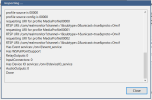
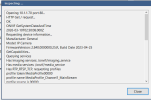
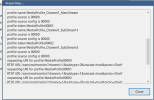
The cameras are different models - I have a one of each Color4M-T, IPC-B54PRO-Z4E, and a Reolink POE doorbell. I also have a few of each IPC-T54PRO-AS, IPC-T54PRO-ZE. Each camera is installed via find/inspect, and ONVIF events are properly fetched - I've been using them until now for the AI tool to verify alerts, however without it - I get a lot of false positives as the default rules in ONVIF configuration seem to alert for motion as well.
I am trying to reconfigure my cameras to use their built-in detection. So far I was using CPAI, right now I am at latest BI and have been using the built-in AI for a few days, however I noticed that I get some stutter that is present even in recordings if there are many simultaneous cameras triggering and processing by AI. From what I've read the built-in detection of the cameras (especially newer ones?) is very good, and it is not necessary to use external AI confirmations, so I am trying to set that up...
As per my initial setup - I have set up IVS rules with tripwires/intrusion zones, and enabled smart detection for humans/vehicles (and animals where it's supported). I also am getting ONVIF events on BI and disabled Motion Zones. Problem is however that cameras seem to be triggering from motion only - I see that the events appear to be default (and same) on all cameras (Camera Settings -> Motion/Trigger -> ONVIF/camera events -> configure) , however I see that there are many that are for motion and enabled by default such as IsMotion=True , IsMotion=1, Event=MotionDetected and so on. Is there any documentation which I can check so that I know which ones should be enabled/disabled and so on, as I want alerts only for detection of human/vehicle/animal, not for motion (I am already recording 24/7 so alerts are not tied to recording).
The cameras are different models - I have a one of each Color4M-T, IPC-B54PRO-Z4E, and a Reolink POE doorbell. I also have a few of each IPC-T54PRO-AS, IPC-T54PRO-ZE. Each camera is installed via find/inspect, and ONVIF events are properly fetched - I've been using them until now for the AI tool to verify alerts, however without it - I get a lot of false positives as the default rules in ONVIF configuration seem to alert for motion as well.


 ) Thanks for the help!