
I've exported the streaming profiles and added them to the override javascript and included the example script to hide main menu items (and have added UI Settings to it). When logging in as a non-admin user after manipulating the URL to maximise and just show the live pane, I can still see the settings gear icon at the bottom right and can then get into the profiles. In a sense it doesn't matter as the profiles will get reset by the next login but is there any way to lock down more of the UI so that non-privileged users don't get to change anything. I'll be deploying this in an environment where multiple users will be viewing live video of a machine and I don't want them playing with it.
Locking down U13
- Thread starter Mike Hellier
- Start date
You are using an out of date browser. It may not display this or other websites correctly.
You should upgrade or use an alternative browser.
You should upgrade or use an alternative browser.

You could hide or disable just about anything you want via
ui3-local-overrides.js and/or ui3-local-overrides.css files.
Thanks for the reply - I'm using one of the sample scripts in ui3-local-overrides.js to hide the main menu - is there any documentation on the UI so that I can hide other items?

Is this it Brian / @bp2008 ?Thanks for the reply - I'm using one of the sample scripts in ui3-local-overrides.js to hide the main menu - is there any documentation on the UI so that I can hide other items?
Local Overrides Scripts and Styles
A powerful, modern HTML5 web interface for Blue Iris. - bp2008/ui3
 github.com
And then there's the main UI3 Help:

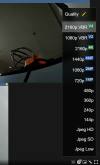
Thanks Tony, I'm using the "Local Overrides Sample: Hide some Main Menu items from non‐admin users" script and added main_menu_ui_settings as well to it which hides it - but have a look at the screenshot, the bottom right settings/gear icon allows you to get back in to the quality settings - I'd like to hide that..
There is no documentation of how to hide other elements but it is extremely straightforward with even the most basic web development skills. An AI chat bot may be able to help you.
To get you started,
Many other elements can be hidden via the same method by simply writing a css selector that matches them uniquely and assigning the display: none style. You will need to know the basics of how to write a css rule or get assistance from somebody or an AI chat bot.
To get you started,
ui3-local-overrides.css can be given this rule to hide the playback settings button.
Code:
#playbackSettingsButton
{
    display: none !important;
}Yes, those are the best existing resources for demonstrating how to use ui3's local overrides system.Is this it Brian / @bp2008 ?

Local Overrides Scripts and Styles
A powerful, modern HTML5 web interface for Blue Iris. - bp2008/ui3
And then there's the main UI3 Help:
Thanks everyone for this, its now locked down as much as I need and your help was invaluable. I'm a project manager who can write really basic VB so I long ago learned to know my limits 