IPC-HFW5431EP-Z5 - Condensation circle inside lens

I had it in my house for probably 3-4 years haha. I believe I opened up the SD compartment to look in there at some point, but don't recall it "not" sealing properly if that makes any sense.

Ah, OK, well maybe just try bringing it indoors, open it up and let it dry for a few days at least, then re-assemble and possibly try sealing all case joints with silicone or similar. Might be worth checking the rubber gaskets if visible, I have known these get crushed or misaligned from factory. It is a very annoying problem though!
 
An overlooked area of moisture laden air ingress/egress is where the pigtail enters the camera body. Great placed for non-gassing, outdoor-rated silicone caulk.

FWIW, the guy parking his truck with trailer attached on that curve, even in a residential neighborhood, is taking qite a chance, IMO.:idk:
 
As an Amazon Associate IPCamTalk earns from qualifying purchases.
Thanks I will give these ideas a try. Making some adjustments to my night-time settings to see if I can grab plates. I'm getting close, need to do a little tweaking.

And yeah Tony, that's an awful place to park it. Especially the way cars come around that corner...begging for something bad to happen. It's pretty blind coming around there. Especially the afternoon sun in the eyes of people coming into that corner from the far end.
 
I will just add it here while we have the conversation going...

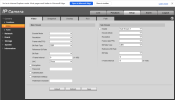
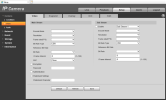
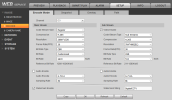
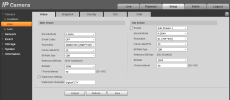
Both Edge-in-IE-mode and PaleMoon. Can't access these settings. Dropdowns are empty.

The audio is also garbled garbage.

If the answer is a firmware update I will. When I was reading on this forum, a lot of people said "don't update it just to update it unless something is broken."

1764298259540.png

1764298286610.png
 
  • Like
Reactions: Flintstone61
Ugh. I'm running Edge in "Internet Explorer" mode...not sure I can still get my hands on IE can I? I also tried Pale Moon which is supposed to be the closest thing I thought.
 
  • Like
Reactions: Flintstone61
Ugh. I'm running Edge in "Internet Explorer" mode...not sure I can still get my hands on IE can I? I also tried Pale Moon which is supposed to be the closest thing I thought.
IE is baked into Win 10 and 11, it's just hiding.

How to enable native Internet Explorer in Windows 10 and 11:
  • Open Notepad:
  • Copy then paste the single line of code below into Notepad:
  • CreateObject("InternetExplorer.Application").Visible=true
  • Save as OpenIE.vbs
  • Make sure the the file name ends in .vbs not .txt, If it ends in .txt you must rename to .vbs
  • Create a shortcut to the above file and double-click it anytime you want native Internet Explorer.
 
It is still native to Win10 and 11

How to enable native Internet Explorer in Windows 10 and 11:
  • Open Notepad:
    • Copy then paste the single line of code below into Notepad:
    • CreateObject("InternetExplorer.Application").Visible=true
    • Save as OpenIE.vbs
  • Make sure the the file name ends in .vbs not .txt, If it ends in .txt you must rename to .vbs
  • Create a shortcut to the above file and double-click it anytime you want native Internet Explorer.
 
Then you are either using an account that doesn't have admin rights or something went wonky with your admin account, especially if you changed the password after you initially set it up.

Try creating another account with admin rights. Or change the password to the admin with the same password.
 
Weird.

Current settings:
1764299754368.png


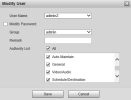
Created user admin2 and saved it. Auth. List is set to all.
1764299831109.png


Relaunched IE and logged in with admin2.
Getting the same deal logging in with the new account.
 
Worst camera ever! :lol:
Won't take me long to throw my settings back in there and change the IP.
Is that the same as clicking "Default" under "Default" menu to reset to factory configs?
Or something specific on the physical camera I'd have to do...
 
Should be the same yes
Is that he same camera you showed pics from on the 1st page?
 
Yeah it is. Figured I'd just keep rolling in the same thread with it since it was the same camera.

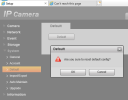
Hit "Default", all it seemed to do was wipe out my configuration settings. Still in the camera though.

1764300704571.png
 
  • Like
Reactions: bigredfish
Just wanted to be sure

Other setting pages are fine? Just the encode tab is not displaying values?

What are you using to access it?
Are you going through the NVR?
 
Yeah all the other settings look like they are working fine on it.
I have tried using Chrome, Pale Moon, "Edge in IE mode", and straight Internet Explorer.
I have not tried going through the NVR...thought I read that all the changes should be done locally on the camera.

Inside the NVR itself I see this:

1764300847260.png
 
I meant accessing it via the NVR using the IE icon on the camera registration page
 
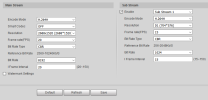
I don't know WTF changed. It works now from everywhere...I'm not sure if doing a few "Default resets" did it or what...I'm lost...More PFM?


1764301644102.png


Minor adjustments for now:
1764301760699.png