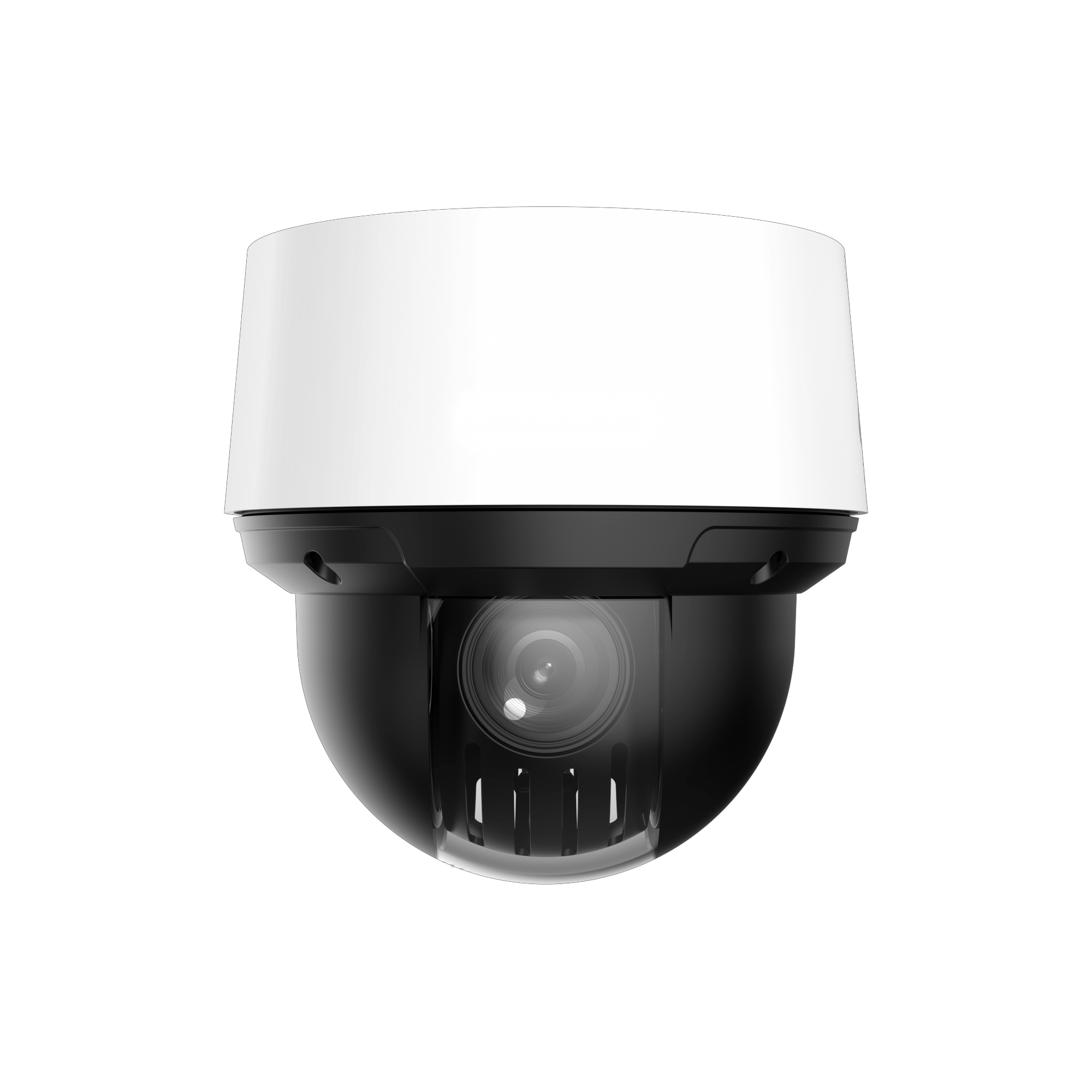
IMOU camera with Dahua NVR

So, I’ll just wait and see...
FYI: I won't be able to say anything more about the Imou PS70F model, or any other Imou models, as I'm replacing my Imou Cruiser Dual with a Dahua Dual Lens camera.

I just ordered the Dahua IPC-PTS2449C-4E3Z-S-PV-PRO

1_0_01_07_16245_837255199_crop_thumb.PNG


from a dealer in Estonia at a very good price, :) and this will replace my Imou Cruiser Dual. Since my Imou DB61i Doorbell was also defective and I disposed of it, I no longer have any Imou cameras in use and therefore no longer need the Imou app or Imou Cloud connection. :rofl:

With the Dahua IPC-PTS2449C-4E3Z-S-PV-PRO, I'll have a web GUI again, PoE, and, more importantly for me, the IVS features. I also hope that I'll finally be rid of the ONVIF bug that the Imou Cruiser had, which prevented me from integrating it with Home Assistant via ONVIF.
 
  • Like
Reactions: bigredfish
FYI: I won't be able to say anything more about the Imou PS70F model, or any other Imou models, as I'm replacing my Imou Cruiser Dual with a Dahua Dual Lens camera.

I just ordered the Dahua IPC-PTS2449C-4E3Z-S-PV-PRO

1_0_01_07_16245_837255199_crop_thumb.PNG


from a dealer in Estonia at a very good price, :) and this will replace my Imou Cruiser Dual. Since my Imou DB61i Doorbell was also defective and I disposed of it, I no longer have any Imou cameras in use and therefore no longer need the Imou app or Imou Cloud connection. :rofl:

With the Dahua IPC-PTS2449C-4E3Z-S-PV-PRO, I'll have a web GUI again, PoE, and, more importantly for me, the IVS features. I also hope that I'll finally be rid of the ONVIF bug that the Imou Cruiser had, which prevented me from integrating it with Home Assistant via ONVIF.

Do please post some sample video of moving humans at night when you get it installed.
 
Sure, I’d be happy to do that, but I have absolutely nothing to do with YouTube, so I wouldn't even know how or where to upload a video. :lol: It probably wouldn't be possible to upload one directly here in the forum anyway, due to file size restrictions.

Once the unit arrives and I’ve got it installed outside, I’ll create a dedicated post for it here in the Dahua section, since I don't think there’s a thread for the IPC PT 2 Multivision models yet. However, I’ll limit myself to screenshots of the day and night views in that post rather than uploading videos.

For me, it’s also important to see how the unit integrates with my older Dahua NVR2108-I, how well the ONVIF integration and Home Assistant setup work (and remain stable), and how well - and hopefully error-free - the device performs overall. I’m also interested in how "smooth" or "choppy" the Auto Tracking Lite and Linkage Tracking Lite features turn out to be. :) Yes, it’s only the "Lite" version and I’m not expecting miracles, but if it works at least as well as my current Imou Cruiser Dual, that’ll be fine by me.

I also hope Dahua hasn't "crippled" the dual-lens functionality over ONVIF for this model - meaning, for instance, that only the stream from a single lens gets transmitted, which is the case with some other manufacturers. :rofl:

But it will probably take another 2 to 4 weeks for the part to arrive here from Estonia and for me to mount it on the outside. :)
 
I see
 
Once the unit arrives and I’ve got it installed outside,
I installed the IPC-PTS2449C-4E3Z-S-PV-PRO outdoors yesterday, replacing my previous Imou Cruiser Dual. Since I haven't fully tested everything yet, here are just a few quick initial impressions:

So far, I’m rather disappointed with the IPC-PTS2449C-4E3Z-S-PV-PRO and its WizColor function. At least in my setup, the night footage is in color and quite bright, but it’s also rather blurry - you can't really make out details like a face.

Something I hadn't considered or noticed - entirely my own oversight :rofl: - is that the IPC-PTS2449C-4E3Z-S-PV-PRO really only offers a color mode at night, with no IR option. My cheap Imou Cruiser Dual actually had four modes,

Example from the Imou homepage
Imou_Cruiser_Dual_Mode.jpg

though the Smart mode switching didn't always work reliably at night, :lol: so I ended up sticking to IR mode with that camera anyway.

As I said, I’m currently underwhelmed by the WizColor feature on the IPC-PTS2449C-4E3Z-S-PV-PRO, but I’ll have to see if there’s anything I can do to optimize the performance.

Perhaps I should have gone with the cheaper IPC-PTS2249B-E2-S-PV-PRO after all, given my intended use and location. :lol:
 
Gee what a surprise :rolleyes:
 
Go ahead, rub a little more salt in my wound. :lol:

Yes, there was certainly some practical experience regarding WizColor, but unfortunately, absolutely none concerning the IPC-PTS2449C-4E3Z-S-PV-PRO itself. Right now, I’m mostly annoyed with myself for not noticing the lack of IR. :facepalm: Had I spotted that beforehand, I would have started the experiment with the cheaper IPC-PTS2249B-E2-S-PV-PRO model instead. Now I’ll just have to come up with another plan - whatever that turns out to be. :)
 
  • Haha
Reactions: bigredfish
Apologies, my snide remark wasn't meant to humiliate you, just that we are seeing the same with every single new model with a focus on AI and "bright" at the expense of image quality.

What distances are you realistically looking at?
Do you ahve any decent external white light or able to install off-camera IR illuminator?

Except for its poor nighttime IR, the little mini-PTZ dome is a pretty good PTZ for the money

 
Okay, here are a few example images to help illustrate this. :) The camera is mounted on the patio roof at a height of approximately 2.5 meters.

This was taken yesterday evening, when it was already completely dark outside. The area inside the circle is particularly bright because there is a 30-watt LED floodlight mounted up there.

IPC-PTS2449C-4E3Z-S-PV-PRO_Nacht1.jpg

From that point on, the LEDs on the camera switched on.

IPC-PTS2449C-4E3Z-S-PV-PRO_Nacht2.jpg

Even though I’ve partially obscured the face now, :) you can clearly see just how blurry everything is. Looking at the left table and the small green trolley in front of it, you can also clearly see just how blurred even static objects become. Not to mention the person who is moving.

IPC-PTS2449C-4E3Z-S-PV-PRO_Nacht3.jpg

For comparison, here is a shot taken just now in daylight. You can easily make out the face very clearly from a distance.

IPC-PTS2449C-4E3Z-S-PV-PRO_Tag.jpg

Note: The .jpg images here have not been further compressed.

Yes, installing an additional LED or IR illuminator might be an option. However, I’m currently also considering replacing one of the other Dahua cameras on the house with the IPC-PTS2449C-4E3Z-S-PV-PRO - even though it really wouldn't be necessary. But something I hadn't considered earlier is that - since I wanted to monitor two sides of the house simultaneously with the IPC-PTS2449C-4E3Z-S-PV-PRO (just as I did previously with the Imou Cruiser Dual) - I wouldn't be able to use the camera's Smart Hybrid Zoom and tracking functions. Those features would only work if both lenses were pointed in the same direction.

As the saying goes (here in Germany): There’s always something. :lol:
 
  • Haha
Reactions: bigredfish
You should be able to improve that image by logging into the camera and messing with settings. Its likely on "Auto" which is horrible in low light

Exposure and NR both need to be reduced some...for starters
 
  • Like
Reactions: Jim_OS
Thanks for the pointers and tips. The picture settings are exactly the ones I want to - and will - experiment with in the next days (near future); right now, everything is still on the default settings, meaning - among other things - that it's set to "Auto." :)

Edit: I’m signing off for today. I’ll report back here soon on my successes - or failures. :lol:
 
Last edited:
  • Like
Reactions: bigredfish
Hello,
does IMOU camera work with Dahua NVR ex. 4208-4KS2? I just need live view and playback.
Thanks in advance.
Hi, just to add some information: IMOU cameras can work with Dahua NVRs in many cases, but compatibility depends on the exact camera model. If the camera supports ONVIF or provides an RTSP stream, it can usually be added manually to the NVR. Also check the NVR firmware and camera network settings if live view or playback does not work.