Hi guys
Hope you all doing well...
I just finish to install a DS-7600 16ch with 10 x 8Mp camera in a a small warehouse.
Everything work perfect on the local network but I am going crazy trying to setup the HIK-Connect on the customer phone.
The NVR has the last firmware installed. I think 5.6....
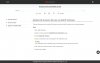
Under the network option, hik-connect.... when I try to enable it, a small error message come up say: Please change the initial verification code
What is this and where I will find it!?
P.S
I am connecting to the NVR via Firefox on a Linux machine.
Thanks
Hope you all doing well...
I just finish to install a DS-7600 16ch with 10 x 8Mp camera in a a small warehouse.
Everything work perfect on the local network but I am going crazy trying to setup the HIK-Connect on the customer phone.
The NVR has the last firmware installed. I think 5.6....
Under the network option, hik-connect.... when I try to enable it, a small error message come up say: Please change the initial verification code
What is this and where I will find it!?
P.S
I am connecting to the NVR via Firefox on a Linux machine.
Thanks