Hello, I have had this POE Camera for a few years - It works fine if Im at home. But if I use the APP, it will not connect if I attempt to view remotely.
I have tried port forwarding settings with no luck.
Any ideas or suggestions would be appreciated.
You should use peer to peer (P2P) access with the serial number of the camera. Using the URL of the camera with port forwarding will only work with your home Wi-Fi.
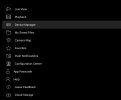
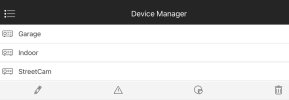
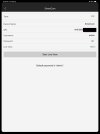
Below shows my settings in the Amcrest ViewPro app, Device manager
+1^^ to using the camera's serial number or QR code with the Amcrest app and select "P2P" (Peer to Peer/Cloud operation).
Besides, it's an incoming WAN IP request on a port that would be forwarded to the LAN IP and it's very risky, a lot more so than P2P.....and we don't even know if your WAN IP is public (exposed to the Internet, it's also likely dynamic so you'd need DDNS,. etc).....the app is the way to go for you, IMO.
You should use peer to peer (P2P) access with the serial number of the camera. Using the URL of the camera with port forwarding will only work with your home Wi-Fi.
Below shows my settings in the Amcrest ViewPro app, Device manager