
Help adding 2N doorbell camera...

Scotttttt

n3wb
Apr 13, 2019
7
1
Australia
Hey all. Hoping someone can help me out as I've been at it for hours now and cannot work it out! Trying to add the camera feed from my 2N Verso doorbell in to BI but just cant figure out the settings.

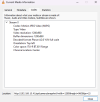
I can browse to the stream in VLC without any problems but cannot figure out the correct settings for BI to display it. The details / URL i am using for VLC is this..
1781418945404.png

Ive been able to add plenty of different cameras to my BI instance but this one has me stumped!! Hoping someone can shed some light!!

Many thanks!!
 
  • Like
Reactions: Flintstone61
Have you tried putting into BI the camera IP address, username, and password and hitting "Find/Inspect"?

What is the exact URL in VLC that you used to view the stream (Under "Open Network Stream") ?
 
  • Like
Reactions: Flintstone61
Yeah I've populated all the camera details as I normally would for any other camera in BI. Inspector just thinks for a while and then comes back with RTSP port found but nothing else.

The exact url for vlc is in the bottom of the screen grab I posted.
 
Yeah I've populated all the camera details as I normally would for any other camera in BI. Inspector just thinks for a while and then comes back with RTSP port found but nothing else.

The exact url for vlc is in the bottom of the screen grab I posted.
That looks more like a snapshot.

Try this in VLC:

Code:
rtsp:/192.168.10.41:554/live/ch0

If no joy try:

Code:
rtsp:/192.168.10.41:554/h264_stream

NOTE: Be sure to put 2 "/" after "rtsp:" as the forum software won't allow 2 to be displayed consecutively.

Let me know which works and it should be easy to port the working URL over to BI. :cool:
 
Last edited:
  • Like
Reactions: Flintstone61