Hacked Dahua DH-IPC-HFW1320S-W - "CRACKED WITH PHANTOM" watermark

Pilotino

n3wb
Sep 30, 2026
5
1
italy
Hi everyone,

The video feed of my Dahua DH-IPC-HFW1320S-W camera has been compromised. A text overlay recently appeared on the screen saying "CRACKED WITH PHANTOM" along with a Discord link (discord.gg/SGsPCqDgGB).

I plan to do a hard reset but since this is an older model, I am struggling to find the latest firmware to secure it properly.

Has anyone experienced this specific hack? Any advice on how to fully clean the camera and where to safely download the firmware?

Thank you
P
 
It's because of a P2P vulnerability in firmware older than August 2024.

Factory default it.
Update the firmware.

Turn off P2P, if you're running via an NVR/VMS.
 
  • Like
Reactions: VorlonFrog
It's because of a P2P vulnerability in firmware older than August 2024.

Factory default it.
Update the firmware.

Turn off P2P, if you're running via an NVR/VMS.
Ok thanks! Unfortunately, I can't seem to find an updated firmware for this camera on the official DAHUA website. I'll just factory reset it and make sure P2P is completely disabled as suggested.
 
Ok thanks! Unfortunately, I can't seem to find an updated firmware for this camera on the official DAHUA website. I'll just factory reset it and make sure P2P is completely disabled as suggested.
See if there is newer firmware on the version update support page.
 
See if there is newer firmware on the version update support page.
Thanks! I had only checked the main Download Center before, but I missed that version update support page. I will check it out as soon as I verify the serial number on the camera, which I've promptly disconnected from the network for now
 
  • Like
Reactions: Mark_M
Treat it as compromised until you have overwritten the firmware from a known-good Dahua package for that exact model.

Keep it offline (you already pulled the cable). Hard reset, then flash only the matching DH-IPC-HFW1320S-W build from Dahua's support site / ConfigTool, not anything from Discord or "Phantom" packs. After it comes back, change admin password, turn off P2P/UPnP/cloud/Easy4IP, and put it on a camera VLAN with no inbound port forwards.

If the watermark is still there after a clean official flash, or ConfigTool cannot take a stock image, replace the camera. At that age the safer move is often a new unit rather than trusting a partially cleaned one.

Also check what exposed it: open WAN ports, default passwords, or another infected device on the LAN. Fix that before putting any camera back online.
 
Treat it as compromised until you have overwritten the firmware from a known-good Dahua package for that exact model.

Keep it offline (you already pulled the cable). Hard reset, then flash only the matching DH-IPC-HFW1320S-W build from Dahua's support site / ConfigTool, not anything from Discord or "Phantom" packs. After it comes back, change admin password, turn off P2P/UPnP/cloud/Easy4IP, and put it on a camera VLAN with no inbound port forwards.

If the watermark is still there after a clean official flash, or ConfigTool cannot take a stock image, replace the camera. At that age the safer move is often a new unit rather than trusting a partially cleaned one.

Also check what exposed it: open WAN ports, default passwords, or another infected device on the LAN. Fix that before putting any camera back online.
Ok thanks. Yes, the plan is to overwrite it with a clean firmware and see what happens. I am definitely open to replacing it if it's still compromised!

The camera was exposed via DynDNS. Out of the 6 cameras I have (4 Hikvision and 2 Dahua), only the two Dahua units got compromised. My Hikvision cameras have better firmware support, so I updated them about a year and a half ago and they're currently running the latest firmware. With the two Dahua ones, I've always had a hard time finding the firmware—and unfortunately, this happened.

Anyway, I'll close the port forwarding and put everything behind a dedicated VLAN or VPN
 
Port Forwarding is much more dangerous than using P2P with updated FW later than August 2024
 
Thanks! I had only checked the main Download Center before, but I missed that version update support page. I will check it out as soon as I verify the serial number on the camera, which I've promptly disconnected from the network for now
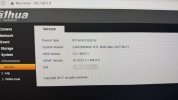
The website returns an error saying that the version doesn't exist after I enter the serial number. Even when typing it correctly and attaching a screenshot showing the serial page from the camera interface, it gives the exact same result. I just really don't get along with these Dahua guys...!!!
 

Attachments

  • IMG_0186.jpg
    IMG_0186.jpg
    4.1 MB · Views: 3
The website returns an error saying that the version doesn't exist after I enter the serial number. Even when typing it correctly and attaching a screenshot showing the serial page from the camera interface, it gives the exact same result. I just really don't get along with these Dahua guys...!!!
Send an email to Italy tech support asking for latest firmware.
Contact Us

Although this product is out of software support and security updates period, ending around 2021.