Hi everyone,
I’m looking for help with a substream decoding issue in Blue Iris.
Problem summary
Up to Blue Iris 5.9.98 everything worked perfectly. Starting from 5.9.99, all substreams show a greenish tint / green overlay (“green veil”) over the image. The same issue is still present in Blue Iris 6 (across all updates/builds I’ve tried so far). This affects both:
It only happens on substreams. If I switch a camera to full screen (so BI switches to the main stream), the image becomes normal immediately.
Cameras / stream details
Environment
I don’t think it’s Proxmox/VM related because nothing changed there when the issue started — only the BI update (5.9.98 → 5.9.99).
What I’m asking
Has anyone seen this exact behavior?
Any ideas what changed in BI around 5.9.99 regarding substream decoding that could cause a green overlay (color space / decode pipeline change, etc.)?
If you have a recommended set of settings to test, I’d really appreciate it.
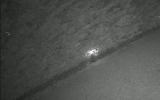
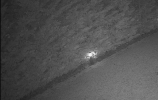
I’m attaching two screenshots for reference:
Thanks in advance!
I’m looking for help with a substream decoding issue in Blue Iris.
Problem summary
Up to Blue Iris 5.9.98 everything worked perfectly. Starting from 5.9.99, all substreams show a greenish tint / green overlay (“green veil”) over the image. The same issue is still present in Blue Iris 6 (across all updates/builds I’ve tried so far). This affects both:
- Live view, and
- Recorded playback (when the recording was made using the substream).
It only happens on substreams. If I switch a camera to full screen (so BI switches to the main stream), the image becomes normal immediately.
Cameras / stream details
- Cameras: Dahua HDW5442TM-AS
- Main stream: H.264, CBR
- Substream: H.264, CBR
(Same issue across multiple cameras.)
Environment
- Blue Iris: stable on 5.9.98; issue starts at 5.9.99 and continues in BI6
- OS: Windows 10 64-bit running as a VM on Proxmox
- No GPU passthrough to the VM
- Hardware acceleration is disabled in Blue Iris (software decode only)
- No AI/DeepStack/CodeProject usage — only ONVIF events for alerts
I don’t think it’s Proxmox/VM related because nothing changed there when the issue started — only the BI update (5.9.98 → 5.9.99).
What I’m asking
Has anyone seen this exact behavior?
Any ideas what changed in BI around 5.9.99 regarding substream decoding that could cause a green overlay (color space / decode pipeline change, etc.)?
If you have a recommended set of settings to test, I’d really appreciate it.
I’m attaching two screenshots for reference:
- Substream (green overlay)
- Main stream (normal image)
(Screenshots show only a cropped area for privacy/security.)
Thanks in advance!